Chapter 1
The short answer: plan by buyer questions, not by posting days
To build a 30-day social content system for a Shopify or DTC brand, start with the buyer questions that block purchase: What problem does this solve? Which product should I choose? How do I use it? Why is it worth the price? What proof exists? What offer is available now? Then map those questions into weekly themes, content formats, and CTAs.
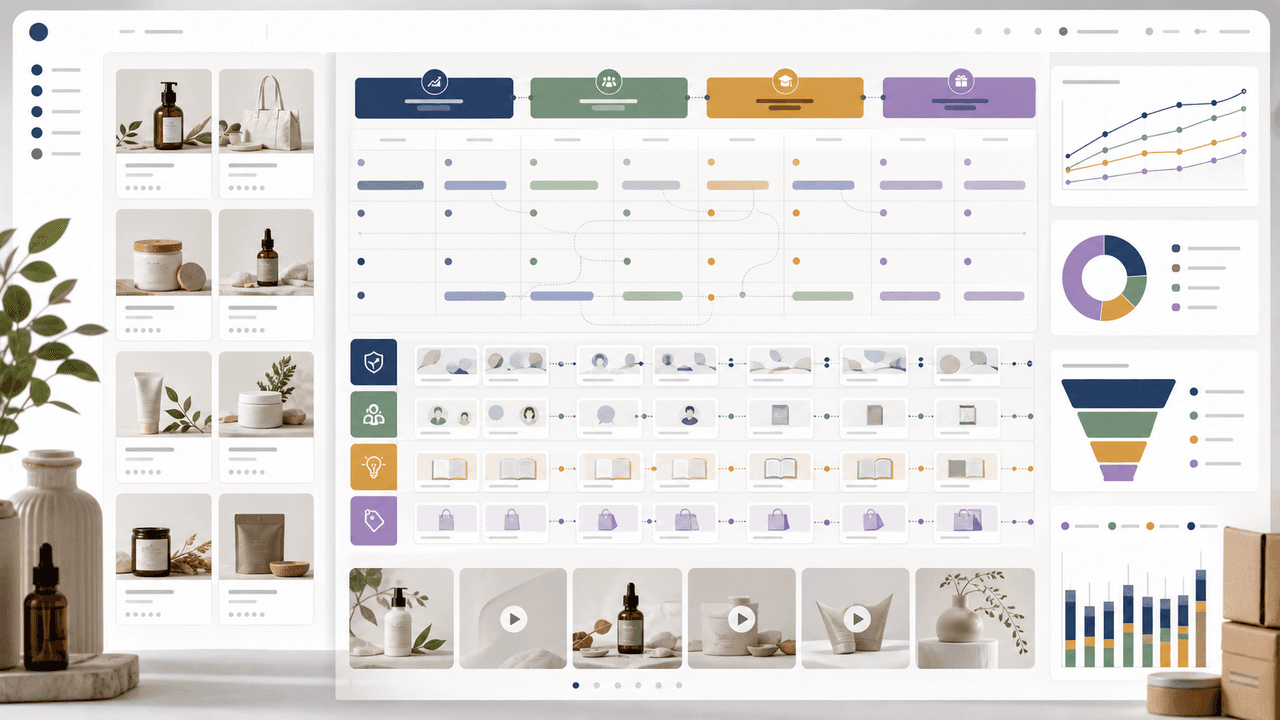
A strong 30-day system has four arcs. Week 1 creates problem awareness. Week 2 teaches product use and category education. Week 3 builds trust with proof, reviews, comparisons, and objection handling. Week 4 drives conversion with bundles, launches, seasonal angles, and direct offers. This gives the month a sales logic without making every post a hard sell.
The system should produce assets, not just topics. Each major product angle can become an Instagram carousel, TikTok slideshow, story sequence, email block, product-page module, and ad test. That is how a small team gets more output without producing thin copy-paste content.
Start with purchase blockers and product proof.
Use weekly arcs so content builds toward conversion.
Batch by job: education, proof, offer, and scheduling.
Repurpose angles across formats while adapting the creative to each platform.
Measure clicks, add-to-cart behavior, buyer questions, and revenue contribution alongside likes and saves.
Chapter 2
Gather the inputs that make the calendar useful
Most weak content calendars fail before writing begins because the inputs are too generic. 'Post product tip' is not enough. A useful ecommerce calendar starts from product pages, reviews, support tickets, return reasons, founder notes, launch plans, inventory priorities, and seasonal buying moments.
Shopify's content strategy guidance frames content around audience, format, distribution, and measurement. For a store, that means every social post should know who it helps, what product decision it supports, where it will be published, and how the team will judge whether it worked.
Create a working document with five columns: product or collection, buyer question, proof asset, content format, and CTA. This becomes the raw material for the month. If a row has no proof asset, either collect one or choose a different angle.
- 1
Pull product priorities
List the products, bundles, variants, collections, or launches that need attention this month. Include margin, inventory, seasonality, and campaign deadlines.
- 2
Pull buyer questions
Use reviews, support, comments, search terms, returns, and abandoned-cart feedback. The best content often answers questions customers already ask.
- 3
Pull proof assets
Collect product photos, use-case images, UGC, reviews, before-after examples, dimensions, material details, founder notes, and offer details.
- 4
Pull distribution constraints
Decide what must become Instagram carousels, TikTok slideshows, Stories, email blocks, ads, or product-page sections. Each format has different creative needs.
Chapter 3
The four-week Shopify content arc
A month should feel intentional when someone sees several posts, but each post should still work on its own. The four-week arc solves both problems. It creates progression without requiring followers to see every piece.
Week 1 is about relevance: show why the problem matters and who the product is for. Week 2 is about understanding: teach how to use the product, compare variants, or explain the category. Week 3 is about trust: reviews, comparisons, quality proof, and objection handling. Week 4 is about action: launch offers, bundles, limited windows, and final decision aids.
This arc also avoids the common ecommerce mistake of promoting offers before the audience understands value. By the time Week 4 arrives, the feed has already made the case.
- 1
Week 1: Problem and relevance
Post pain-point carousels, before-after context, buyer identity hooks, trend adaptations, and product problem explainers.
- 2
Week 2: Education and usage
Post routine tutorials, variant choosers, styling guides, ingredient or material explainers, setup steps, and TikTok slideshows that show use.
- 3
Week 3: Proof and trust
Post customer reviews, comparison carousels, quality detail slides, founder explanations, returns-objection answers, and social proof roundups.
- 4
Week 4: Offer and conversion
Post bundle builders, launch countdowns, gift guides, collection spotlights, limited offers, and direct product CTAs.
Chapter 4
Map each idea to Instagram carousels and TikTok slideshows
Repurposing does not mean posting the same file everywhere. Instagram carousels can hold denser education, comparisons, and product detail. TikTok slideshows should be more vertical, more immediate, and more visually direct. The product angle can stay the same while the execution changes.
Meta Business Suite documentation shows that teams can create, schedule, and manage posts for Facebook and Instagram, and TikTok's carousel ad documentation confirms swipeable image formats inside TikTok ads. The operational lesson is that format planning matters: a 30-day system needs asset versions, not just captions.
For each angle, decide the lead format. If the angle is a comparison, Instagram carousel may be primary. If the angle is a visual transformation or product-in-use sequence, TikTok slideshow may be primary. Then create a secondary adaptation instead of inventing a new topic.
Instagram carousel: best for comparisons, education, variant choice, product details, and saved reference posts.
TikTok slideshow: best for quick product stories, before-after sequences, product launch hooks, lifestyle context, and vertical visual proof.
Stories: best for reminders, polls, behind-the-scenes, restock notices, and launch urgency.
Email blocks: best for turning the strongest social explanation into a direct sales sequence.
Ads: best for testing the hooks and proof angles that organic posts already showed were promising.
Chapter 5
Batch production without creating template sludge
Batching is not the same as copying. The goal is to reduce repeated production decisions while keeping each post valuable. You batch the structure, visual system, product proof, and scheduling work. You do not batch low-effort captions with swapped product names.
Use a two-pass workflow. In the strategy pass, choose the buyer questions and map each one to a content job. In the production pass, create the assets. This prevents the team from opening a design tool before knowing what the post should teach or sell.
Google's people-first content guidance is relevant here: useful content is made to help people, not just to manipulate search or fill pages. The same principle applies to social. A 30-day system should make the brand more helpful at scale, not merely louder.
- 1
Batch 1: Strategy
Choose products, buyer questions, proof assets, weekly arcs, and CTAs. Do this before design.
- 2
Batch 2: Hooks
Write first-slide or first-frame hooks for every planned asset. Reject weak ideas before design begins.
- 3
Batch 3: Visual generation
Generate or assemble carousels, TikTok slideshows, and supporting story assets from the same product brief and brand style.
- 4
Batch 4: Review
Check product accuracy, claim support, mobile readability, CTA fit, and platform adaptation.
- 5
Batch 5: Schedule and track
Schedule posts, tag campaign links, and create a simple measurement sheet for hook, format, CTA, and buyer action.
Chapter 6
A sample 30-day calendar for a DTC product brand
This sample assumes five feed posts per week plus supporting stories. Adjust volume to your team and audience. A smaller brand can run three strong posts per week and still use the same arc.
The important part is variety inside a coherent system. Do not publish five product showcases in a row. Mix education, proof, product use, and offer content so buyers get repeated reasons to trust the product.
Day 1: Problem carousel - why the old routine fails.
Day 2: TikTok slideshow - product in the real use moment.
Day 3: Product education carousel - how the product works.
Day 4: Story poll - ask which problem buyers struggle with most.
Day 5: UGC or review post - real buyer language.
Day 8: Variant chooser carousel - which option fits which buyer.
Day 10: TikTok slideshow - before-after or setup sequence.
Day 12: Quality proof carousel - material, ingredient, or design detail.
Day 15: Comparison carousel - product versus common alternative.
Day 18: FAQ carousel - objections from comments and support.
Day 22: Bundle builder carousel - complete solution.
Day 24: TikTok slideshow - launch or seasonal offer.
Day 26: Founder note or behind-the-scenes proof.
Day 28: Gift guide, collection, or use-case roundup.
Day 30: Conversion recap - best product for each buyer situation.
Chapter 7
Measure the system by buyer movement, not only engagement
Likes and saves can show whether a post is useful, but ecommerce content has to be judged by buyer movement. Did the post drive product clicks? Did it create qualified comments or DMs? Did it increase add-to-cart rate? Did the landing page continue the same promise? Did a certain framework make paid creative cheaper to test?
Track metrics by content job. Education posts may earn saves and product-page time. Proof posts may earn clicks and questions. Offer posts should create direct conversion. If every post is judged by the same metric, useful mid-funnel content may look weak even when it supports revenue.
At the end of the month, do a decision review. Keep the strongest hook families, retire weak formats, update product pages where comments exposed confusion, and turn the best-performing organic angles into ad tests or landing-page sections.
Awareness: reach, saves, swipe depth, profile visits, new followers.
Education: saves, shares, product-page time, comment quality, FAQ clicks.
Proof: click-through rate, buyer questions, add-to-cart, review-page visits.
Offer: conversion rate, revenue, average order value, bundle uptake, discount use.
System health: production time, approval rate, visual consistency, and number of reusable assets created.
Callout
Turn your 30-day plan into scheduled creative
AttentionClaw helps Shopify and DTC teams turn one 30-day plan into brand-consistent Instagram carousels, TikTok slideshows, and scheduled product campaigns.
Next step
Turn a 30-day ecommerce plan into scheduled creative
AttentionClaw helps Shopify and DTC brands generate consistent product carousels, TikTok slideshows, and campaign assets from one monthly content system.
Common Questions
FAQ
More Reading
Keep reading
8-chapter read
Boutique Product Drop Instagram Carousels
Boutique product drop carousels should show new arrivals, fit and material details, care information, inventory timing, review proof, and shopping CTAs without misleading scarcity or labeling claims.
9-chapter read
Ecommerce Subscription Retention Instagram Carousels: Reduce Churn With Better Education
Ecommerce subscription retention carousels should help subscribers use the product, understand billing and cancellation choices, skip or swap correctly, and see why the next shipment matters.
8-chapter read
Carousel Slide Order That Converts: Hook, Proof, Offer, CTA
A converting carousel usually follows a clear order: hook, context, problem, solution or product, proof, objection handling, offer, and CTA. The exact slide count can change, but the reader should never wonder why the next slide exists.

How to Batch Instagram Carousels and Save 10+ Hours Every Week
Most creators spend 2-3 hours per carousel because they restart from scratch every time. A batch production system cuts that to 15 minutes per post.
Turn Product Benefits Into a Week of Social Posts
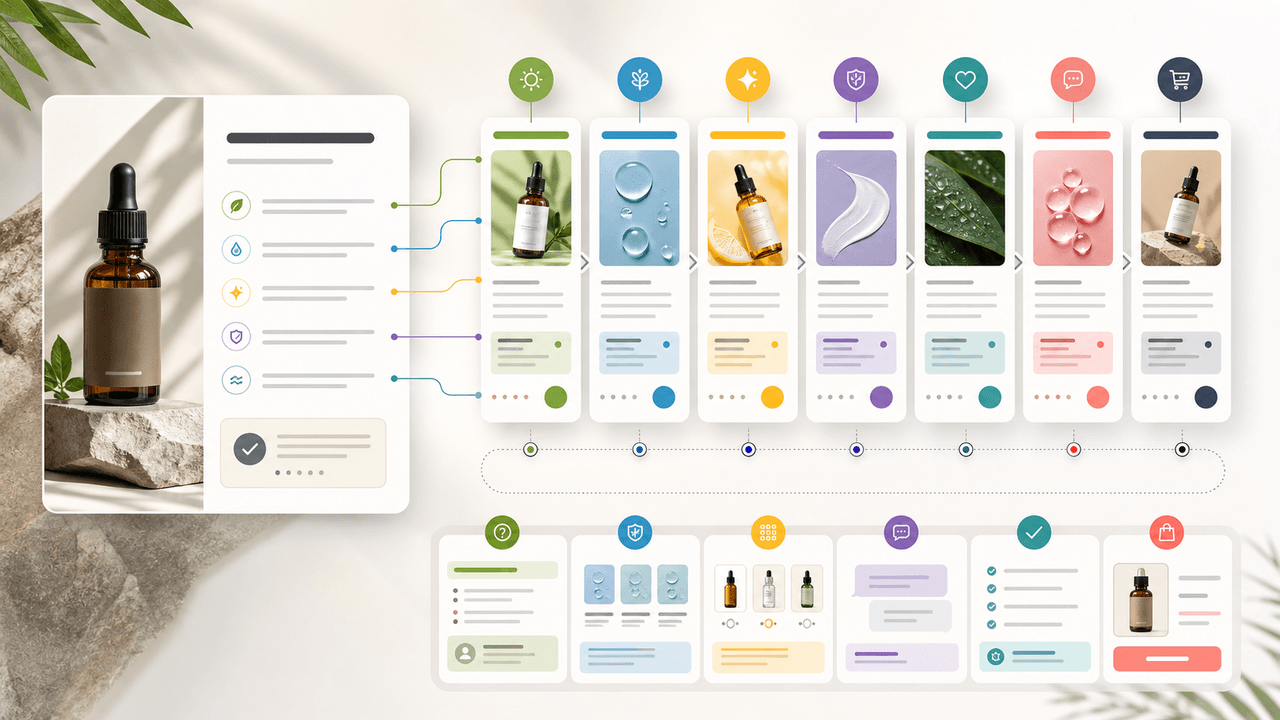
A product benefit list can become a full week of social posts when each post answers a different buyer question: what it does, who it is for, how it works, what proof supports it, what objection it answers, how to choose a variant, and what to do next.
Seasonal Carousel Campaigns for E-Commerce: A Year-Round Playbook
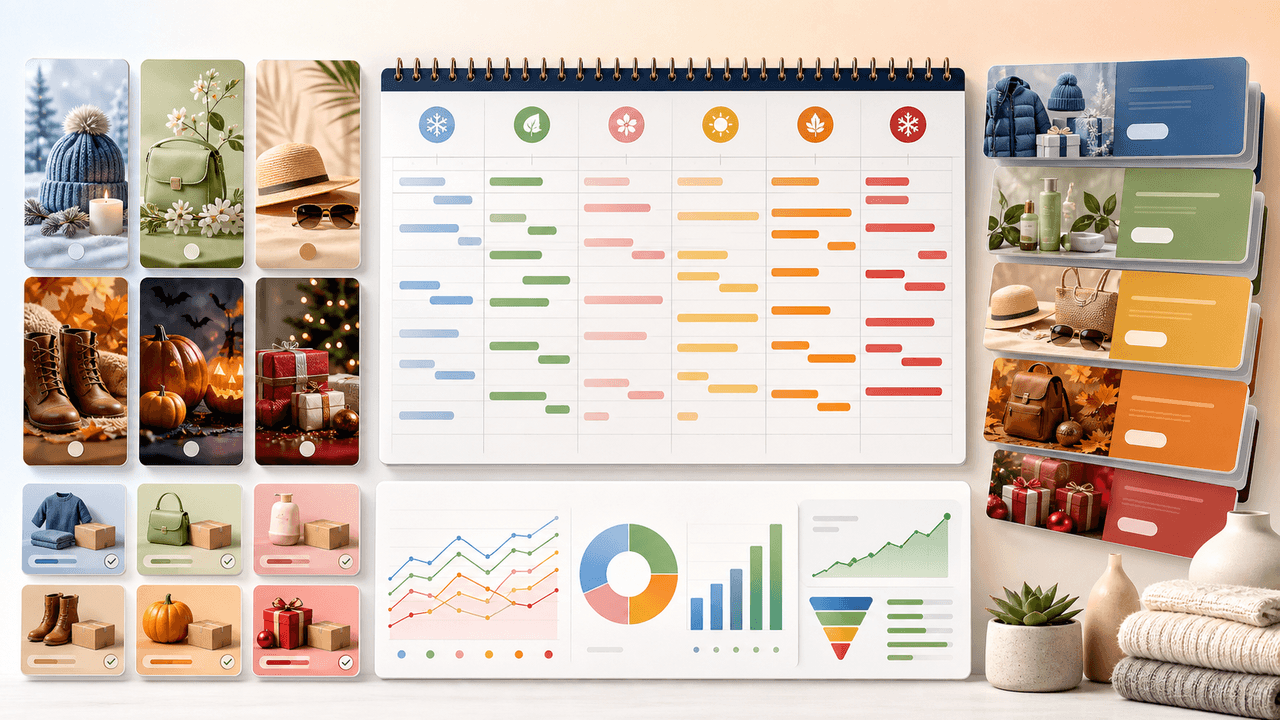
E-commerce brands that plan seasonal carousel campaigns in advance outsell reactive competitors by a wide margin. This playbook covers every major selling season with specific carousel formats, timelines, and content strategies that drive revenue year-round.

UGC Carousels for E-Commerce: Turn Customer Photos Into Your Best Sales Tool
User-generated content converts at 4-5 times the rate of brand-produced content, but most e-commerce brands either ignore UGC or use it poorly. Repurposing customer photos into structured carousel formats turns scattered social proof into your highest-performing sales asset.

E-Commerce Instagram Content Pillars: The 5-Pillar Framework That Sells
Most e-commerce Instagram accounts either post too much product content and bore their audience, or too much lifestyle content and fail to sell. The five-pillar framework creates a balanced content mix that consistently educates, entertains, builds trust, and drives purchases.

Product Education Carousel Frameworks for Shopify Stores
Product education carousels work when they translate product-page facts into buyer decisions. Use a framework for each job: explain the problem, compare variants, teach use, prove quality, or build a bundle. The goal is not more slides; it is fewer unanswered buying questions.

Carousel Analytics: The Metrics That Actually Matter (And How to Track Them)
Most creators obsess over likes and follower count while ignoring the carousel-specific metrics that actually predict growth. This guide breaks down the numbers worth tracking and the benchmarks that separate average from exceptional.
Sources
- How To Use a Content Strategy: Free Content Strategy Template — Shopify
- Create and Manage Posts in Meta Business Suite on Desktop — Meta Business Help Center
- About Carousel Ads in TikTok Ads Manager — TikTok Ads Manager
- Creating helpful, reliable, people-first content — Google Search Central
Written by
AttentionClaw
Editorial Team
Editorial context
Part of the Content Planning topic cluster. Last updated June 22, 2026.