Chapter 1
Show notes are more than episode housekeeping
Podcast show notes often contain the episode description, guest bio, links, timestamps, resources, and call to action. That makes them a compact source file for social content.
Apple Podcasts explains that podcast metadata can include show and episode details such as titles and descriptions through a host or RSS feed. Those fields matter because they shape how an episode is understood before someone presses play.
For repurposing, show notes help you avoid re-listening to the full episode just to remember the angle. They give you the promise, topics, resources, and CTA in one place. The job is to turn those pieces into native social assets.
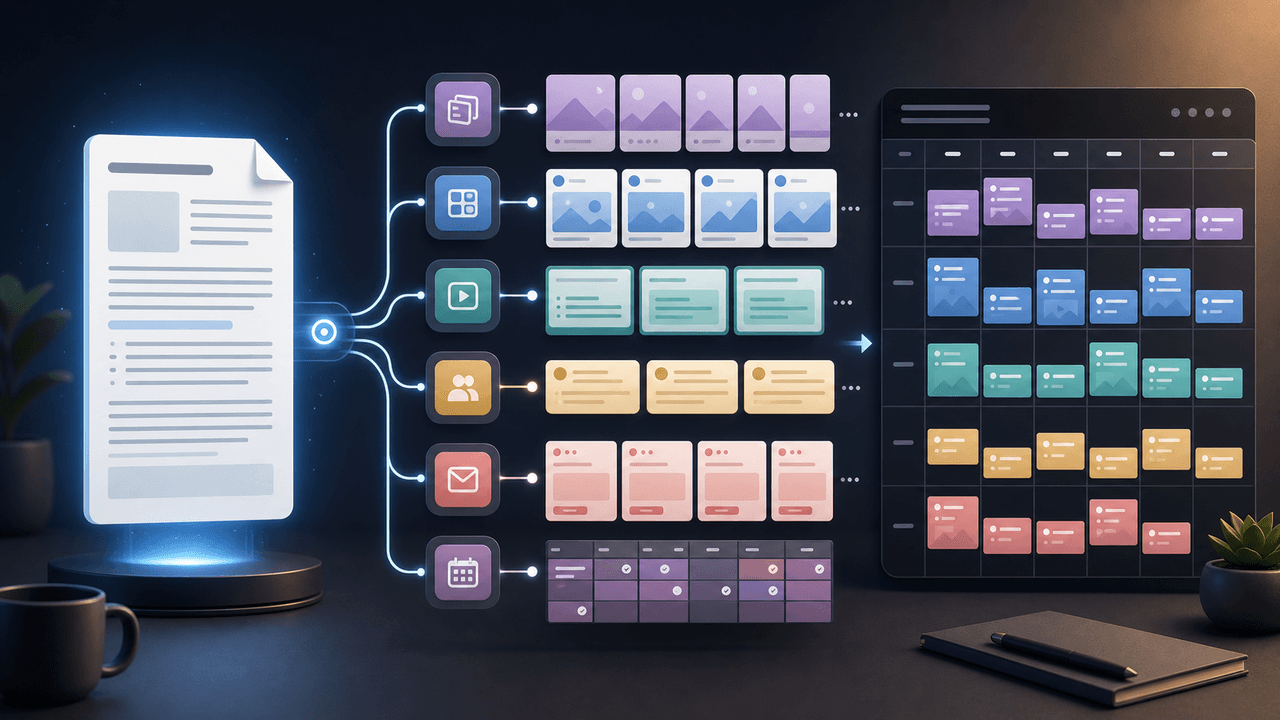
Episode title becomes the first hook candidate.
Description becomes the summary and CTA bridge.
Guest bio becomes authority context.
Timestamps become carousel sections.
Resource links become newsletter notes.
CTA becomes tracked social links.
Chapter 2
Extract six social assets from show notes
- 1
Promise post
Rewrite the episode description into a short post that names the problem, the guest or host perspective, and the outcome.
- 2
Timestamp carousel
Turn the most useful timestamps into a carousel that walks through the episode's framework or key lessons.
- 3
Guest authority asset
Use the guest bio and strongest quote to build a guest-share post the guest will want to repost.
- 4
Resource roundup
Turn tools, links, books, or templates from the notes into a newsletter or document.
- 5
Audience question
Convert the episode's main question into a YouTube post, poll, or LinkedIn discussion prompt.
- 6
CTA post
Use the episode CTA with tracking so you can measure whether social assets drive listeners, signups, or leads.
Chapter 3
Build a timestamp carousel from show notes
A timestamp carousel is useful when the episode has a clear sequence. Do not list every timestamp. Choose the moments that create a complete idea: problem, insight, method, example, and action.
Meta's carousel format guidance is useful because the format is sequential and card-limited. Give each selected timestamp one job. A slide might say '12:40 - why most creators lose the idea during editing' and then translate the lesson into one concise takeaway.
The carousel should make the episode more valuable, not replace it. End with a CTA to listen for the full conversation or to use the related workflow.
Callout
Timestamp rule
A timestamp is not a slide by itself. It needs a takeaway. Use time markers as navigation, not as the content.
Chapter 4
Create a guest-share kit from the notes
Guest episodes travel farther when the guest receives useful assets. Show notes already contain the guest bio, topic, links, and episode URL. Turn those into a small package: quote graphic, carousel, short caption, and direct link.
Apple Podcasts provides marketing tools for podcast assets, which can help with baseline episode promotion. A custom guest-share kit adds the guest's actual idea and makes the post more likely to be shared.
Keep the package easy: include the guest's preferred title, one clean caption, a tagged version, and a tracked episode link.
Chapter 6
Improve show notes before repurposing them
Bad show notes create bad social assets. If the episode description is vague, timestamps are missing, links are unlabeled, or the CTA is unclear, fix the notes first.
Google's people-first content guidance applies because show notes should help real listeners understand the episode and act on it. Useful show notes also make repurposing easier because they already state the value clearly.
Use a minimum show-note template: one-sentence promise, guest context, five key moments, links with labels, one CTA, and source notes for factual claims.
Chapter 7
Track show-note assets as one episode campaign
Show-note repurposing should be measured as an episode campaign. Track which assets drive listens, guest reposts, newsletter clicks, resource downloads, and product actions.
Google Analytics URL builder guidance explains that campaign parameters identify referral campaigns. Use one campaign name for the episode and labels such as show_notes_carousel, guest_share, resource_newsletter, youtube_poll, and episode_cta.
After the campaign, update the show-note template based on what worked. If resource newsletters drive more clicks than quote posts, make resources more prominent in future notes.
Chapter 8
Where AttentionClaw fits
AttentionClaw fits after the show notes are clean. The podcast team chooses the episode promise, timestamps, guest assets, and CTA. AttentionClaw can then turn those into branded carousels, slideshows, and social drafts.
This gives every episode a repeatable content package without forcing the producer to manually design every asset.
Callout
Turn episode notes, timestamps, and guest context into branded social assets
Use AttentionClaw to turn episode notes, timestamps, and guest context into polished social assets for every podcast release.
Chapter 9
When Show Notes Are Too Thin to Repurpose — and How to Fix Them First
Not all show notes are equally usable. Notes that consist of a two-sentence episode description, a guest name, and a list of links contain almost no extractable social content. Before treating show notes as a repurposing source, audit what you actually have: a specific episode promise, at least three timestamps pointing to discrete moments, a guest bio that contains more than a job title, and a resource section with enough context to explain why each link matters.
If the notes are thin, the fastest fix is a thirty-minute episode re-listen focused only on the three moments worth turning into social content. Note the timestamp, the quote or idea, and the one-sentence framing of why it matters. This gives you a usable mini-notes document even when the original notes are not up to the task. The episode itself is always the primary source; the show notes are just the faster path when they are complete.
This is also an argument for improving show note quality at the production stage. If you know the notes will be repurposed, include the elements that make repurposing easy: a clear episode premise in the first sentence, labeled timestamps for key moments, and resource descriptions that say something beyond a URL.
Chapter 10
A Repeatable Extraction Template for Every Episode
Inconsistent repurposing — where some episodes get a full carousel and others get nothing — usually happens because there is no standing process. A one-page extraction template that every episode passes through makes the decision automatic rather than dependent on whoever has bandwidth that week.
The template should prompt five decisions: (1) What is the one-sentence episode premise that would make someone stop scrolling? (2) Which three timestamps represent the most standalone-useful moments? (3) Does the guest's bio contain an authority signal worth a separate post? (4) Is there a resource list worth a newsletter or link-in-bio compilation? (5) Is there a single counterintuitive statement worth a quote graphic? Each decision produces one asset. Five decisions, five assets, minimum, every episode.
- 1
Write the one-sentence premise
This is not the episode title — it is the value the listener gets. 'How to cut your podcast editing time in half by fixing the recording environment instead of the edit' is a premise. 'Episode 47: Audio quality with Jordan Martinez' is a title. Only the premise is usable on social.
- 2
Select three timestamps
Choose moments that stand alone without the surrounding episode context. A framework, a surprising stat the guest cites, a story with a clear beginning and end, or a direct answer to a commonly searched question. If the moment requires ten minutes of prior episode to understand, it is not a good timestamp candidate.
- 3
Write one social post per asset
Do not try to write all five assets at once. Treat each as a separate task with a clear input (the source material) and a clear output (the post copy and format). Batching in this way is faster and produces more consistent quality than trying to generate all content for an episode in a single session.
Next step
Turn every episode note into a social asset package
AttentionClaw helps podcast teams convert episode notes, timestamps, and guest context into branded carousels and posts.
Common Questions
FAQ
More Reading
Keep reading
7-chapter read
Give the host an approval-ready promotion packet
A podcast guest appearance needs a coordinated handoff, not just a link post. Agree on asset rights and timing, package approved quotes and visuals, make host approval easy, and keep a correction path open after launch.

How to Turn One Good Idea Into 7 Different Instagram Carousels
You do not need 30 unique ideas to post every day. You need one strong idea and a system that turns it into 7 carousels with different angles, formats, and depths.
10-chapter read
How to Turn Any Transcript Into Short-Form Content
A transcript becomes useful short-form content when you extract claims, stories, frameworks, questions, objections, and action steps instead of pasting spoken paragraphs into social formats.
10-chapter read
How to Turn One Blog Post Into a Full Social Content System
A strong blog post can become a full social content system when you extract the direct answer, framework, examples, sources, objections, and CTA separately instead of summarizing the whole article.
10-chapter read
How to Turn YouTube Comments Into Content Ideas
YouTube comments become a content engine when you sort them by question, objection, correction, story, and request. Each group maps to a different post type and shows what the audience actually wants next.
10-chapter read
How to Turn Expert Interviews Into LinkedIn Newsletters
An expert interview becomes a strong LinkedIn newsletter when you turn it into an editorial brief: thesis, context, expert framework, evidence, practical takeaway, and next-step CTA.
10-chapter read
How to Turn One Livestream Into a Content Library
A livestream becomes a content library when you extract teachable moments, live questions, audience objections, visual proof, and replay CTAs into separate assets.

Podcast Interview Content Repurposing System: One Guest Conversation Into a Week of Assets
A podcast interview should become more than audiograms. Extract the guest thesis, strongest story, quotable lines, objection answers, listener questions, and resource CTA into a week of native assets.
How to Turn One Newsletter Into a Week of Social Content
A strong newsletter is not one finished asset. It is the source file for a week of social posts, carousels, short scripts, community posts, and follow-up emails when you extract the argument, proof, examples, and reader questions separately.

Turn one podcast theme into a sourced carousel
A podcast carousel should preserve the episode's meaning, not compress a transcript into disconnected quotes. This workflow selects one defensible theme, traces every slide to source material, and sends the finished sequence through approval.
Sources
- Update Your Podcast Metadata — Apple Podcasts for Creators
- Apple Podcasts Marketing Tools — Apple Podcasts for Creators
- Design Specifications for Carousel Ads — Meta Business Help Center
- Writing Email Newsletters — Mailchimp
- URL Builders: Collect Campaign Data With Custom URLs — Google Analytics Help
Written by
AttentionClaw
Editorial Team
Editorial context
Part of the Repurposing topic cluster. Last updated June 22, 2026.