Chapter 1
The content gap that kills most dropshipping stores on Instagram
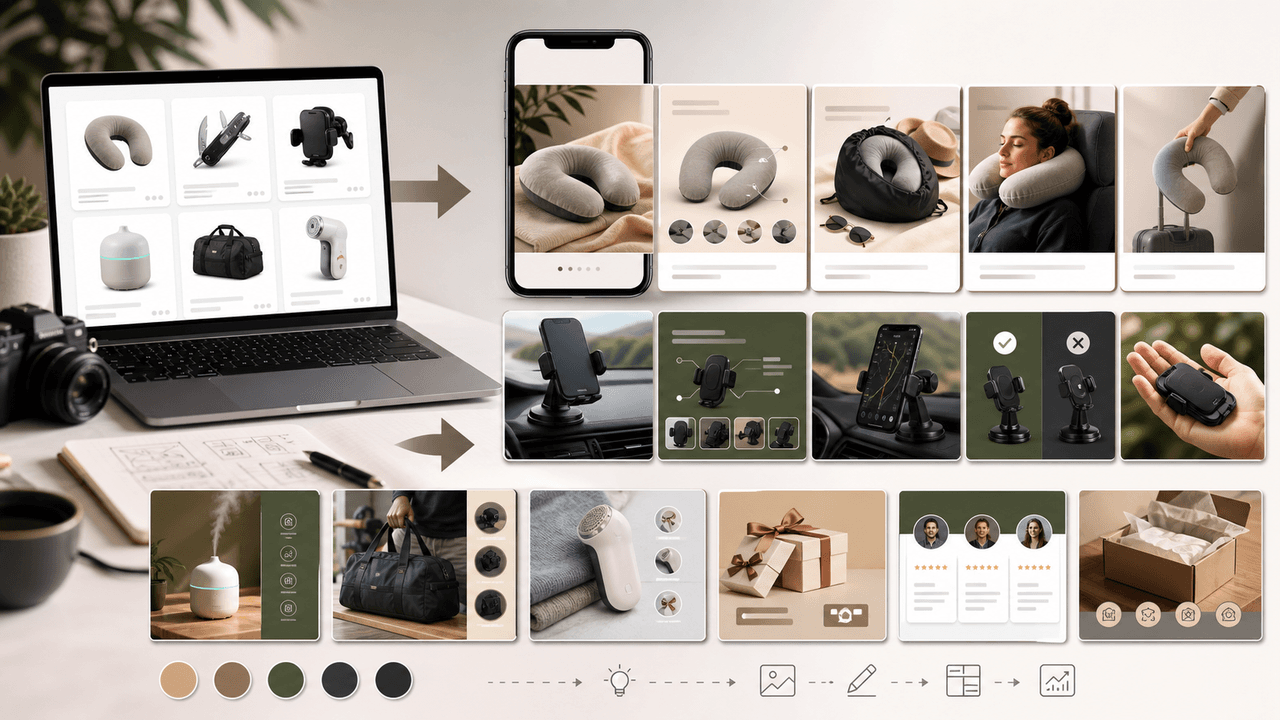
The single biggest reason dropshipping stores fail on Instagram is not their product quality or their pricing. It is the visual gap between their content and the content of established brands. When a potential buyer sees a carousel with low-resolution supplier images next to a competitor's polished lifestyle photography, the buying decision is already made.
This gap creates a credibility problem. Instagram is a visual-first platform, and shoppers unconsciously judge product quality based on image quality. A great product presented with poor visuals will always lose to a mediocre product with professional imagery. For dropshippers, solving this visual gap is the single highest-leverage marketing investment.
The good news is that solving it does not require a photography studio or physical inventory. It requires a systematic approach to sourcing, enhancing, and formatting visual content into carousel formats that look professional and build the trust that supplier images alone cannot create.
Low-quality supplier images immediately signal to buyers that the brand is not trustworthy
The visual gap is the primary reason dropshipping stores have lower conversion rates on Instagram
Solving the content gap is higher ROI than improving ads, pricing, or product selection
Design-forward carousel formats can elevate even basic product images into professional content
Consistency in visual presentation matters more than individual image quality
Chapter 2
Getting the most out of supplier images you already have
Supplier images are not ideal, but with the right approach, they are more usable than most dropshippers realize.
Start by requesting the highest-resolution images your supplier offers. Many suppliers have better imagery than what appears on their standard product listing. Ask specifically for lifestyle images, detail shots, and images with transparent backgrounds. The worst that happens is they say no.
When you receive supplier images, sort them into three categories: usable as-is, usable with editing, and unusable. Usable images have decent lighting, clean backgrounds, and reasonable resolution. Images that need editing might have a distracting background, poor color balance, or watermarks. Unusable images are too low-resolution or poorly composed to salvage.
For the editable category, basic adjustments go a long way. Remove or replace backgrounds using a tool like remove.bg. Adjust brightness and contrast so the product pops. Add a consistent color grade that matches your brand aesthetic. These simple edits can transform generic supplier photos into images that look like they belong on your brand's feed.
- 1
Request high-resolution files directly from your supplier
Contact your supplier and ask for original product images in the highest resolution available, including lifestyle shots and white-background cutouts. Many suppliers have image libraries beyond what they put on AliExpress or their standard catalog.
- 2
Remove and replace backgrounds
Use background removal tools to extract the product from the supplier's setting. Then place it on a clean, brand-consistent background: a solid color, a subtle texture, or a mockup scene that matches your brand's aesthetic.
- 3
Apply consistent color grading
Create a color preset that you apply to every product image. This single step creates visual cohesion across your entire feed, even when images come from different suppliers with different cameras and lighting setups.
- 4
Crop and frame for carousel slides
Supplier images are rarely composed for Instagram's square or 4:5 format. Crop images intentionally so the product fills the frame at a consistent size across all carousel slides.
Chapter 3
Design-led carousel formats that do not depend on photography at all
The most powerful strategy for dropshippers is to shift from photo-dependent carousels to design-led carousels. These formats use typography, color, icons, and layout as the primary visual elements, with product images playing a supporting role rather than carrying the entire slide.
Design-led carousels have a second advantage beyond solving the photography problem: they perform extremely well on Instagram because they are optimized for readability and information delivery. Users can quickly scan the content, which encourages swiping through all slides.
This approach works best when you build a design system with consistent fonts, colors, and layouts. When every carousel follows the same visual language, your feed looks intentional and professional regardless of where your product images came from.
- 1
Infographic-style product carousels
Present product features using icons, illustrations, and typography instead of relying on product photos. A slide that says 'Waterproof to 30 meters' with a clean water-drop icon is more compelling than a blurry supplier photo of someone in the rain.
- 2
Stat and data carousels
Use industry statistics, survey results, and customer data as the visual backbone of your carousels. A slide showing '87% of buyers said this replaced their old product' is powerful social proof that requires zero photography.
- 3
Problem-solution text carousels
Structure carousels around a problem your audience faces and position your product as the solution. Use bold typography for the problem, clean design for the solution, and a single product image on the final slides.
- 4
Comparison and spec carousels
Create side-by-side comparison slides showing your product versus alternatives. Use specs, ratings, and feature checkmarks. This format naturally minimizes the need for lifestyle photography while directly addressing buyer decision criteria.
Callout
Design systems level the playing field
AttentionClaw lets you define a brand style once and generates carousels that match it consistently. For dropshippers, this means every carousel looks like it comes from an established brand, regardless of the quality of the source product imagery.
Chapter 4
Sourcing and using UGC when you are starting from zero
User-generated content is the most credible visual asset a dropshipping brand can have. A real customer photographing your product in their home instantly solves the authenticity problem that plagues supplier imagery. But when you are just starting, you have no customers and therefore no UGC. Here is how to build that library from scratch.
The fastest path to UGC is to send free or deeply discounted product to 10 to 15 micro-influencers in your niche with a simple ask: post an honest review and send you the content. Focus on creators with 1,000 to 10,000 followers who are used to receiving product and creating content. The cost of the product plus shipping is a fraction of what professional photography would cost.
Once you have a few customers, systematize UGC collection. Add a card to your packaging asking buyers to share their experience and tag your brand. Set up automated post-purchase emails requesting photos. Offer a small discount on their next order in exchange for content. A consistent UGC pipeline solves your photography problem permanently.
- 1
Seed UGC with micro-influencer outreach
Identify 15-20 micro-influencers in your niche and offer free product in exchange for honest content. Use DMs, not email. Be specific about what you need: product in use, good lighting, authentic setting. Response rates vary, but many brands find a meaningful share of outreach converts to usable content.
- 2
Order your own product for content creation
Order 2-3 units of your top-selling products to your own address. Even basic smartphone photography with natural light produces images ten times better than most supplier photos. You do not need a studio. You need a window and a clean surface.
- 3
Build a post-purchase UGC pipeline
Automate UGC requests through post-purchase emails, packaging inserts, and loyalty program incentives. Include specific guidance: show the product in use, good lighting, honest opinions welcome. The easier you make it, the more content you receive.
- 4
Repurpose reviews and testimonials
Text reviews are a goldmine for carousel content. Screenshot positive reviews, format them with your brand design, and compile them into social proof carousels. This requires zero photography and is some of the highest-converting content available.
Chapter 5
Seven carousel formats that work specifically for dropshipping stores
Not all carousel formats are created equal for dropshipping. The best formats for this business model are the ones that minimize reliance on product photography while maximizing trust and conversion potential. Here are seven formats ranked by their effectiveness for dropshipping brands.
- 1
The buyer's guide carousel
Educational content about how to choose the right product in your category. Example: 'How to choose a laptop stand that actually improves your posture.' Uses text, icons, and specifications. Product appears as the recommended choice in the final slides.
- 2
The problem-agitate-solve carousel
Start with a common frustration, make the reader feel the pain, then present your product as the solution. This format is 80% text and design, 20% product imagery. The emotional arc does the selling.
- 3
The review compilation carousel
Collect your best text reviews and format each one as a branded slide. Add the reviewer's first name, a star rating, and a consistent design template. Ten slides of real customer enthusiasm is more persuasive than any product photoshoot.
- 4
The specs comparison carousel
Compare your product to alternatives on measurable criteria: price, features, ratings, specifications. Use a clean table or checklist format. This works especially well for electronics, tools, and functional products.
- 5
The how-it-works carousel
Walk through how the product functions step by step. Use numbered slides with simple illustrations or icons. If you have a short video clip of the product in action, extract frames for the carousel slides.
- 6
The lifestyle context carousel
Use stock photography or AI-generated lifestyle imagery that shows the context your product fits into, then introduce the product in later slides. A standing desk carousel might start with slides about home office ergonomics using stock images before showing the actual product.
- 7
The FAQ carousel
Turn your most common customer questions into a carousel. Each slide answers one question clearly. This builds trust, handles objections, and performs well in search and Explore because the content is utility-driven.
Chapter 6
Building brand trust when customers cannot touch your product
Trust is the currency of e-commerce, and dropshippers start with a deficit. Your customers cannot visit a store, touch the product, or get a recommendation from a friend who already owns it. Every piece of content you publish either builds or erodes the fragile trust that leads to a purchase.
Carousel content is one of the best trust-building tools because it lets you communicate depth. A single image can only convey so much information. A 10-slide carousel can show the product from multiple angles, explain its features, address objections, share customer reviews, and demonstrate how it works, all in one swipeable experience.
The specific trust signals that matter most for dropshipping carousels are: real customer reviews with names and details, specific product specifications rather than vague claims, transparent shipping and return policies, and consistency in branding that suggests an established business rather than a fly-by-night operation.
Include real customer names and specific details in testimonial slides
Use exact specifications and measurements instead of vague quality claims
Address shipping times honestly rather than hiding or avoiding the topic
Feature return and guarantee policies prominently in purchase-oriented carousels
Maintain consistent branding across every carousel to signal brand maturity
Respond to comments quickly and thoroughly to reinforce trust publicly
Chapter 7
A weekly content calendar for dropshipping stores with no photo assets
Here is a realistic weekly posting schedule that builds a professional Instagram presence without requiring any custom product photography.
- 1
Monday: Educational buyer's guide carousel
Teach your audience how to evaluate products in your niche. Use text-heavy design-led slides with icons and data. Position your product as the informed choice in the final slides. This drives saves and Explore visibility.
- 2
Wednesday: Social proof compilation carousel
Compile your best reviews, testimonials, and customer messages into a branded carousel. This is your highest-converting content type and requires zero photography. Rotate in new reviews weekly.
- 3
Friday: Problem-solution carousel
Identify a specific pain point your audience faces and walk them through how to solve it. Your product appears as part of the solution. Use bold typography and clean design rather than product photography.
- 4
Supplementary: Stories and Reels
Between carousel posts, use Stories for customer screenshots, quick polls, and product questions. Use Reels with stock or UGC footage for additional reach. Carousels are your conversion engine; Stories and Reels extend your reach.
Callout
Scale without scaling your team
With AttentionClaw, a single dropshipping store owner can generate a full week of branded carousel content in under an hour. Define your brand style once and produce professional carousels from product descriptions and reviews without touching a design tool.
Chapter 8
Mistakes that immediately expose a dropshipping store on Instagram
Instagram users are more sophisticated than ever at identifying dropshipping stores, and being identified as one instantly tanks your conversion rate. Certain carousel mistakes are dead giveaways that tell savvy shoppers they are looking at a dropshipping operation rather than an established brand.
- 1
Using raw supplier images with visible watermarks or Chinese text
This is the most common and most damaging mistake. Always edit supplier images to remove any text, watermarks, or branding that does not belong to your store. If you cannot clean up an image, do not use it.
- 2
Inconsistent visual branding across carousels
When each carousel looks like it was made by a different person, it signals a low-effort operation. Establish a design system with consistent colors, fonts, and layouts and apply it to every single carousel.
- 3
Overpromising on shipping times
Claiming 3-5 day delivery when your actual fulfillment takes 2-3 weeks destroys trust permanently. Be honest about shipping timelines and frame them positively: 'Ships from our global warehouse in 10-14 days' is better than a lie that leads to chargebacks.
- 4
Ignoring comments and DMs
Established brands reply to customers. Silent accounts look like they have something to hide. Respond to every comment and DM promptly, especially questions about quality, sizing, and shipping.
- 5
No customer proof anywhere on the account
An account with 50 product carousels and zero customer testimonials looks suspicious. Prioritize getting and publishing real customer content above almost everything else in your content strategy.
Chapter 9
Scaling from three carousels a week to daily without burning out
Once your foundational carousel system is working, the natural next step is to increase posting frequency. More carousels means more algorithmic opportunities, more touchpoints with potential buyers, and faster growth. But scaling content production as a solo dropshipper or small team requires a different approach than just working more hours.
The key is templatizing everything. Create a library of 6-8 carousel templates that you rotate through. Each template has a defined slide structure, copy framework, and design layout. When you sit down to produce content, you are filling in templates, not creating from scratch. This cuts production time per carousel dramatically.
Batch your production into two weekly sessions. In the first session, write all carousel copy for the week using your templates. In the second session, assemble the visual carousels using your design system. Separate the thinking from the doing. With AI carousel tools, the assembly session can be reduced to choosing topics and reviewing outputs.
Build a library of 6-8 carousel templates covering your primary content types
Batch production into two weekly sessions: copywriting and visual assembly
Use AI tools to automate design and layout, reducing assembly to review and approval
Repurpose top-performing carousels every 6-8 weeks with updated hooks and data
Delegate UGC collection and review monitoring to a virtual assistant
Track which carousel templates drive the most revenue and double down on those formats
Chapter 10
The long-term content strategy: transitioning from dropshipping visuals to brand visuals
The strategies in this guide are designed to help you compete immediately with limited visual assets. But the long-term goal should be transitioning from supplier-dependent content to original brand content as your store grows and generates revenue.
As revenue allows, invest in three things in order: first, order your top-selling products and photograph them yourself with a basic lighting setup. Second, invest in branded packaging that makes unboxing content shareable. Third, hire a photographer for one seasonal shoot per quarter to build a library of premium lifestyle imagery.
Each investment compounds the value of your carousel content. Better imagery increases conversion rates, which increases revenue, which funds more content investment. The dropshipping stores that grow into legitimate brands are the ones that reinvest content revenue into content quality. Everything starts with the carousel strategies you implement today.
Phase 1: Design-led carousels with edited supplier images and UGC
Phase 2: Self-shot product photography with consistent lighting and backgrounds
Phase 3: Branded packaging that encourages customer unboxing content
Phase 4: Quarterly professional photoshoots for premium lifestyle imagery
Each phase increases conversion rates, funding the next phase of investment
Next step
Build a professional carousel feed without a photo studio
AttentionClaw generates brand-consistent Instagram carousels and TikTok slideshows from text and basic product information. Define your style once, produce premium content at scale.
Common Questions
FAQ
More Reading
Keep reading
8-chapter read
Boutique Product Drop Instagram Carousels
Boutique product drop carousels should show new arrivals, fit and material details, care information, inventory timing, review proof, and shopping CTAs without misleading scarcity or labeling claims.
8-chapter read
Carousel Slide Order That Converts: Hook, Proof, Offer, CTA
A converting carousel usually follows a clear order: hook, context, problem, solution or product, proof, objection handling, offer, and CTA. The exact slide count can change, but the reader should never wonder why the next slide exists.
7-chapter read
Instagram Carousel Ad Hook Formulas That Qualify Buyers
The best Instagram carousel ad hooks qualify the audience, name the buying problem, and create a reason to swipe. A hook should attract the right buyer, not just the most curious viewer.

TikTok Slideshow Ideas for Shopify Products
Shopify product slideshows work best when each post answers one buying question: what the product solves, which variant to choose, how it is used, why the bundle exists, what proof supports it, or what offer is available now.
7-chapter read
How to Plan Social Content for a Product Bundle Launch
A product bundle launch needs content that explains why the items belong together. Plan the campaign around the bundle problem, item roles, value proof, use sequence, objections, and launch offer, then adapt the same logic into Instagram carousels, TikTok slideshows, stories, and email blocks.

Four Product Carousel Formats Built Around Evidence
The best ecommerce carousel template depends on the buyer question and the evidence available. These four formats organize approved product details, media, comparison facts, bundle contents, and use cases into reviewable slide sequences without promising that a template will generate sales.
Product Comparison Carousels: Help Shoppers Choose (And Choose You)
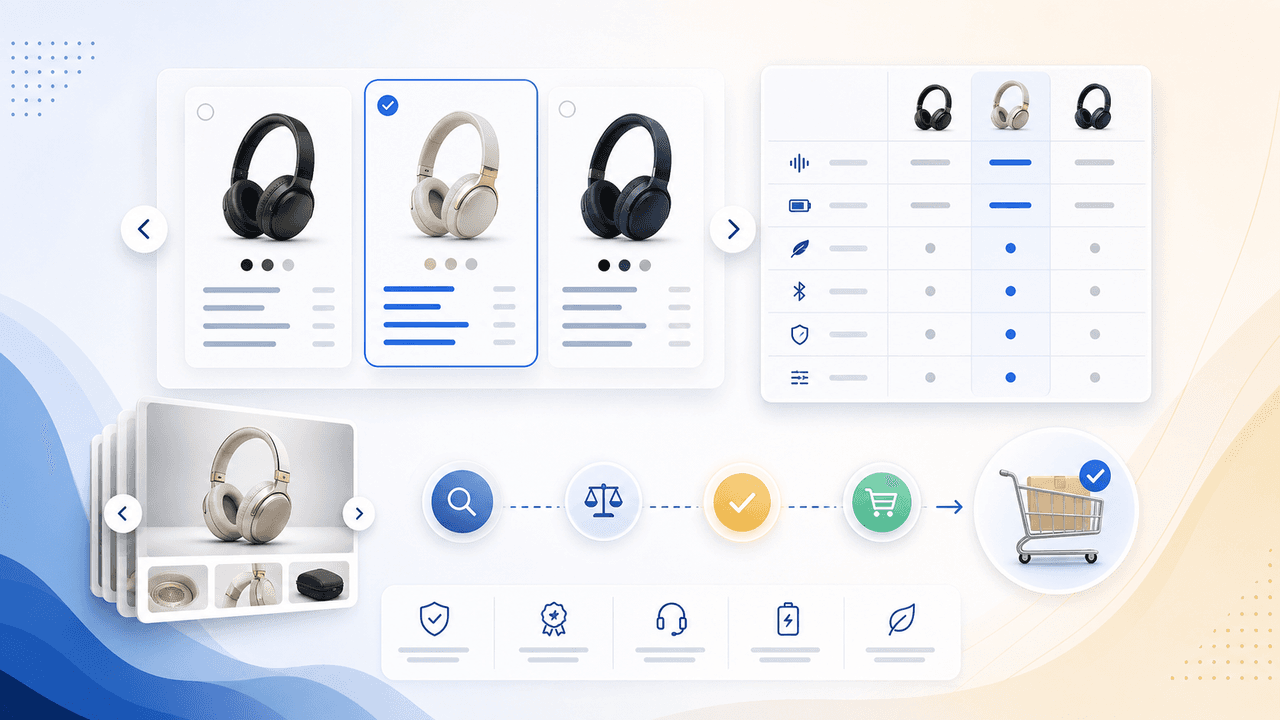
Comparison carousels are some of the highest-converting content in e-commerce because they meet shoppers at the exact moment they are deciding between options. Done right, they make your product the obvious choice without feeling like a biased sales pitch.
UGC Carousels for E-Commerce: Turn Customer Photos Into Your Best Sales Tool
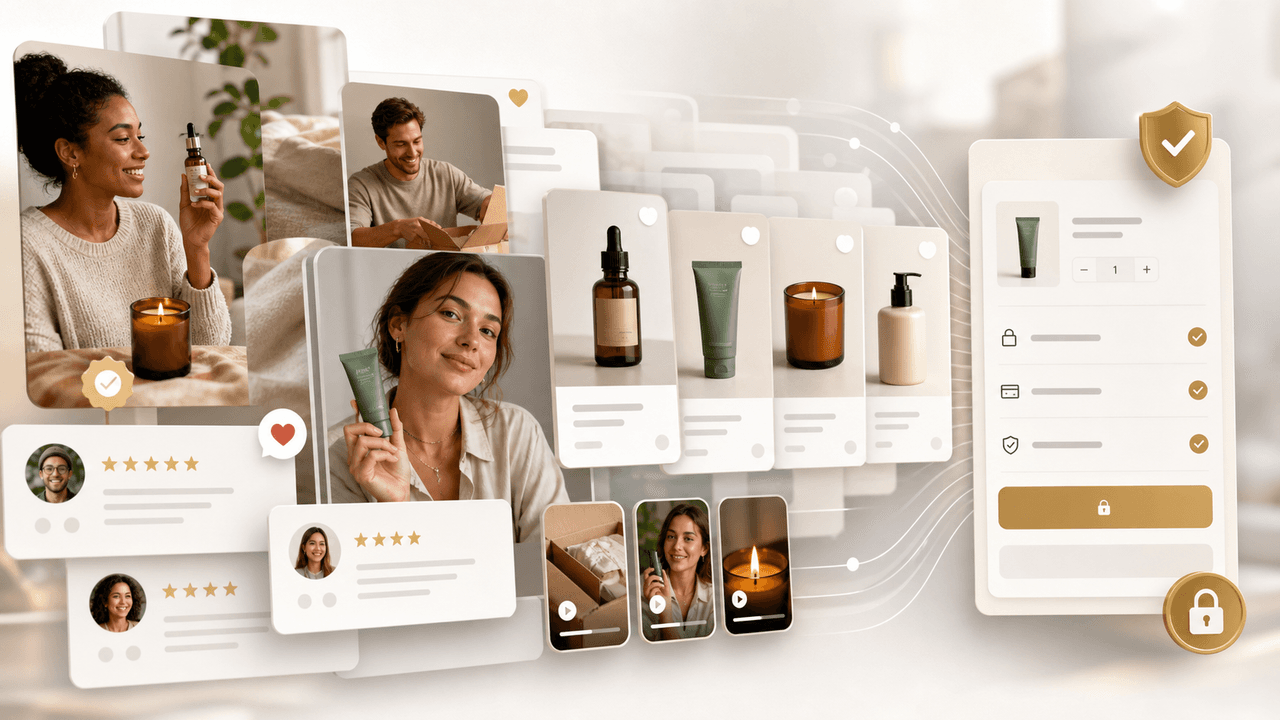
User-generated content converts at 4-5 times the rate of brand-produced content, but most e-commerce brands either ignore UGC or use it poorly. Repurposing customer photos into structured carousel formats turns scattered social proof into your highest-performing sales asset.
Written by
AttentionClaw
Editorial Team
Editorial context
Part of the Content Planning topic cluster. Last updated June 22, 2026.