Chapter 1
The direct answer: reuse listing photos as a buying story
An Etsy product photo TikTok slideshow should take one listing or product family and show the buyer why it matters: first impression, size or material, use case, detail shot, packaging, customization, and shop CTA.
Etsy Seller Handbook resources emphasize product photography, social media marketing, and using platform-specific content to attract shoppers. TikTok slideshow content should preserve the product clarity that makes listing photos useful.
Do not post a random image dump. Each slide should answer a buying objection or create a reason to click.
Callout
Etsy slideshow rule
Turn product photos into a sequence: why it exists, what makes it different, how it looks in use, and what to do next.
Chapter 2
Build slideshows from product-photo categories
Most sellers can produce multiple posts from the same listing photo set. A hero image can become a hook, a scale photo can answer size questions, a process photo can build trust, and a packaging photo can support gifting.
Each post should target one intent: gift idea, size explanation, material comparison, personalization process, restock announcement, or behind-the-scenes making story.
Use original product photos and avoid copyrighted audio, logos, or customer images without permission.
Gift idea slideshow.
Size and scale explainer.
Material or color comparison.
Personalization process.
Packaging and unboxing preview.
Before-after or use-case sequence.
Restock or limited batch announcement.
Maker story from raw material to finished item.
Chapter 3
Use a seven-slide Etsy product sequence
The sequence should make the buyer more confident than a single flat product image.
Use plain product labels and avoid overloading slides with tiny text.
- 1
Slide 1: buyer hook
Name the buyer, gift moment, room, style, or problem.
- 2
Slide 2: hero product
Show the clearest product photo.
- 3
Slide 3: detail
Show material, texture, stitching, print quality, or finish.
- 4
Slide 4: scale
Show size, fit, room placement, or use context.
- 5
Slide 5: customization
Explain variants, personalization, colors, or bundle options.
- 6
Slide 6: proof or process
Show making, packaging, review context, or care information.
- 7
Slide 7: CTA
Visit the shop, save for gift ideas, or check the listing.
Chapter 4
Keep the social post aligned with the listing
A slideshow can create interest, but the listing must still match what the buyer saw. Avoid showing colors, bundles, or personalization options that are not currently available.
If a post uses customer review language or customer photos, get permission and keep claims accurate.
Use tracking where possible so the seller can see whether product-photo slideshows are driving shop visits.
Match post visuals to the active listing.
Do not show unavailable variants as if they are in stock.
Use permissioned customer photos only.
Keep care and size details accurate.
Track traffic from social where possible.
Chapter 5
How AttentionClaw helps Etsy sellers batch product slideshows
AttentionClaw helps Etsy sellers turn listing photos, process shots, packaging images, and product notes into TikTok slideshows and Instagram carousels.
Templates can cover gift guides, restocks, product comparisons, personalization explainers, maker stories, and listing launch posts.
Callout
Etsy seller workflow
Choose listing, select product-photo set, generate buying-story slides, check listing accuracy, publish with shop CTA.
Chapter 6
Measure clicks, saves, and listing questions
Track shop visits, listing clicks, saves, comments asking about size or personalization, and sales after specific slideshow themes.
If shoppers ask fewer basic product questions after seeing the slideshow, the post is answering buying objections.
Track social referral clicks.
Track saves on gift guides.
Track questions about size and variants.
Track listing views after posts.
Track sales by product theme.
Chapter 7
A repeatable workflow: from listing photos to posted slideshow
Most Etsy sellers already have more slideshow material than they realize. A single listing with seven photos — hero shot, scale photo, texture detail, packaging, flat lay, lifestyle shot, and label close-up — can generate two to three distinct slideshows before any new photography is needed.
The workflow starts with sorting existing listing photos into buckets: hero shots (shows the full product), detail shots (shows materials, texture, finish), process shots (shows how it is made), context shots (shows it in use or in a space), and packaging shots. From those buckets, build themed slides: a 'how it's made' sequence, a 'what to know before you buy' sequence, and a 'reasons customers choose this' sequence. Each sequence uses largely the same photos but tells a different story.
After the first slideshow posts, use comments and DMs to refine the next one. If buyers are frequently asking about care instructions, add a care-instruction slide to the next version. If they ask about size, add a scale reference slide. The listing photos stay the same; the emphasis shifts based on what real buyers are curious about.
- 1
Audit your listing photos
Sort every photo in the listing into: hero, detail, process, context, packaging. Note which buckets are empty — those are future photo priorities.
- 2
Map three themes
For each product, identify three slideshow angles: a buying decision sequence, a maker story sequence, and a comparison or care sequence.
- 3
Build the first slideshow from the buying decision sequence
Lead with the hero shot as hook, move through detail and context shots, end with a CTA tied to the listing. This is the conversion-focused sequence.
- 4
Post the maker story sequence next
Use process and detail shots to tell how the item is made. This builds trust and filters for buyers who value handmade work.
- 5
Use comments to refine slide three onward
Recurring questions in comments become new slides. Buyer questions are content research you did not have to plan.
Chapter 8
Writing hooks that stop the scroll for product slideshows
Product slideshows on TikTok compete with entertainment content, not just other product posts. A hook that reads like a product description — 'Handmade ceramic mug, 12oz, dishwasher safe' — will not stop a scroll. Hooks that work frame the product as a problem solved, a decision simplified, or a discovery moment.
Effective hook formats for product slideshows include: the reveal hook ('What $28 actually buys you from a small maker'), the decision hook ('How to know if this is the right size for your space'), the comparison hook ('What a $12 version looks like next to the one that lasts'), and the specificity hook ('This is what 'hand-dyed' actually means for this pattern'). Each of these gives the viewer a reason to swipe rather than scroll past.
The hook text should match the first image. If the hook text references texture, the first image should show texture. If it references size, there should be a scale reference in the first frame. A mismatch between hook text and image creates a half-second of confusion that kills engagement.
Callout
Keep slideshow claims consistent with the listing
If the slideshow shows a color variant that is currently sold out, add a note or use a photo from the available variant. A buyer who clicks through after seeing a color that is not available will leave the listing disappointed. Slideshow content and listing availability should stay in sync, especially during busy seasons.
Chapter 9
Common mistakes Etsy sellers make in product slideshows
The most common mistake is using the listing photos in the exact same order they appear on Etsy. Listing photo order is designed for conversion on a product page where the buyer has already clicked in. Slideshow order is designed for a viewer who has not yet decided to care. The best slideshow hook is often the third or fourth listing photo — a detail shot, a texture close-up, or a lifestyle image — not the white-background hero shot.
The second mistake is ending the slideshow with a vague CTA like 'link in bio.' On TikTok, this adds friction. Better: name the product and where to find it — 'search [product name] on Etsy' — or use whatever linking mechanism is currently available in the platform. Make the next step specific.
The third mistake is posting product slideshows only when something is new. Returning to a proven product with a different angle — the care guide, the gifting guide, the comparison — extends its social life without requiring new inventory or new photography.
Next step
Turn product photos into buyer-ready slideshows
AttentionClaw helps sellers package listing photos, process shots, and product notes into TikTok slideshows and Instagram carousels.
Common Questions
FAQ
More Reading
Keep reading
8-chapter read
Boutique Product Drop Instagram Carousels
Boutique product drop carousels should show new arrivals, fit and material details, care information, inventory timing, review proof, and shopping CTAs without misleading scarcity or labeling claims.
8-chapter read
Carousel Slide Order That Converts: Hook, Proof, Offer, CTA
A converting carousel usually follows a clear order: hook, context, problem, solution or product, proof, objection handling, offer, and CTA. The exact slide count can change, but the reader should never wonder why the next slide exists.

TikTok Slideshow Ideas for Shopify Products
Shopify product slideshows work best when each post answers one buying question: what the product solves, which variant to choose, how it is used, why the bundle exists, what proof supports it, or what offer is available now.

Four Product Carousel Formats Built Around Evidence
The best ecommerce carousel template depends on the buyer question and the evidence available. These four formats organize approved product details, media, comparison facts, bundle contents, and use cases into reviewable slide sequences without promising that a template will generate sales.

Product Comparison Carousels: Help Shoppers Choose (And Choose You)
Comparison carousels are some of the highest-converting content in e-commerce because they meet shoppers at the exact moment they are deciding between options. Done right, they make your product the obvious choice without feeling like a biased sales pitch.

UGC Carousels for E-Commerce: Turn Customer Photos Into Your Best Sales Tool
User-generated content converts at 4-5 times the rate of brand-produced content, but most e-commerce brands either ignore UGC or use it poorly. Repurposing customer photos into structured carousel formats turns scattered social proof into your highest-performing sales asset.
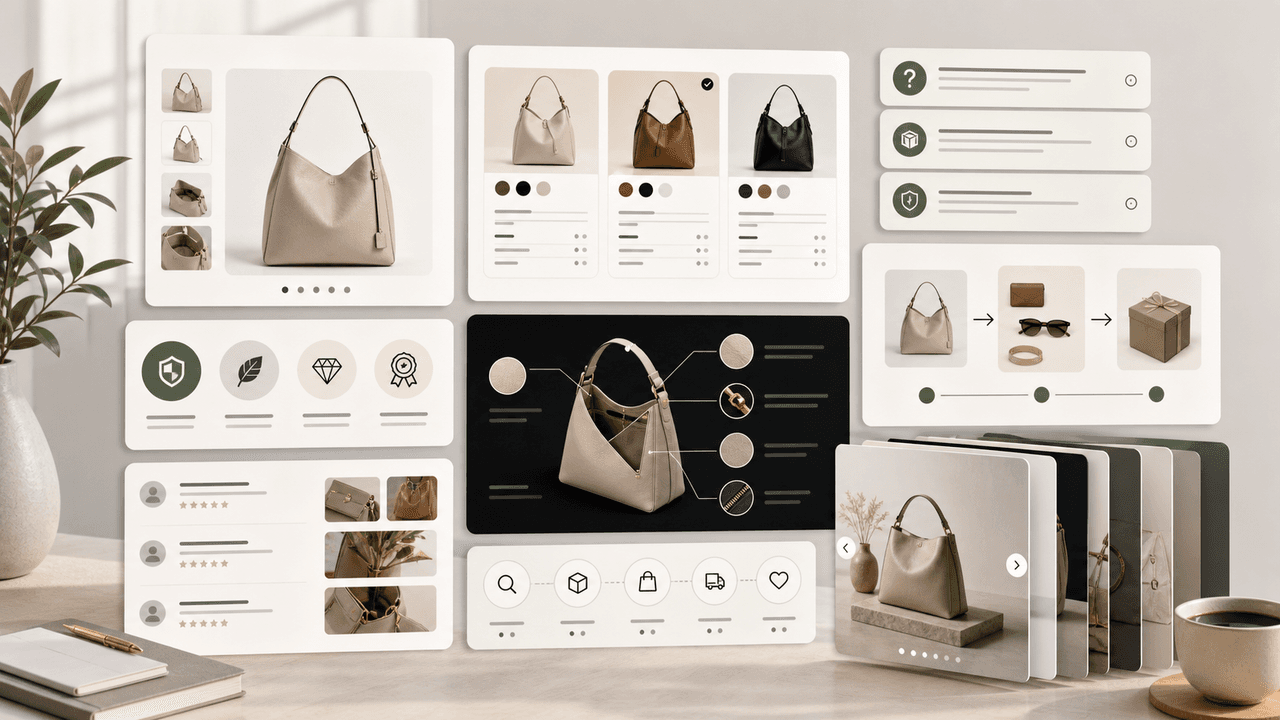
Product Education Carousel Frameworks for Shopify Stores
Product education carousels work when they translate product-page facts into buyer decisions. Use a framework for each job: explain the problem, compare variants, teach use, prove quality, or build a bundle. The goal is not more slides; it is fewer unanswered buying questions.
8-chapter read
Build a TikTok Product Launch Slideshow from the Offer Out
An ecommerce launch slideshow should answer one buying question with verified product evidence, preserve the exact offer across the post and destination, and adapt separately for organic photo posts, Shop links, or paid Carousel Ads.
Sources
- Seller Handbook - Photography — Etsy
- The Ultimate Guide to Social Media Marketing — Etsy Seller Handbook
- How to Shoot Your Products — Etsy Seller Handbook
- TikTok Image Ads: Visual Marketing Solutions to Engage Customers — TikTok For Business
Written by
AttentionClaw
Editorial Team
Editorial context
Part of the Carousel Creation topic cluster. Last updated June 22, 2026.