Chapter 1
The short answer: build catalog rules before campaign prompts
To keep AI visuals consistent for a multi-product brand, define catalog-level rules before generating campaign assets. Lock each product's identity, define variant differences, create scene families for product categories, set bundle composition rules, and review every asset against the exact SKU or collection being promoted.
A single-product brand can often survive with one product identity kit. A multi-product brand needs a hierarchy: brand system, category system, product system, variant system, and campaign system. Without that hierarchy, AI will blur product lines, invent variants, mix packaging details, and make the catalog feel less trustworthy.
The job is to create variety without confusion. A shampoo bottle, conditioner bottle, hair mask, and travel mini can share a visual world while still being easy to distinguish. A software suite can share a design language while making each feature or plan recognizable. Consistency should make the catalog easier to shop, not flatten everything into sameness.
Brand rules define the overall visual universe.
Category rules define scene families and buyer context.
Product rules lock shape, packaging, interface, and proof details.
Variant rules define color, size, scent, plan, or feature differences.
Campaign rules define launch, education, proof, bundle, and offer assets.
Chapter 2
Create a catalog map before generating images
A catalog map is a visual and written inventory of what the brand sells and how products relate to each other. It prevents AI generation from treating every product as an isolated object. The map should include categories, hero products, secondary products, variants, bundles, seasonal collections, and discontinued items that should not appear.
For ecommerce teams, the product page remains the factual source. Shopify product media and variant documentation show why this matters: product media and variant images help shoppers understand what they are buying. Social visuals should respect those distinctions instead of blending products together because the prompt says 'premium product set.'
The map also helps content planning. Hero products may deserve monthly education sequences. Secondary products may appear in bundle or comparison posts. Seasonal products may need launch scenes but not evergreen blog visuals. The AI system should know the difference.
- 1
List the product hierarchy
Document categories, collections, products, variants, bundles, and retired items. Mark which products are allowed in current campaigns.
- 2
Attach approved references
For each product and variant, attach real product media, packaging details, dimensions, color notes, and any must-show or must-not-show details.
- 3
Define relationship rules
Clarify which products can appear together, which variants should not be mixed, and which bundles or kits are official.
- 4
Add campaign priority
Mark hero SKUs, launch items, seasonal pushes, low-stock products, and evergreen catalog staples so creative volume follows business priority.
Chapter 3
Use variant locks for color, size, and packaging differences
Variants are where AI consistency often breaks. A model may keep the general product shape but change the shade, label name, size, cap, flavor, scent, plan tier, or package count. That may look harmless until the post links to a specific product page and shoppers see something different.
A variant lock is a short set of non-negotiable descriptors for each variant. It should include visible differences, naming rules, and forbidden substitutions. If the lavender variant has a purple label and the unscented variant has a white label, that distinction should be repeated in every generation and review.
Do not rely on color names alone. Describe the visual role: 'matte pale lavender label, silver cap, product name Lavender Calm, 250 ml bottle.' This gives the generator and reviewer enough detail to catch drift.
Exact color family and material finish.
Variant name and label placement.
Size, count, bundle quantity, or plan tier.
Allowed companion products.
Forbidden swaps, invented variants, and retired packaging.
Chapter 4
Build scene families by product category
A multi-product brand does not need one scene for every SKU. It needs scene families that fit categories. A beauty brand might use bathroom routine, ingredient education, travel pouch, and product shelf. A food brand might use pantry, serving moment, recipe prep, and family table. A SaaS brand might use desk workflow, dashboard closeup, team handoff, and founder launch.
Scene families create consistency while giving each category enough room. Product A and Product B can share lighting, palette, and environment, but the composition changes to emphasize the right benefit. This avoids both extremes: chaotic one-off images and repetitive catalog grids.
Keep scene families tied to buyer questions. The routine scene answers 'How do I use this?' The shelf scene answers 'What is included?' The comparison scene answers 'Which one is right for me?' The bundle scene answers 'Why buy these together?'
- 1
Assign each category to two or three scenes
Choose enough environments to cover education, proof, and conversion without scattering the brand across too many visual worlds.
- 2
Define a composition grammar
Set where the product sits, where text can go, how closeups work, and how multiple products are arranged.
- 3
Use category-specific props
Props should clarify use case, not decorate. Ingredient cards, tools, app screens, storage boxes, or packaging inserts can all be useful when relevant.
- 4
Reject category confusion
Do not let a product appear in a scene that implies the wrong use, wrong buyer, wrong size, or wrong outcome.
Chapter 5
Document bundle logic before generating bundle visuals
Bundle visuals are high-value because they can raise order value, but they are also high-risk because AI may invent combinations the store does not sell. A generated image of four products together implies availability. If that exact set is not real, the campaign creates friction or disappointment.
Create bundle rules before generating social assets. Name official bundles, required products, optional add-ons, order of use, price logic, and landing-page destination. If a bundle is editorial rather than purchasable, say that in the caption and CTA.
For bundles, visual clarity matters more than abundance. Showing every product at once can become cluttered. Use sequence slides: problem, product one, product two, product three, full set, proof, offer. The carousel structure lets the bundle feel complete without making one chaotic image carry the entire story.
Only show official product combinations as purchasable bundles.
Separate editorial recommendations from real store bundles.
Keep product scale realistic across the set.
Make variant names readable when variants matter.
Link to the exact bundle or collection shown.
Chapter 6
Match visual consistency to campaign stage
A product catalog campaign should move through stages: discovery, education, comparison, proof, offer, and retention. Each stage needs a different visual job, but the brand system should still hold.
Discovery images can be broader and more emotional. Education images need labels, steps, and detail. Comparison images need consistent scale and fair framing. Proof images need evidence and permission. Offer images need clarity about what is included. Retention images can show use, care, and repeat purchase occasions.
Planning these stages ahead prevents the team from overusing hero shots. A catalog does not grow through one beautiful product image repeated with different captions. It grows through a system that answers the next buyer question.
- 1
Discovery
Introduce the product category, use case, or collection with a clear visual world and a simple hook.
- 2
Education
Show ingredients, materials, workflow steps, product differences, or setup instructions.
- 3
Comparison
Place products or plans in fair, consistent layouts so buyers can choose without confusion.
- 4
Proof
Use reviews, detail shots, process, testing, or documented outcomes. Do not invent proof in the image.
- 5
Offer
Show exactly what the buyer gets and link to the matching product, bundle, or collection page.
Chapter 7
Name creative assets so you can learn by product and scene
Consistency is not only visual. It also affects measurement. If every generated image is exported as a random file name, the team cannot learn which scene, product, category, or campaign stage works.
Use a naming system that includes product, variant, scene family, campaign stage, format, and date. Pair it with UTM parameters or platform campaign naming when links are involved. Google's campaign URL guidance and analytics documentation are useful for teams that want social creative to connect back to measurable outcomes.
This naming discipline helps creative strategy improve. You may discover that the bathroom routine scene drives saves, the comparison scene drives clicks, and the bundle scene drives purchases. Without consistent naming, those learnings disappear.
Product or collection.
Variant or bundle.
Scene family.
Campaign stage.
Format and platform.
Date and version.
Chapter 8
Review the catalog as a set, not one image at a time
Multi-product consistency only becomes visible when assets are reviewed together. Place the full batch in a grid by product and scene family. Look for drift: one product looks premium and another looks cheap, one variant has a different color, one bundle appears larger than another, one category uses a different lighting world without reason.
Then inspect the buyer journey. If someone swipes from product education to comparison to bundle offer, do they understand what changed? Do they know which product is which? Does the final CTA match the image? Does the landing page show what the social asset promised?
AttentionClaw can support this workflow by turning product and scene rules into repeatable campaign assets. The higher the SKU count, the more important it is to generate from a documented system instead of rewriting prompts for every post.
Compare each product against its reference.
Compare each variant against its lock.
Compare each scene family against the brand system.
Compare each bundle against the store offer.
Compare each CTA against the destination page.
Callout
Review your catalog as a set
Use AttentionClaw to turn catalog rules into reusable social systems for product launches, bundles, comparison carousels, and monthly ecommerce campaigns.
Next step
Create consistent social campaigns across your whole catalog
AttentionClaw helps ecommerce teams turn product, variant, and bundle rules into repeatable carousels and slideshows.
Common Questions
FAQ
More Reading
Keep reading
8-chapter read
AI Model Shot Consistency for Fashion Product Content
Fashion brands using AI-assisted model shots need strict controls for garment truth, fit, variant, model continuity, styling, disclosure, and product-page match before assets become social content.
8-chapter read
AI Product Image Variant Control for Ecommerce Campaigns
AI product variant control means locking which details can change and which cannot: color, size, label, material, scent, flavor, bundle contents, and product-page destination. Without variant rules, AI-generated social content can accidentally sell a product that does not exist.
8-chapter read
AI Background Consistency for Product Scenes
AI product backgrounds stay consistent when you define scene lanes, surfaces, lighting, camera distance, prop rules, color temperature, and negative constraints before generation. The product identity should stay fixed while context changes only inside approved lanes.
8-chapter read
Character Reference Sheet for AI Social Campaigns
A character reference sheet keeps AI social campaigns visually consistent by documenting approved face, body, wardrobe, expressions, scenes, forbidden drift, disclosure rules, and review criteria before content generation begins.

How to Build a Brand Style System for AI-Generated Social Content
A brand style system for AI-generated social content turns taste into operating rules. It defines visual identity, voice, prompt blocks, reusable scenes, text rules, source rules, and QA gates so every carousel, slideshow, infographic, and product post feels like the same brand.
8-chapter read
How to Build Reusable AI Scenes for Social Posts
Reusable AI scenes turn random generations into a repeatable visual system. Define the scene's job, camera, lighting, prop rules, product placement, variation lanes, and QA checklist so each post feels fresh without breaking brand recognition.

AI Image Consistency Checklist for Instagram Carousels
AI image consistency for Instagram carousels requires checks before, during, and after generation: identity lock, style lane, product accuracy, character continuity, camera rules, crop safety, text safety, disclosure, and final mobile review.

Four Product Carousel Formats Built Around Evidence
The best ecommerce carousel template depends on the buyer question and the evidence available. These four formats organize approved product details, media, comparison facts, bundle contents, and use cases into reviewable slide sequences without promising that a template will generate sales.

Product Comparison Carousels: Help Shoppers Choose (And Choose You)
Comparison carousels are some of the highest-converting content in e-commerce because they meet shoppers at the exact moment they are deciding between options. Done right, they make your product the obvious choice without feeling like a biased sales pitch.
How to Keep Product Photos Consistent Across AI-Generated Social Posts
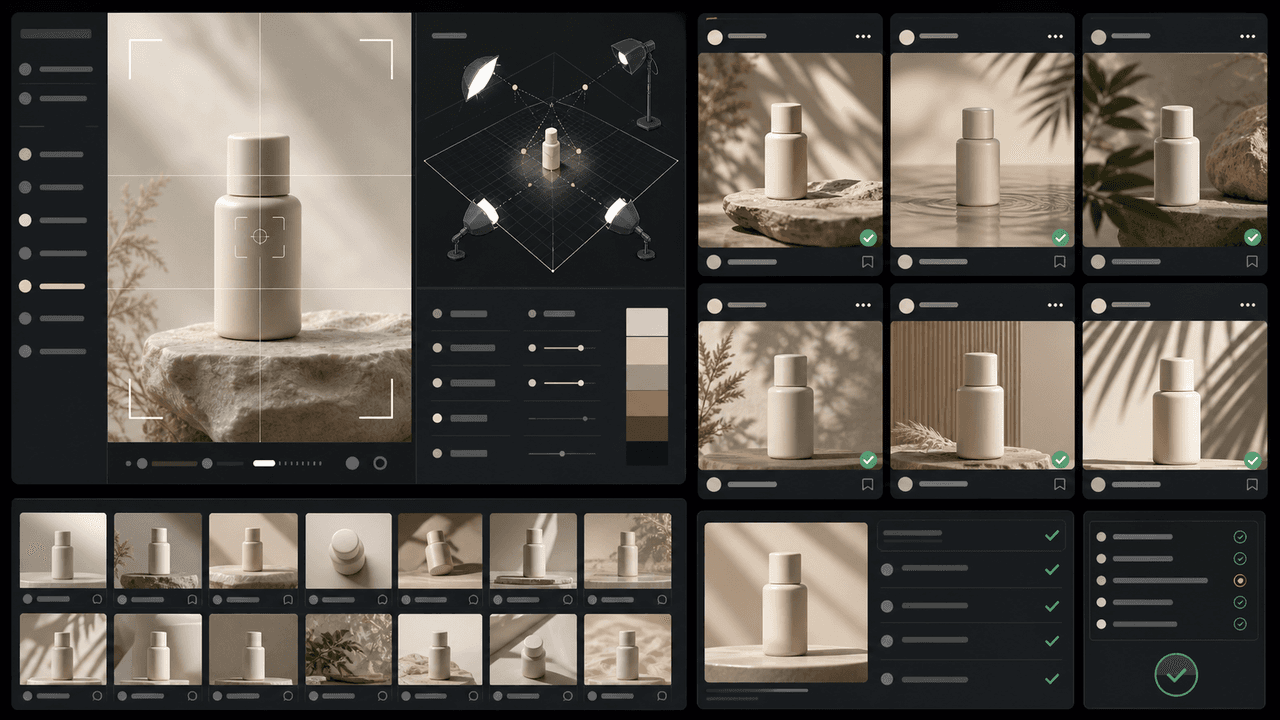
Consistent AI product images come from a system, not a lucky prompt. Lock the product reference, camera rules, lighting, background family, brand palette, allowed variations, and review checklist before generating campaign assets. Then vary context and message without changing the product identity.
Sources
- Product media — Shopify Help Center
- Adding images to product variants — Shopify Help Center
- Campaign URL Builder and campaign parameters — Google Analytics
- Awareness Carousel Ad Specs on Facebook Feed — Meta Ads Guide
Written by
AttentionClaw
Editorial Team
Editorial context
Part of the Content Planning topic cluster. Last updated June 22, 2026.