
Chapter 1
The short answer: turn brand taste into repeatable rules
To build a brand style system for AI-generated social content, document the brand's visual identity, voice, content roles, reusable prompt blocks, scene families, typography rules, claim rules, source rules, and review checklist. Then require every generated image, carousel, TikTok slideshow, infographic, and caption to pass that system before scheduling.
This is different from a normal brand guide. A normal guide says what the brand should look and sound like. An AI-ready style system also says how to generate, vary, reject, cite, and approve content at speed. It includes negative constraints because AI systems are good at plausible invention.
The goal is not to make every post identical. The goal is controlled variation: consistent recognition, flexible campaigns, and enough review discipline that the brand does not publish beautiful but inaccurate assets.
Lock brand identity before writing prompts.
Create reusable prompt blocks for style, scene, product, and format.
Separate visual style from factual claims.
Use source rules for statistics, product claims, and educational content.
Review generated assets as campaign systems, not isolated images.
Chapter 2
Think of the style guide as an operating system
A static PDF brand guide is not enough for AI production because AI work is iterative. People generate options, remix scenes, adapt formats, and rewrite captions. The style system has to tell the team how to make decisions during that process.
Start by defining the brand's operating principles. Is the brand minimal and technical, warm and educational, premium and quiet, playful and creator-led, or practical and retail-focused? Then translate that into inspectable rules: color roles, camera style, graphic density, caption tone, CTA language, allowed illustration style, and forbidden visual tropes.
The system should also name what changes by format. A LinkedIn carousel can carry more detail than a TikTok slideshow. An Instagram product carousel needs stronger visual rhythm than a blog support graphic. The brand should stay recognizable while the content adapts to the channel.
- 1
Define brand role
Write what the brand helps the audience do, what it refuses to do, and what emotional tone should carry across campaigns.
- 2
Define visual roles
Document color usage, type scale, spacing, image style, scene lighting, illustration style, icon style, and product placement rules.
- 3
Define voice roles
Document sentence length, directness, humor, forbidden phrases, claim strength, CTA language, and how the brand handles uncertainty.
- 4
Define format roles
State how the brand adapts to Instagram carousels, TikTok slideshows, LinkedIn documents, blog graphics, product pages, and paid creative.
Chapter 3
Create visual tokens AI can actually follow
AI systems need concrete visual instructions. Vague words like clean, premium, bold, and modern are useful as creative direction but weak as production rules. Convert them into visual tokens: palette, contrast, lighting, material, camera angle, composition, density, background family, and text-safe areas.
For example, 'premium skincare' becomes: warm neutral palette, soft daylight, stone or ceramic surfaces, product centered or left-third, no neon colors, no glossy plastic props, no invented certification badges, no tiny label text generated in-image. That level of specificity is easier to repeat and easier to review.
Accessibility belongs in the visual token set. W3C contrast guidance gives a concrete benchmark for text readability. Social creative is not a web page, but the practical requirement still applies: users need to read the image on a small screen.
Palette: primary, secondary, neutral, warning, and CTA colors.
Typography: heading style, body style, maximum type sizes, and text density.
Photography: camera angle, crop, lighting, surface, depth of field, and product scale.
Graphic system: borders, icons, arrows, diagrams, cards, tables, and chart style.
Accessibility: contrast, text size, reading order, and caption support.
Chapter 4
Build prompt blocks instead of one-off prompts
Prompt blocks make an AI style system operational. Instead of writing a new prompt for every asset, the team assembles reusable blocks: brand visual lock, product lock, scene family, format rule, copy tone, claim boundary, and negative constraints.
The brand visual lock should be stable across campaigns. The scene family changes by content job. The format rule changes by platform. The copy tone changes by funnel stage. This modular approach gives variation without letting the model reinvent the brand.
Prompt blocks should include rejection language. If the brand never uses gradient blobs, fake stickers, tiny unreadable charts, invented product labels, or hyper-polished stock-photo people, say so every time. Negative constraints are not clutter; they are part of the system.
- 1
Brand lock
The stable visual and voice rules that make content recognizable across campaigns.
- 2
Asset lock
Product, app, character, offer, source, or infographic facts that cannot change.
- 3
Scene or layout block
The reusable environment, diagram type, or slide structure for this content job.
- 4
Format block
Square carousel, vertical slideshow, LinkedIn document, blog graphic, or landing-page crop requirements.
- 5
Negative block
Forbidden visual styles, unsupported claims, fake data, invented product details, and off-brand language.
Chapter 5
Separate brand style from factual claims
A brand style system should never let design polish stand in for evidence. AI-generated infographics, product education slides, and comparison carousels often look authoritative before their claims are checked. That is dangerous because polished design can make weak evidence feel stronger than it is.
Google's guidance on AI-generated content focuses on quality and usefulness rather than whether a machine helped create the content. That is the right standard for brand teams: AI assistance is acceptable when the final asset is helpful, accurate, and people-first.
Create a claim system alongside the style system. It should define source requirements, banned claim types, review owners, and citation placement. A brand can move quickly without letting unsupported numbers, product promises, or platform claims slip into visual assets.
Use official docs for platform specs and policies.
Use product documentation for product capabilities.
Use owned analytics only with correct context and time range.
Use standards bodies for accessibility or technical thresholds.
Do not turn AI-generated guesses into charts, rankings, or proof slides.
Chapter 6
Assign content roles so the feed does not become one-note
Brand consistency does not mean every post has the same job. A strong social system includes different content roles: education, proof, product use, comparison, story, objection handling, launch, and retention. The brand style ties these roles together.
For each role, define visual and copy patterns. Education posts might use diagrams and simple language. Proof posts might use screenshots, reviews, citations, and real product details. Launch posts might use bolder contrast and clear CTA space. Retention posts might use calmer instructional scenes.
This prevents the common AI content problem where every post becomes a generic tip card. A brand style system should help the team produce a richer content mix, not only a prettier template.
- 1
Education
Explain product, category, workflow, or buyer problem with source-backed visuals.
- 2
Proof
Use evidence, customer language, screenshots, process, or product detail without inventing outcomes.
- 3
Product use
Show real use cases, routines, product variants, feature steps, or bundle logic.
- 4
Conversion
Use clear offer visuals, CTA hierarchy, destination-page match, and limited claim density.
Chapter 7
Use a brand QA workflow before scheduling
The final style system needs a QA workflow. Reviewers should compare each asset against the style tokens, prompt blocks, claim sheet, source rules, platform format, and destination page. The person who generated the asset should not be the only approver.
A useful review record includes asset name, prompt blocks used, source URLs, intended CTA, approval status, and rejection reason. Over time, rejection reasons reveal where the style system needs clearer rules.
AttentionClaw fits this workflow when the brand system is documented first. The tool can help generate repeatable carousels, slideshows, and content clusters from the same rules, while the team keeps final control over truth, fit, and approval.
Does the asset look like the brand?
Does the copy sound like the brand?
Are product, app, character, or data details accurate?
Are text and contrast readable on mobile?
Does the CTA match the destination page?
Are source notes attached for factual claims?
Callout
Where AttentionClaw fits
Use AttentionClaw to turn approved brand rules into repeatable Instagram carousels, TikTok slideshows, and visual content systems without starting from a blank prompt every week.
Next step
Turn your brand rules into repeatable social campaigns
AttentionClaw helps teams generate on-brand carousels, slideshows, and visual systems from approved creative rules.
Common Questions
FAQ
More Reading
Keep reading
7-chapter read
How to Debug AI Style Drift in Social Images
AI style drift happens when generated social images slowly stop matching the approved brand, product, character, or scene system. Debug it by isolating the drift type, comparing against baselines, tightening prompt blocks, adding references, and changing the review gate.
7-chapter read
Visual Regression Review for AI Social Campaigns
Visual regression review catches AI campaign drift before publication by comparing new assets against approved baselines for brand style, product truth, character identity, typography, claims, and platform format.
8-chapter read
Brand Style Prompt Templates for Consistent Social Media Images
Brand style prompts work best as reusable blocks: identity lock, style lane, camera and lighting, composition, allowed variation, negative constraints, and review criteria. The template should protect the brand while leaving enough room for useful campaign variation.
8-chapter read
AI Visual Consistency for Multi-Product Brands
Multi-product brands need more than a prompt for consistent AI visuals. They need catalog rules, variant locks, scene families, bundle logic, campaign stages, and a review workflow that protects product truth across every SKU.
8-chapter read
How to Build Reusable AI Scenes for Social Posts
Reusable AI scenes turn random generations into a repeatable visual system. Define the scene's job, camera, lighting, prop rules, product placement, variation lanes, and QA checklist so each post feels fresh without breaking brand recognition.
9-chapter read
Source Citation Checklist for AI-Assisted Social Content
AI-assisted social content needs a source checklist whenever it makes factual, product, performance, legal, health, financial, environmental, platform, or customer-proof claims. The checklist should define claim risk, acceptable sources, citation notes, reviewer status, and rewrite rules before content is scheduled.
8-chapter read
AI Prompt Library Template for Social Media Teams
A useful AI prompt library is not a folder of clever prompts. It is a production system with repeatable prompt families, required inputs, source rules, brand constraints, output specs, approval status, and QA notes so social teams can create faster without losing accuracy or brand control.
8-chapter read
Brand Safety Checklist for AI Social Images: 6 Gates
AI-generated social images should not go live because they look polished. They need a brand-safety review that checks product fidelity, claim accuracy, platform policy, accessibility, disclosure, and landing-page match before publication.

AI Image Consistency Checklist for Instagram Carousels
AI image consistency for Instagram carousels requires checks before, during, and after generation: identity lock, style lane, product accuracy, character continuity, camera rules, crop safety, text safety, disclosure, and final mobile review.
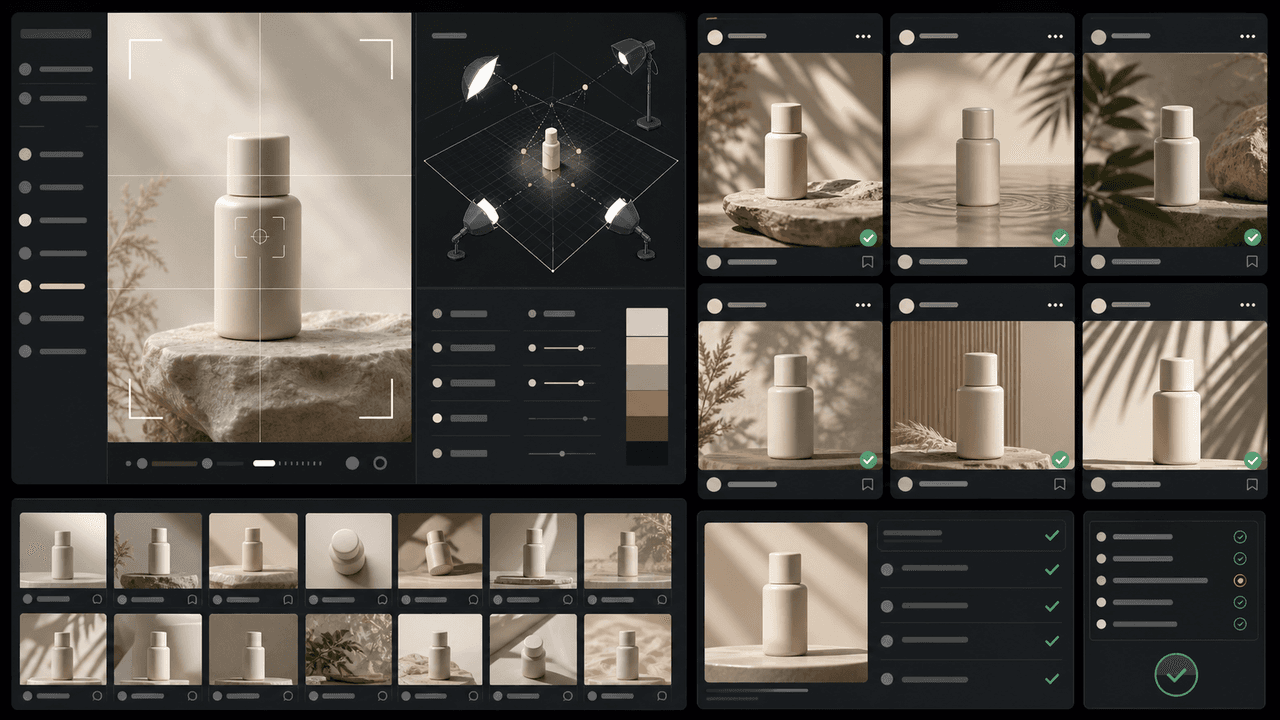
How to Keep Product Photos Consistent Across AI-Generated Social Posts
Consistent AI product images come from a system, not a lucky prompt. Lock the product reference, camera rules, lighting, background family, brand palette, allowed variations, and review checklist before generating campaign assets. Then vary context and message without changing the product identity.
Sources
- Google Search's guidance about AI-generated content — Google Search Central
- Creating helpful, reliable, people-first content — Google Search Central
- Understanding Success Criterion 1.4.3: Contrast (Minimum) — W3C Web Accessibility Initiative
- Awareness Carousel Ad Specs on Facebook Feed — Meta Ads Guide
Written by
AttentionClaw
Editorial Team
Editorial context
Part of the Content Planning topic cluster. Last updated June 22, 2026.