Chapter 1
The direct answer: use FAQs to reduce launch uncertainty
An app launch FAQ carousel should answer the questions that block action: who it is for, what it helps them do, what happens after signup or download, what it costs or how access works, how privacy or AI control works, and where to try it. Each slide should answer one question in plain language.
FAQ content works because launch audiences have low context. They may see one TikTok slideshow or one LinkedIn post before deciding whether to click. A carousel that answers the most likely objections can make the product feel safer and easier to try.
Google's helpful content guidance is relevant because good FAQ content should satisfy the user's real question, not fill space with generic marketing lines. If the answer does not help someone decide, rewrite it.
Callout
FAQ rule
If support or launch comments keep asking the same question, it deserves a public carousel answer.
Chapter 2
The 8-slide app launch FAQ template
Use this template before launch day, on launch day, or immediately after launch when questions start repeating. The structure fits Instagram carousels, LinkedIn carousels, and TikTok slideshows with shorter copy.
- 1
Slide 1: The FAQ hook
Name the launch and promise. Example: 'Launching Friday: answers before you try it.'
- 2
Slide 2: Who is it for?
Name the primary user and situation. Avoid saying 'everyone.'
- 3
Slide 3: What does it do?
Answer with an outcome, not a feature list.
- 4
Slide 4: What happens first?
Preview the first workflow after install, signup, or waitlist approval.
- 5
Slide 5: What does it cost or how does access work?
Give the clearest available access answer without overexplaining pricing.
- 6
Slide 6: What about privacy, AI control, or reliability?
Answer the biggest trust concern with plain language.
- 7
Slide 7: What should users try first?
Name the first useful action so new users do not wander.
- 8
Slide 8: CTA
Point to download, waitlist, launch page, homepage, or tutorial.
Chapter 3
How to choose the right launch questions
Do not invent FAQs from a generic template if you have better evidence. Pull questions from beta testers, app-store review concerns, support tickets, social comments, DMs, waitlist replies, and sales conversations. The best launch FAQ carousel sounds like it was built from real hesitation.
For AI apps, include a trust question. For SaaS apps, include a workflow or team-use question. For consumer apps, include setup time, pricing, privacy, or first-result questions. Match the question set to the risk the user feels.
Use questions that appear more than once.
Prioritize questions that block action.
Avoid questions that are only excuses to repeat marketing claims.
Keep one question per slide.
Save edge cases for a help article or follow-up post.
Chapter 4
Design FAQ slides with proof, not just text
FAQ carousels can become text-heavy quickly. Add proof where it clarifies the answer: screenshots for first-use questions, app-store screenshots for download questions, output examples for AI quality questions, and simple diagrams for workflow questions.
Apple's product page guidance emphasizes screenshots that communicate the app experience. In FAQ carousels, screenshots should answer the question visually. If the slide says 'what happens first?', show the first screen or result.
Use screenshot crops for workflow questions.
Use simple diagrams for process questions.
Use output examples for AI or generation questions.
Use plain text for policy or access questions only when visuals would not help.
Keep visual style consistent with the launch campaign.
Chapter 5
Map each FAQ to a real source of hesitation
The strongest launch FAQ carousel is built from evidence, not brainstorming. Before writing slides, create a two-column list: the question people ask and the source where it appeared. Sources can include beta-user notes, TestFlight feedback, support tickets, onboarding analytics, app-store review objections, Product Hunt comments, sales calls, or repeated replies to launch posts.
This prevents a common failure: answering questions the team wishes people asked while ignoring the ones that actually block trial. A founder may want to explain the technology stack, but users may be asking whether their data is private, whether setup takes five minutes or an hour, whether the free plan is useful, or what happens after the first click.
Treat each slide as a public answer to a known hesitation. If the question came from support, use plain support language. If it came from app-store review risk, use screenshots and exact workflow detail. If it came from AI trust concerns, explain control, review, or privacy without vague reassurance.
Beta feedback: questions about first result, setup, and missing context.
Support tickets: repeated confusion that deserves a public answer.
Social comments: short objections that can become high-performing slides.
App-store review themes: trust, pricing, reliability, privacy, and feature expectation.
Analytics drop-off: screens where users stop and need a clearer explanation.
Chapter 6
Adapt the same FAQ for each launch channel
The same FAQ set can support multiple launch channels, but the copy should not be pasted everywhere unchanged. Instagram can carry a full carousel with screenshots and short answers. TikTok slideshows need larger type, faster question wording, and a stronger first frame. LinkedIn can tolerate more context when the launch is aimed at founders, teams, or B2B buyers.
For Product Hunt or waitlist launches, the FAQ carousel can also become a pinned post or launch-day reply asset. That matters because launch-day questions repeat quickly. A prepared FAQ asset lets the team answer with a helpful link instead of rewriting the same explanation in comments.
Keep the answer consistent across channels. The format can change, but pricing, access, privacy, and first-use promises should not. Inconsistent answers across launch channels create more uncertainty than no FAQ at all.
- 1
Instagram carousel
Use 8 to 10 slides with one question per slide, screenshots where helpful, and a final CTA to download, join, or read the launch page.
- 2
TikTok slideshow
Use the five highest-friction questions, larger type, vertical screenshots, and a first slide that says the launch is live or almost live.
- 3
LinkedIn document
Use more context for problem, workflow, team use, privacy, and pricing, especially for B2B or founder-led launches.
- 4
Pinned launch asset
Keep the most complete FAQ version pinned during launch week so every new visitor can self-serve the basics.
Chapter 7
Measure whether the FAQ removed friction
The success metric for an FAQ carousel is not only saves or likes. It should reduce repeated questions and improve the next action. Track profile visits, launch-page clicks, waitlist joins, downloads, activation, and the number of times the same question still appears after publishing.
If the carousel gets engagement but the same objection keeps showing up, the answer is probably too vague. Rewrite the slide with more specificity, add a screenshot, or send people to a deeper support article. FAQ content should become sharper after launch because the team now has real question data.
Use campaign naming or UTM parameters when the FAQ links to a launch page. That makes it possible to compare FAQ-led traffic with hook-led, demo-led, and testimonial-led launch posts.
Track repeated comments before and after publishing.
Track link clicks and launch-page conversion from FAQ posts.
Track whether users who view FAQ content complete first activation faster.
Update the FAQ carousel when a new objection appears repeatedly.
Reuse winning FAQ slides in onboarding emails and help-center content.
Chapter 8
How AttentionClaw helps create FAQ carousels
AttentionClaw can turn a list of launch questions into consistent FAQ carousels and TikTok slideshow variants. Provide the question, short answer, screenshot or proof asset, and CTA. The tool can format the sequence while the founder keeps the answers accurate.
FAQ carousels are also reusable after launch. The same assets can support onboarding emails, help-center pages, story highlights, and follow-up posts when new users ask the same questions.
Callout
Reusable asset
Treat each FAQ carousel as a support asset, not just a launch post.
Next step
Turn launch questions into polished FAQ carousels
AttentionClaw helps app teams convert launch FAQs, screenshots, and proof into reusable carousels and TikTok slideshows.
Common Questions
FAQ
More Reading
Keep reading
8-chapter read
Vibe-Coded App Demo Carousel Template
A vibe-coded app demo carousel should show the user's problem, the app workflow, the output, the trust check, and the next action. Do not lead with the build method. Lead with what the app helps a real user do, then use the founder story as supporting context.
8-chapter read
Carousel Slide Order That Converts: Hook, Proof, Offer, CTA
A converting carousel usually follows a clear order: hook, context, problem, solution or product, proof, objection handling, offer, and CTA. The exact slide count can change, but the reader should never wonder why the next slide exists.
App Onboarding Carousels: Turn New Users Into Power Users With Instagram Content
Most apps lose 75% of new users within the first week because users never discover the features that would make them stay. Onboarding carousels published on Instagram solve this by teaching new users how to get value from your app in a format they are already consuming daily.
Show One App Feature Without Inventing the Outcome
A useful app feature showcase carousel demonstrates one real workflow with current screens, names the audience situation it addresses, and routes the reader to a destination that continues the same promise. A feature-evidence ledger keeps the copy inside what the product can actually prove.
The 30-Day App Launch Carousel Campaign: Day-by-Day Plan
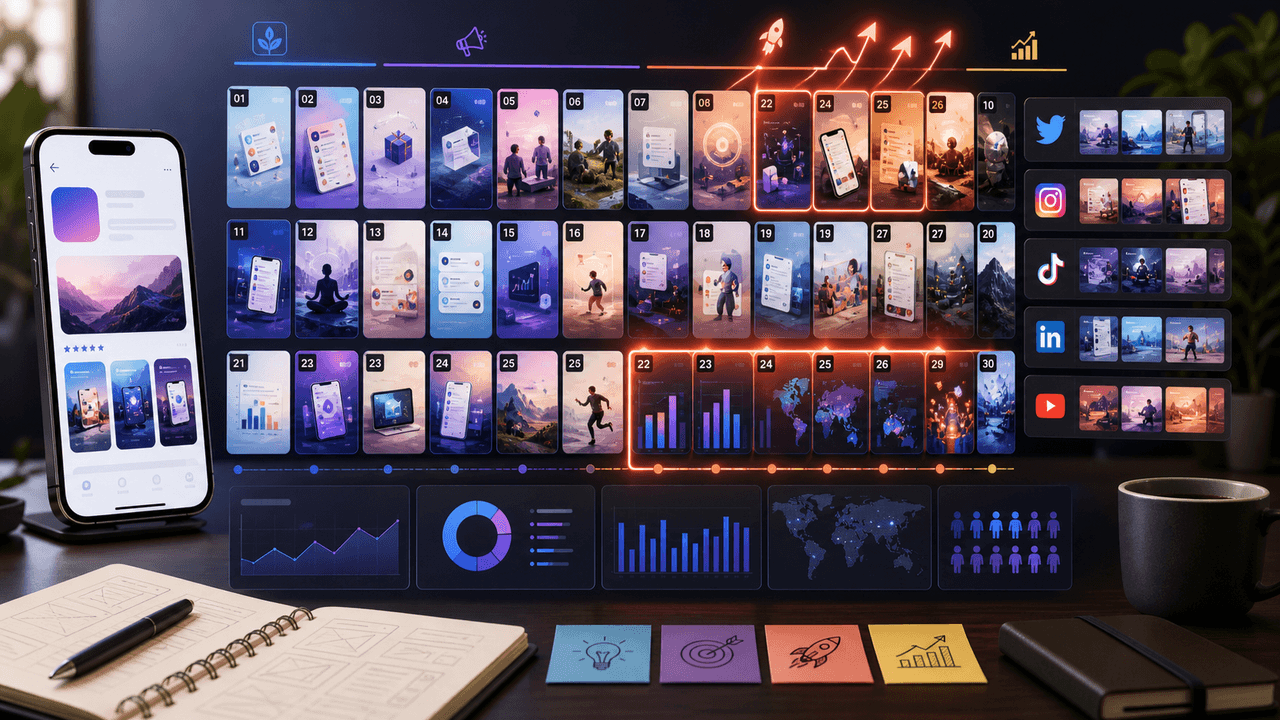
Most app launches fail on social media because teams post randomly instead of following a structured campaign arc. This 30-day plan maps every carousel you need — from pre-launch hype through launch week to sustained post-launch growth.
8-chapter read
Social Launch Checklist for Indie App Founders
An indie app social launch checklist should cover more than announcement posts. Prepare the user promise, proof screenshots, launch-day assets, TikTok slideshows, Instagram carousels, app-store message match, FAQ answers, tracking links, and post-launch onboarding content before the app goes live.

Write app marketing hooks the rest of the campaign can prove
App marketing hooks should make a narrow, supportable promise that the next slides and the app-store destination can prove. This guide turns user evidence into hook variants, a complete slide sequence, and a matched measurement plan.
8-chapter read
AI App Launch Social Content Plan: From First Demo to First Users
An AI app launch needs social content that proves usefulness, not just novelty. Build the plan around the user problem, the AI-assisted workflow, the visible output, trust and safety expectations, app-store message alignment, and post-launch onboarding. Use carousels and TikTok slideshows to teach, demonstrate, and answer objections before asking for downloads.
App Launch TikTok Slideshow Calendar: 30 Days of Posts
An app launch TikTok slideshow calendar should start before launch day, not on launch day. Use 30 days of posts to build problem awareness, show the product workflow, collect waitlist or download intent, teach onboarding steps, and answer objections after launch. The strongest calendar mixes hooks, demos, proof, tutorials, and reminders.

Write carousel copy as one connected argument
Good carousel copy lets a reader understand one argument without guessing what connects the slides. This guide covers hooks, claim-proof editing, continuity, legibility, and a complete before-and-after example.
Sources
- Creating helpful, reliable, people-first content — Google Search Central
- Creating Your Product Page — Apple Developer
- Onboarding Tutorials vs. Contextual Help — Nielsen Norman Group
- TikTok Image Ads: Visual Marketing Solutions to Engage Customers — TikTok For Business
Written by
AttentionClaw
Editorial Team
Editorial context
Part of the Carousel Creation topic cluster. Last updated June 22, 2026.