Chapter 1
The short answer: make the hook a buying question
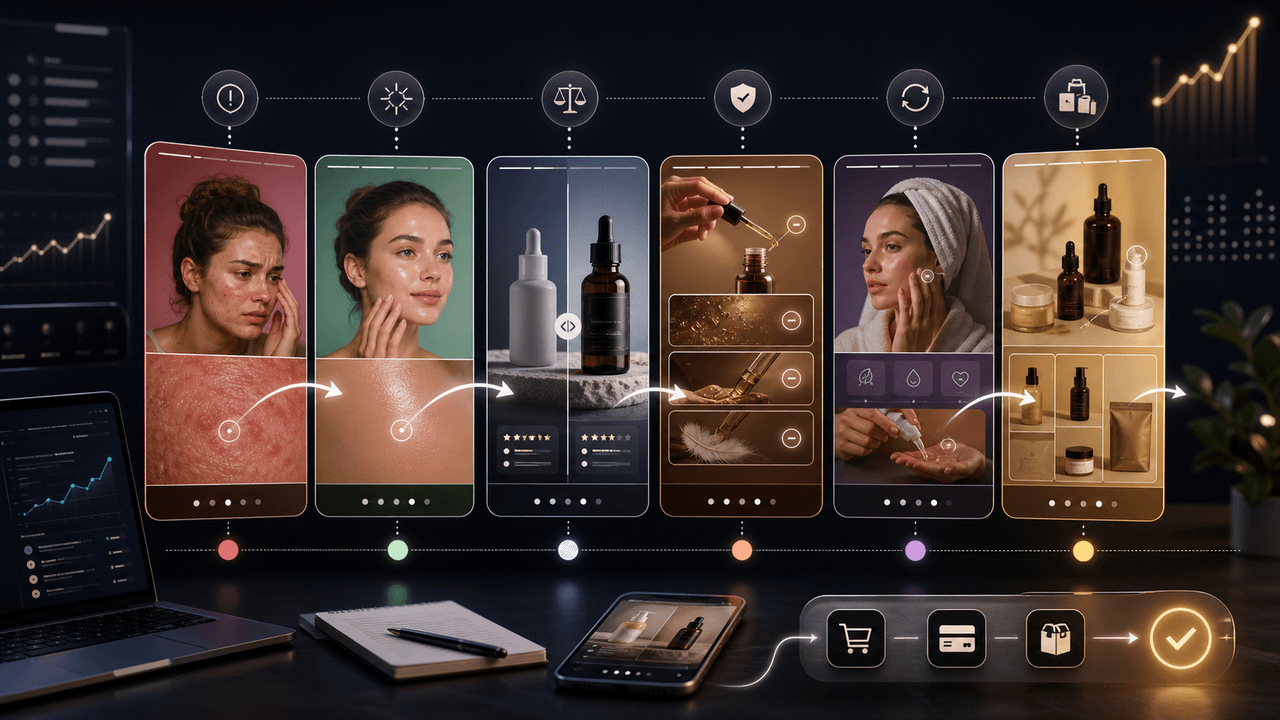
A strong TikTok slideshow hook for a product demo turns the first slide into a buying question: Do I have this problem? Is this better than what I use now? Will it fit my routine? Can I see proof quickly? The rest of the slideshow then answers that question with product visuals, not generic hype.
TikTok's carousel ad format lets advertisers show multiple images in sequence, so the first image has a specific job: earn the next swipe. For ecommerce demos, that means the hook should be narrow enough to attract qualified buyers, not just broad enough to generate curiosity from everyone.
The easiest way to write better hooks is to choose the proof you will show before choosing the words. If the demo has a clear before-after, use a transformation hook. If the demo shows a faster routine, use a time-saving hook. If the demo shows a product detail, use an inspection hook.
Use one hook angle per slideshow: problem, outcome, comparison, routine, objection, bundle, or launch.
Name the product category early when the buyer needs context.
Avoid mystery hooks that attract viewers who will never buy.
Keep the middle slides consistent with the hook promise.
Test 3 hook families against the same demo body before changing the entire creative.
Chapter 2
Hook family 1: Problem recognition
Problem hooks work when the buyer already feels friction but may not know your product is the fix. These hooks should sound like the customer, not the product team. Pull language from reviews, comments, support tickets, and search queries.
The slideshow that follows should show the problem in the first proof slide and the product solving it immediately after. If the hook says 'your lunch bag should not leak by noon,' slide 2 should show the messy old state and slide 3 should show the product preventing it.
Problem hooks are especially useful for products that replace a workaround: organizers, travel gear, kitchen tools, skincare routine products, apparel fit solutions, and accessories that remove a repeated annoyance.
Template: 'If [annoying situation] keeps happening, check [product category] before you replace everything.'
Template: 'The [routine] problem nobody notices until [bad moment].'
Template: 'This is why your [current setup] feels harder than it should.'
Template: 'Before you buy another [category], fix this first.'
Template: 'The tiny [product category] upgrade that removes [specific friction].'
Chapter 3
Hook family 2: Visible outcome
Outcome hooks work when the demo can show a result fast. They are not claims to exaggerate; they are promises to demonstrate. A hook like 'A cleaner entryway in under five minutes' should be followed by a real visual sequence that shows the setup, not just the finished scene.
Use measurable details when they are true: minutes, pieces, steps, bag capacity, shelf count, routine order, or number of products replaced. Specificity makes the hook feel more credible and gives the viewer a reason to keep swiping.
Outcome hooks are useful for home, beauty, organization, fashion styling, meal prep, desk setup, travel, fitness accessories, and products where the buyer can imagine the before and after.
- 1
Slide 1: Outcome hook
Write the result as a concrete change: 'Turn a messy carry-on into a 3-pouch travel system.'
- 2
Slide 2: Starting point
Show the old state or scattered pieces. The outcome needs contrast.
- 3
Slides 3-5: Product action
Show the product doing the work in simple steps.
- 4
Slides 6-7: Finished result and detail
Show the after state and one detail that proves the product made it possible.
- 5
Final slide: CTA
Send the viewer to the product, bundle, or launch offer that matches the result.
Chapter 4
Hook family 3: Comparison and replacement
Comparison hooks work when the buyer is choosing between products, routines, or old and new ways of doing something. The goal is not to insult alternatives. The goal is to make the decision criteria visible.
For example, 'Cheap drawer bins vs. a real snack station' is more useful than 'Our organizer is the best.' It tells the viewer what is being compared and invites a concrete inspection. The slideshow can then show stability, capacity, labels, access, cleaning, and price-per-use.
Meta's carousel ad format has long been used to show multiple products or cards in one unit. The same logic helps organic product demos: each card can compare one decision point instead of stuffing the whole argument into one image.
Template: '[Old way] vs [new product-led way]: what actually changes?'
Template: 'Before you buy [alternative], compare these 5 details.'
Template: 'The difference between [cheap version] and [premium version] is not the logo.'
Template: 'Which [variant/product] fits your [buyer situation]?'
Template: 'If you use [common workaround], this is the part costing you time.'
Chapter 5
Hook family 4: Objection handling
Objection hooks are powerful for retargeting, warm audiences, and products with obvious hesitation. They address the thought that prevents purchase: price, size, ingredients, durability, setup time, compatibility, shipping, returns, or whether the result is realistic.
Do not make the hook defensive. Frame it as a useful answer: 'Will this fit a tiny bathroom counter?' is better than 'Yes, it fits anywhere.' The first version respects the buyer's concern and sets up a proof-driven slideshow.
Objection hooks should be supported by hard visuals: measurements, side-by-side scale, real routine timing, closeup material proof, customer quote, return policy screenshot, or compatibility scene. The hook raises the doubt; the slideshow resolves it.
- 1
Identify the hesitation
Use customer comments, abandoned-cart reasons, support questions, and reviews to find the hesitation that appears before purchase.
- 2
Turn it into a first-slide question
Ask the question directly: 'Will this fit under a dorm bed?' or 'Is this too heavy for daily commuting?'
- 3
Show proof in the next two slides
Do not make viewers wait. Put the most concrete answer immediately after the hook.
- 4
Close with the risk reducer
Use sizing guide, guarantee, shipping date, bundle details, or customer proof when it is true and visible on the destination page.
Chapter 6
How to test hook templates without creating noisy data
The first test should isolate the hook. Use the same demo body, same offer, same destination, and same caption structure. Change only the first slide angle. Otherwise you will not know whether the result came from the hook, the proof order, the product image, or the CTA.
For organic posts, compare swipe depth, saves, product-tag taps, comments with buying questions, and profile visits. For paid tests, compare click-through rate, add-to-cart rate, cost per purchase, and downstream conversion. TikTok creative guidance encourages creative iteration; a clean testing structure makes that iteration meaningful.
Do not overvalue the hook that gets the broadest engagement if it attracts the wrong audience. A hook with fewer likes but more product clicks can be the better ecommerce hook.
Test 3 hooks per product-demo body.
Keep slides 2 through final unchanged in the first round.
Wait long enough for each version to get comparable exposure.
Track buyer actions, not only likes.
Promote the winning hook family into more product demos, not just one repeated post.
Callout
Generate multiple hook variations from one product brief
AttentionClaw can turn one product-demo brief into several hook-led TikTok slideshow variants while keeping product visuals and brand style consistent.
Next step
Generate product-demo slideshow variants faster
AttentionClaw helps ecommerce teams turn one product angle into multiple TikTok slideshow and Instagram carousel hook variations with consistent visuals.
Common Questions
FAQ
More Reading
Keep reading
7-chapter read
TikTok Slideshow Landing Page Match for Paid Social Campaigns
TikTok slideshow landing-page match means the page after the tap continues the same hook, product, proof, offer, and CTA from the slideshow. If the slideshow sells one buying reason, the page should not restart with a generic brand pitch.
8-chapter read
Carousel Slide Order That Converts: Hook, Proof, Offer, CTA
A converting carousel usually follows a clear order: hook, context, problem, solution or product, proof, objection handling, offer, and CTA. The exact slide count can change, but the reader should never wonder why the next slide exists.
8-chapter read
TikTok Slideshow Retargeting Creative Framework
TikTok retargeting slideshows should move warmer viewers from curiosity to decision by answering the specific concern that likely stopped them: proof, price, setup, fit, shipping, trust, or next step.
8-chapter read
TikTok Slideshow Structures for SaaS: 5 Teaching Formats
SaaS feature education works on TikTok when the slideshow teaches one workflow in plain language. Use structures like before-after, problem-to-workflow, objection-answer, feature myth, and first-use tutorial. Keep each slide focused on one buyer question and make the final frame point to the next useful action.

TikTok Slideshow Ideas for Shopify Products
Shopify product slideshows work best when each post answers one buying question: what the product solves, which variant to choose, how it is used, why the bundle exists, what proof supports it, or what offer is available now.

Write app marketing hooks the rest of the campaign can prove
App marketing hooks should make a narrow, supportable promise that the next slides and the app-store destination can prove. This guide turns user evidence into hook variants, a complete slide sequence, and a matched measurement plan.
10-chapter read
TikTok Slideshow Quality Checklist Before You Publish
A TikTok slideshow quality checklist should review the hook, slide sequence, mobile readability, product or screenshot accuracy, claim support, disclosure needs, CTA match, destination link, and campaign tracking before publishing. The checklist protects quality when teams are producing fast.
8-chapter read
Build a TikTok Product Launch Slideshow from the Offer Out
An ecommerce launch slideshow should answer one buying question with verified product evidence, preserve the exact offer across the post and destination, and adapt separately for organic photo posts, Shop links, or paid Carousel Ads.

Write carousel copy as one connected argument
Good carousel copy lets a reader understand one argument without guessing what connects the slides. This guide covers hooks, claim-proof editing, continuity, legibility, and a complete before-and-after example.
Sources
- About Carousel Ads in TikTok Ads Manager — TikTok Ads Manager
- Creative Best Practices for TikTok Ads — TikTok For Business
- Design Specifications for Carousel Ads — Meta Business Help Center
- Creating helpful, reliable, people-first content — Google Search Central
Written by
AttentionClaw
Editorial Team
Editorial context
Part of the Hooks & Captions topic cluster. Last updated August 2, 2026.