Chapter 1
The short answer: the page should answer the slideshow's next question
TikTok slideshow landing-page match means the destination repeats the same hook, product, proof, offer, CTA, and audience context that earned the tap. If the slideshow sells a product bundle, land on the bundle. If it sells a first app action, land on a page or app-store listing that shows that action. If it sells a proof point, show that proof near the top.
TikTok carousel ads use ordered images that people swipe through, so the creative already creates a sequence. The landing page should be treated as the next slide in that sequence, not a separate brand introduction.
For paid campaigns, use UTMs to name both the slideshow variant and destination. That makes it possible to learn whether the hook, proof, offer, or page handoff drove the result.
Same product, app feature, bundle, or offer appears immediately.
Same proof path continues on the page.
Same CTA action appears above the fold.
UTMs identify slideshow angle and destination.
Mobile page behavior is checked before launch.
Callout
Handoff rule
The landing page should feel like the next useful swipe, not a reset.
Chapter 2
Match the page by campaign type
Different TikTok slideshow campaigns need different destinations. An ecommerce product slideshow may go to a product page. A bundle slideshow should go to a bundle page. An app install slideshow may go to an app store page, custom product page, or focused pre-install landing page. A SaaS slideshow may go to a lead magnet, trial, or demo page.
The destination should be chosen before creative production. Otherwise the slideshow may make a promise the page cannot continue.
Use the first slide and final slide as the page brief. They define the promise and the action.
- 1
Ecommerce product
Land on the exact product or variant shown in the slideshow.
- 2
Bundle offer
Land on the bundle with contents, value, proof, and CTA visible.
- 3
App install
Land on a store or page that repeats the first action and screenshot proof.
- 4
SaaS lead generation
Land on the lead magnet, demo, or trial page promised in the slideshow.
- 5
Retargeting
Land near the objection, proof, guarantee, or offer that the slideshow answers.
Chapter 3
What must appear above the fold
The first screen after a TikTok tap has to reassure the visitor that they arrived in the right place. This is especially important because TikTok users move quickly and may not tolerate a confusing page.
Google's ad guidance emphasizes relevant content and navigation for landing pages. For TikTok slideshow traffic, relevance means immediate continuity from the swipe sequence to the destination.
Do not bury the advertised product, offer, or app action below generic brand storytelling.
Headline repeats the slideshow promise in page language.
Hero visual matches the product, app screen, or use case.
Offer terms are clear if the slideshow mentioned an offer.
CTA is visible and matches the slideshow CTA.
Proof appears early enough to support the decision.
Page works on mobile without hidden CTAs or broken forms.
Chapter 4
Track slideshow and destination as one test
Google Analytics campaign URL guidance supports adding campaign parameters to destination URLs so traffic can be identified in reporting. For TikTok slideshow campaigns, include the slideshow angle and destination in `utm_content` or a matching creative ID.
A useful name might be `slideshow_problem_bundle_pdp_v1` or `slideshow_proof_trial_landing_v2`. The name should tell the team what creative and page combination was tested.
Review page engagement and conversion events by variant. A slideshow can win the tap but lose the action if the page does not continue the promise.
Use source: `tiktok`.
Use medium: `paid_social`, `organic_social`, or `retargeting`.
Use campaign for the launch or offer.
Use content for hook, proof, offer, destination, and version.
Measure add-to-cart, purchase, install, signup, trial, demo, or lead quality.
Chapter 5
Write the slideshow and landing page from the same brief
The easiest way to protect message match is to brief the creative and destination together. The brief should name the audience, the hook, the product or app action, the proof, the offer, the CTA, the destination URL, and the event that will define success. If any of those fields are vague, the slideshow and page will drift apart during production.
For ecommerce, the brief might say: `Bundle offer for first-time buyers, outcome hook, review proof, 15 percent launch discount, product bundle page, purchase event.` For an app, it might say: `Install campaign for people who want faster content planning, first-action screenshot proof, app-store destination, onboarding completion event.` That level of specificity keeps the asset useful after launch.
The brief should also define what the landing page must not do. Do not send bundle traffic to a single product page. Do not send a proof-led slideshow to a page with no proof above the fold. Do not send a setup-simplicity hook to a page that starts with enterprise positioning.
- 1
Promise
What the first slide makes the viewer expect.
- 2
Proof
What evidence the slideshow and page will both show.
- 3
Action
The exact click, install, signup, booking, or purchase path.
- 4
Measurement
The event and UTM values that identify the creative-page pair.
Chapter 6
Run a mobile handoff QA before launch
Message match should be checked on a phone, not only in a desktop preview. Open the slideshow, tap the link or preview destination, and compare the first slide against the first screen of the page. The product, offer, proof, and CTA should be recognizable without scrolling.
Then complete the next action. For ecommerce, add the product or bundle to cart. For apps, open the store page or pre-install page and confirm the screenshots match the creative promise. For SaaS, submit the lead form or start the trial path far enough to verify that the CTA is real.
Finally, confirm the measurement path. If the URL has UTMs, make sure they survive redirects. If the app store or platform shop strips parameters, preserve the creative ID in the platform naming convention so the team can still connect spend, clicks, and conversion quality.
Compare first slide to first page screen on mobile.
Check that the advertised offer is visible before checkout or form submit.
Test the CTA path far enough to catch broken links or hidden forms.
Verify UTM values after redirects.
Record the final URL and creative ID in the campaign log.
Chapter 7
TikTok slideshow handoff mistakes
The first mistake is sending every slideshow to the homepage. A homepage may be useful for brand exploration, but paid social clicks usually need a more specific continuation.
The second mistake is changing the offer after the tap. If the slideshow says bundle, the page should show bundle. If it says free guide, the page should not ask for a demo first.
The third mistake is ignoring retargeting context. Warm viewers need a more specific answer than cold viewers.
Do not hide the advertised product or feature.
Do not use a different product image that creates confusion.
Do not make the CTA less specific on the page.
Do not use one page for every hook if the promises differ.
Do not launch without checking mobile form, checkout, or app-store links.
Callout
Keep slideshow and landing page promises aligned
AttentionClaw helps teams create TikTok slideshow variants from the same landing-page brief, so the hook, proof, offer, CTA, and page stay connected.
Next step
Generate slideshows from the landing-page promise
AttentionClaw helps teams create TikTok slideshow variants that keep hook, proof, offer, CTA, and landing page aligned from the start.
Common Questions
FAQ
More Reading
Keep reading
8-chapter read
Landing Page Handoff Checklist for Carousel Ads
A carousel ad handoff is ready when the destination repeats the same promise, product, offer, proof, and CTA the ad used to earn the click, with tracking and mobile behavior checked before spend starts.
8-chapter read
TikTok Slideshow Retargeting Creative Framework
TikTok retargeting slideshows should move warmer viewers from curiosity to decision by answering the specific concern that likely stopped them: proof, price, setup, fit, shipping, trust, or next step.
8-chapter read
Paid Social UTM Naming Convention for Meta and TikTok Creative
A useful paid social UTM convention makes every click traceable to platform, medium, campaign, audience, offer, creative angle, and destination without turning reports into unreadable code.
8-chapter read
TikTok Slideshow Creative Testing for Ecommerce
Ecommerce TikTok slideshow testing should change one major creative variable at a time: hook, product angle, image order, proof, offer, or destination. The test should explain why people clicked or bought, not just which slideshow got more views.
7-chapter read
Ecommerce Carousel Landing Page Match for Paid Social Ads
Ecommerce carousel landing-page match means the page immediately continues the same product, variant, proof, offer, and buying reason shown in the ad. If the carousel sells one use case, do not send the buyer to a generic homepage.
8-chapter read
Landing Page Handoff for Paid Social Creative
A paid social landing-page handoff works when the page continues the same promise, product, proof, and offer that earned the click. The ad should not send people to a generic page and force them to restart the buying decision.
7-chapter read
Campaign Source Tracking for Social Carousels and Slideshow Ads
Carousel and slideshow measurement breaks when every post uses the same link, vague campaign names, or platform-only reporting. Use UTMs, creative IDs, landing-page variants, and a naming convention that lets the team connect hook, offer, audience, and destination.
10-chapter read
TikTok Slideshow Quality Checklist Before You Publish
A TikTok slideshow quality checklist should review the hook, slide sequence, mobile readability, product or screenshot accuracy, claim support, disclosure needs, CTA match, destination link, and campaign tracking before publishing. The checklist protects quality when teams are producing fast.
TikTok Slideshow Product Demo Hooks: 6 Templates
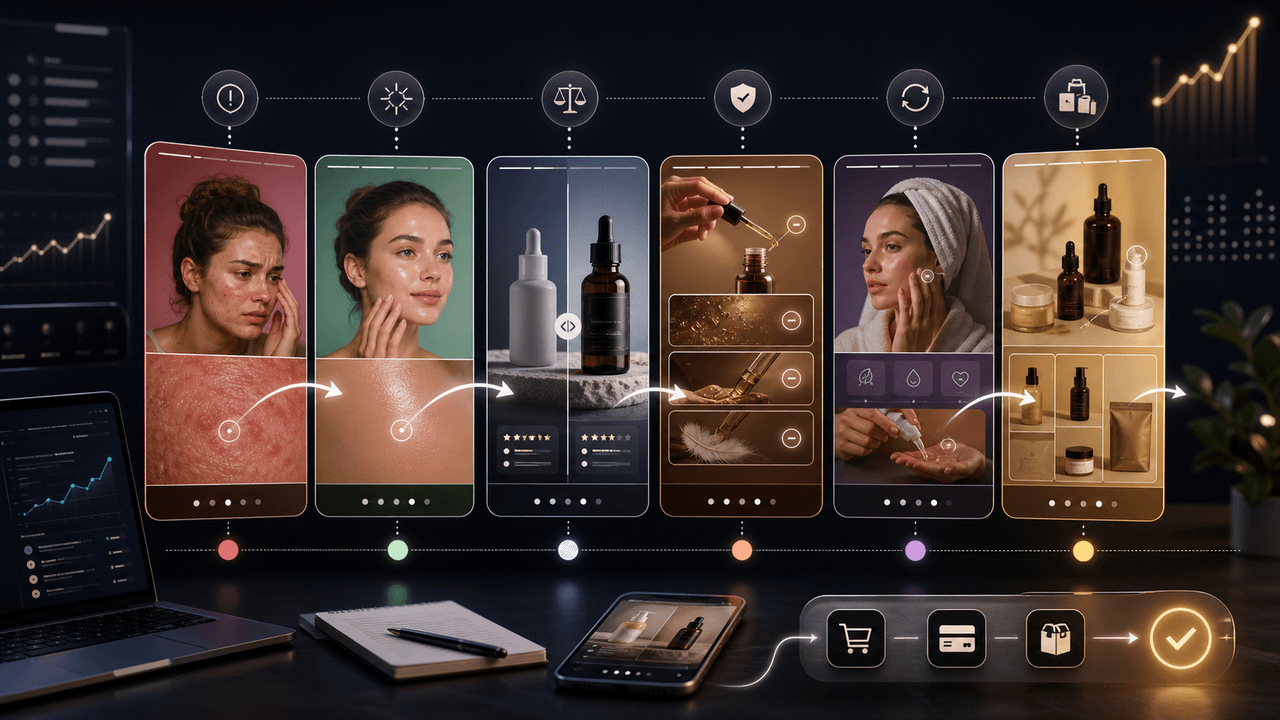
The best TikTok slideshow product-demo hooks qualify the buyer and create a reason to swipe. Use problem, outcome, comparison, objection, routine, and bundle hooks, then keep the middle slides focused on visual proof instead of repeating the first-slide claim.
Sources
- About Carousel Ads in TikTok Ads Manager — TikTok Ads Manager
- URL builders: Collect campaign data with custom URLs — Google Analytics Help
- Search ads and the importance of landing page navigation — Google Ads & Commerce Blog
- Evaluate the performance of your landing pages — Google Ads Help
Written by
AttentionClaw
Editorial Team
Editorial context
Part of the Content Planning topic cluster. Last updated June 22, 2026.