Chapter 1
Cohort feedback is both marketing and product research
Cohort courses create a rare content source: learners moving through the same material at the same time. That reveals where people get stuck, which examples land, what questions repeat, and which transformations are visible.
Do not treat feedback only as testimonials. Testimonials are one output, but the richer source is the pattern behind them. If several students struggle with assignment two, that is a content idea and a course improvement. If several students ask for niche examples, that is a carousel series and maybe a bonus lesson.
Google's people-first content guidance is relevant because public assets should help future learners solve real problems. The best cohort-derived content teaches from observed patterns without exposing private student work.
Student blockers become checklist posts.
Live questions become FAQs and explainers.
Assignment patterns become teardown carousels.
Transformation moments become proof assets.
Curriculum gaps become product improvements.
Chapter 2
Build a five-column feedback map
Organize feedback before deciding what becomes content.
- 1
Blocker
What prevented students from applying the lesson? Time, confidence, examples, tool setup, unclear sequence, or missing feedback?
- 2
Question
What did students ask repeatedly in live sessions, comments, or office hours?
- 3
Assignment pattern
What mistake or strength appeared across multiple submissions? Use patterns, not individual student work, unless permission is explicit.
- 4
Transformation
What changed after students applied the lesson? Capture the nature of the change without inventing numbers or revealing private details.
- 5
Course update
What should be changed in the curriculum, worksheet, onboarding, or support process before the next cohort?
Chapter 3
Decide what is public, internal, or permission-based
Not all cohort feedback belongs in public content. Some feedback should improve the course privately. Some should become anonymized teaching content. Some can become proof assets only after explicit student permission.
Use three lanes. Public pattern content teaches a recurring lesson with no identifying details. Internal product content updates the curriculum or support process. Permission-based proof uses a specific student result, quote, screenshot, or assignment with approval.
This protects student trust and improves the quality of marketing. Instead of exploiting a single student story, you publish useful patterns and ask permission when a specific result matters.
Callout
Permission rule
If the content depends on a specific student's work, quote, result, screenshot, or identity, get explicit permission or do not use it.
Chapter 4
Turn feedback patterns into five content formats
A cohort can produce a balanced content set without repeating itself. Use blockers for checklists, repeated questions for FAQs, assignment patterns for teardown carousels, transformation moments for proof posts, and course updates for behind-the-scenes newsletters.
Meta's carousel format guidance is useful for assignment teardowns because each card can handle one step: the assignment goal, common mistake, better version, example, and next action. Keep student work anonymized or recreated as a composite.
For newsletters, use the cohort as the context but make the reader the focus. 'What this cohort taught me about why creators get stuck on lesson two' is more useful than a vague recap of the cohort experience.
Checklist: the blocker and first steps.
FAQ: repeated live questions.
Teardown carousel: assignment pattern and improved version.
Proof post: permission-based transformation.
Newsletter: what the educator learned and changed.
Chapter 5
Update the course before turning every insight into marketing
The most valuable use of feedback may be improving the course itself. If student questions reveal a missing concept, fix the lesson. If assignments show the same mistake, add a worked example. If students need more confidence, add a practice prompt before the hard assignment.
This creates a better marketing loop. Public content can then say, honestly, that the course includes the checklist, example, or lesson built from real cohort blockers. The content is not just promoting the course; it is showing how the course improves.
For educators, this is a defensible content strategy because it connects marketing and pedagogy. You are not manufacturing urgency. You are documenting the learning system getting clearer.
Chapter 6
Use YouTube posts and polls to test follow-up lessons
Cohort feedback often reveals several possible follow-up lessons. Use YouTube posts, polls, or community questions to test which one matters most to the broader audience. YouTube Help describes posts as supporting formats such as polls, quizzes, text, images, and video.
A poll could ask which assignment step is hardest. A quiz could test a concept from the course. An image post could show a simplified worksheet. The response tells you which feedback pattern deserves a public tutorial or next cohort bonus.
This is useful for creators who teach on YouTube because it connects paid-course insight back to free audience education without exposing private student details.
Chapter 7
Measure both content performance and course improvement
Cohort feedback content has two measurement tracks. Public content should be measured by saves, replies, clicks, and signups. Course improvements should be measured by fewer repeated questions, better assignment completion, or smoother onboarding in the next cohort.
When linking to a waitlist, sample lesson, course page, or resource, use campaign parameters. Google Analytics URL builder guidance explains how custom URLs identify campaign traffic. Use labels such as cohort_blocker_checklist, cohort_assignment_teardown, cohort_question_faq, and cohort_waitlist_cta.
The strongest outcome is not just a post that performs. It is a better course and a content system that proves the course understands real learners.
Chapter 8
Where AttentionClaw fits
AttentionClaw fits after the feedback has been mapped and anonymized. The educator decides what is public, what is internal, and what needs permission. AttentionClaw can then turn safe patterns into branded carousels, slideshows, and social post drafts.
For cohort-based course businesses, this turns learning feedback into a repeatable content and curriculum improvement cycle.
Callout
Turn feedback into content assets
Use AttentionClaw to convert anonymized student blockers and course feedback into polished social assets that also point back to a stronger learning experience.
Chapter 9
How to Anonymize Feedback Before It Becomes Content
Cohort feedback is personal. A student describing their blocker in a live call did not consent to that description appearing in a public carousel. Before any feedback enters your content pipeline, it needs to pass a two-step check: remove identifying details, then change the framing from 'what one student said' to 'what many learners in this situation face'.
Removing identifying details means more than deleting names. Strip industry references that could identify a small-cohort participant, remove company names, change role titles if they are rare, and paraphrase direct quotes rather than reprinting them verbatim. A quote like 'I'm a solo founder in SaaS and I couldn't figure out how to apply the pricing module to my situation' becomes 'a common blocker: adapting pricing frameworks to a one-person business without an existing pricing history.' The concept is preserved. The person is not identifiable.
The framing shift matters for a different reason: it makes the content more useful to the next audience. 'Here is something one student struggled with' is a story. 'Here is a blocker many people face at this stage' is a lesson. Readers who relate to the lesson are more likely to save it, share it, and sign up for the next cohort.
- 1
Remove names and identifiers
Strip student names, company names, job titles, industry-specific details, and any quotes that could identify a cohort member in a small group.
- 2
Paraphrase rather than copy
Rewrite feedback in your own words rather than pulling direct quotes. This protects the student and makes the content more concise.
- 3
Generalize the audience
Shift from 'one student' to 'many learners' or 'a pattern we see often.' This is honest if the blocker is genuinely common, and it makes the content more searchable.
- 4
Check the cohort size
In small cohorts (under 15 students), even lightly disguised anecdotes can identify the person. When in doubt, combine two similar blockers into one composite example rather than using either individually.
Chapter 10
Closing the Loop: Using Feedback to Improve the Course Before Content
The most common mistake in cohort content systems is treating feedback as a content mine rather than a product signal. If students in three consecutive cohorts ask the same question about a specific module, the answer is not another carousel — it is a revised lesson. Carousels that address a recurring confusion are a stopgap. Fixing the module removes the confusion for future students and reduces the load on your support system.
A practical habit is to run a feedback triage at the end of each cohort before deciding what becomes content. Sort blockers and questions into two buckets: 'curriculum gap' (something the course should cover more clearly) and 'context gap' (something the student needed that was outside the course scope). Curriculum gaps get fixed in the next cohort build. Context gaps are good content candidates because they are not errors in the course — they are adjacent knowledge the audience wants.
This triage also prevents a pattern that erodes course credibility: publishing a carousel that explains a concept while the corresponding lesson in the paid course is still unclear. If a prospective student watches the free carousel and then buys the course expecting a similar level of clarity on that topic, a muddy lesson in the paid content creates disappointment. Fix first, then publish.
Chapter 11
Building a Feedback-Driven Content Calendar That Runs Between Cohorts
Cohort courses have a natural cycle — application window, cohort run, feedback collection, break, repeat. Content built from feedback fits this cycle best when it is planned backward from the next enrollment window. A cohort that closes enrollment in eight weeks has roughly six to seven weeks to publish feedback-derived content before the next application push begins.
A simple four-week content block after cohort close works as follows: week one, publish a transformation or result post based on a permissioned student outcome (outcome of the cohort, not a specific income claim). Week two, publish a blocker carousel built from the most common curriculum-gap question that has since been addressed. Week three, publish a process carousel that covers an adjacent context-gap topic. Week four, shift toward the next enrollment — update the waitlist carousel and run a 'here is what we changed based on student feedback' post, which builds trust for prospective buyers by showing iteration.
This rhythm keeps the content calendar full between cohorts without recycling the same value propositions. It also signals to the audience that the course is actively maintained, which reduces the hesitation of prospective students who wonder whether a course created two years ago is still worth the price.
Next step
Turn course feedback into better content and better lessons
AttentionClaw helps educators convert anonymized student blockers and questions into branded social drafts that support the learning journey.
Common Questions
FAQ
More Reading
Keep reading
9-chapter read
Course Cohort Launch Instagram Carousels: Sell the Group Experience Without Overpromising
Course cohort launch carousels should explain who the cohort is for, what the schedule includes, how support works, what proof is available, and what enrollment deadline matters.
10-chapter read
How to Turn an Educator Syllabus Into a Content Calendar
An educator syllabus can become a content calendar when each week is mapped to the learner question, misconception, example, practice prompt, proof asset, and next-step CTA.
10-chapter read
How to Turn Paid Workshop Recordings Into Social Content
Paid workshop recordings can become public social content when the creator extracts general lessons, anonymized patterns, approved clips, and implementation prompts without leaking the paid experience.
10-chapter read
How to Turn Course Case Studies Into Social Content
Course case studies work best as social content when they protect student context, avoid exaggerated claims, and explain the process behind the result rather than relying on a vague testimonial.
7-chapter read
Give the host an approval-ready promotion packet
A podcast guest appearance needs a coordinated handoff, not just a link post. Agree on asset rights and timing, package approved quotes and visuals, make host approval easy, and keep a correction path open after launch.
10-chapter read
How to Turn Office Hours Replays Into a Content System
Office hours replays become a content system when questions, blockers, examples, corrections, and action steps are captured, anonymized, and mapped to public or member-only assets.
11-chapter read
How to Turn a Course Curriculum Into Content Pillars
A course curriculum becomes a content pillar system when modules map to core problems, lessons map to micro-skills, assignments map to proof, and objections map to trust-building content.
10-chapter read
How to Turn Any Transcript Into Short-Form Content
A transcript becomes useful short-form content when you extract claims, stories, frameworks, questions, objections, and action steps instead of pasting spoken paragraphs into social formats.
8-chapter read
How to Turn Workshop Q&A Into a Month of Social Content
Workshop Q&A is one of the highest-intent sources for content ideas. Sort questions into beginner confusion, implementation blockers, objections, examples, and next-step requests to build a month of posts.
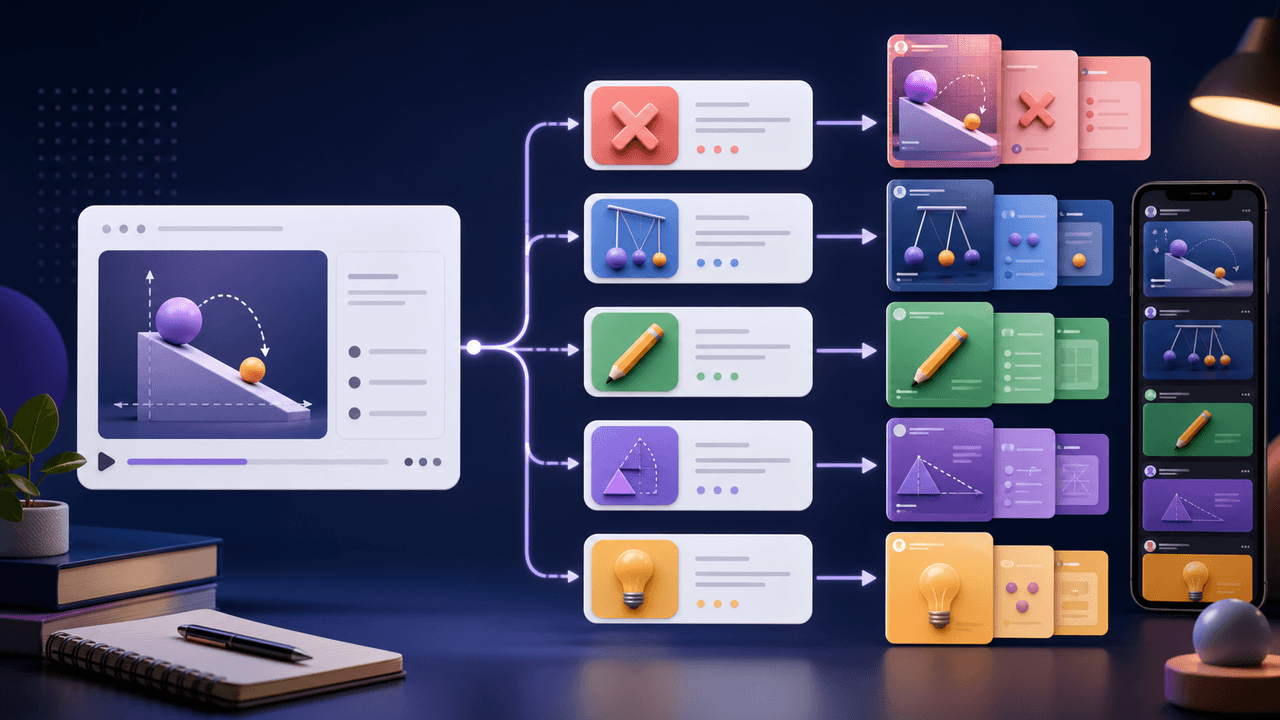
How to Turn One Course Lesson Into Social Posts That Still Teach
One course lesson can become a full social content cluster when you extract the learning objective, misconception, demonstration, practice prompt, and transformation proof instead of summarizing the lesson.
Sources
- Creating Helpful, Reliable, People-First Content — Google Search Central
- Design Specifications for Carousel Ads — Meta Business Help Center
- Learn About Posts — YouTube Help
- URL Builders: Collect Campaign Data With Custom URLs — Google Analytics Help
- Understanding Success Criterion 1.4.3: Contrast (Minimum) — W3C Web Accessibility Initiative
Written by
AttentionClaw
Editorial Team
Editorial context
Part of the Repurposing topic cluster. Last updated June 22, 2026.