Chapter 1
Course lessons are stronger than random content prompts
Course creators often treat marketing content as a separate job from teaching. They finish a polished lesson, then open a blank page to invent social posts. That is unnecessary. The lesson already contains the audience problem, teaching sequence, examples, and desired behavior change.
The mistake is compressing a 20-minute lesson into a vague teaser. A post that says 'learn the three-step pricing system inside the course' gives away neither value nor trust. A better asset teaches one complete micro-skill from the lesson and points the reader toward the deeper system.
Google's people-first content guidance is relevant because course marketing has to satisfy a real learner question. If the post answers a useful part of the problem, shows credible teaching, and avoids hype, it does more than promote the course. It builds evidence that the course can help.
Use the lesson objective as the content cluster anchor.
Use the common misconception as the hook.
Use the worked example as the proof asset.
Use the practice prompt as the engagement asset.
Use the transformation as the CTA bridge.
Chapter 2
The five-part lesson extraction pass
Before writing posts, reduce the lesson to five teaching components.
- 1
Learning objective
Write what the learner should be able to do after the lesson. Strong social posts are easier to create from action objectives like 'write a pricing objection response' than from vague topics like 'pricing mindset.'
- 2
Misconception
Identify what the learner gets wrong before the lesson. This becomes a strong hook because it names the hidden reason the audience is stuck.
- 3
Demonstration
Pull the example, walkthrough, teardown, screen recording, worksheet, or before/after moment. Demonstrations make course content believable on social platforms.
- 4
Practice prompt
Find the exercise learners complete inside the lesson. A simplified version can become an engagement post, checklist, or saveable carousel.
- 5
Next step
Define the logical CTA. Sometimes it is the full course. Sometimes it is a waitlist, lead magnet, sample lesson, or content series that teaches the next micro-skill.
Chapter 3
Build a five-asset stack from one lesson
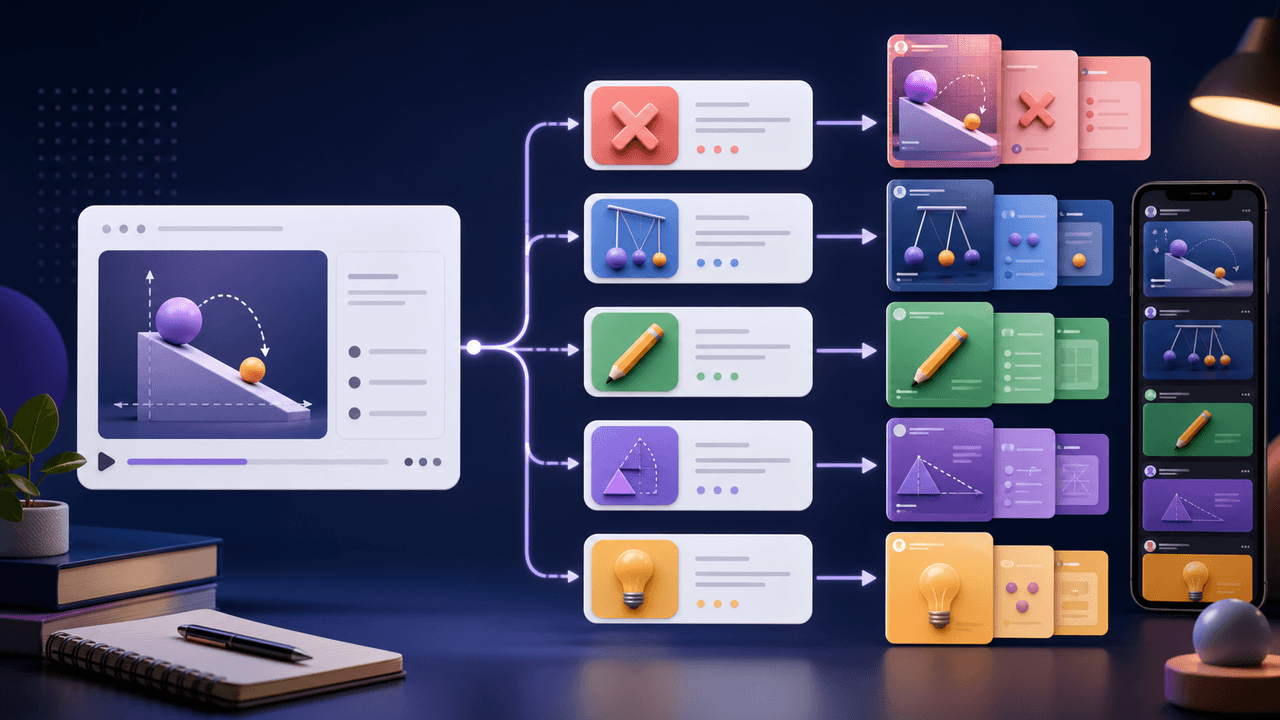
A course lesson should usually create five assets, not twenty thin ones. The goal is to show depth and teaching quality. One shallow post per slide in the lesson deck will feel like programmatic content. Five well-built assets will feel like a coherent campaign.
The first asset is a misconception carousel. It explains the wrong assumption and replaces it with the correct model. The second is a worked-example post that shows the concept in action. The third is a practice prompt that asks the audience to apply the idea. The fourth is a short script that dramatizes the before/after. The fifth is a CTA asset that connects the micro-skill to the broader course outcome.
For educators, this approach protects the course. You are not dumping the curriculum into the feed. You are demonstrating one useful slice and showing that the full course contains the sequence, feedback, examples, and practice environment needed for mastery.
Misconception carousel: correct the wrong mental model.
Worked example: show how the concept behaves in a real scenario.
Practice prompt: invite the audience to try the first step.
Short script: turn the mistake or transformation into a watchable moment.
CTA post: connect the social lesson to the complete course pathway.
Chapter 4
Course lesson carousel template
The most reliable course lesson carousel is not a mini-deck. It is a decision path. It should help the learner understand what to do next, not merely preview what is inside the course.
Use this structure: slide one names the mistake, slide two shows why it happens, slide three introduces the new rule, slides four through six walk through an example, slide seven gives the practice prompt, and slide eight points to the full lesson or course pathway.
Meta's carousel format guidance for ads describes the format as multiple images or videos in one unit. Even for organic educational posts, that constraint is useful. Every slide should carry one job and move the learner forward. If a slide only exists because it was in the course deck, cut it.
Callout
Do not post lesson slides unchanged
Course slides are designed for a teacher-led environment. Social slides are consumed alone, quickly, and often without sound. Rewrite them for standalone comprehension.
Chapter 5
Use YouTube posts to test lesson demand
If the course creator has a YouTube channel, the lesson can produce more than a carousel. YouTube Help describes posts as a way to connect with viewers through polls, quizzes, GIFs, text, music, images, and video. That makes the format useful for validating which lesson angle deserves a full video.
Turn the lesson misconception into a poll. Turn the practice prompt into a quiz. Turn the worked example into an image post. If the audience responds strongly, the lesson is a candidate for a longer YouTube video, live workshop, or free preview.
This is especially useful for educators and course businesses because the audience's response tells you which parts of the curriculum are commercially legible. A lesson can be pedagogically important and still need a sharper market-facing hook.
- 1
Poll the misconception
Ask which option the audience currently believes. This shows whether the lesson is fighting a real assumption.
- 2
Quiz the first step
Use a quiz to test whether learners can identify the right action. The wrong answers reveal future content ideas.
- 3
Post the example
Share one cropped worksheet, diagram, or before/after example with a short explanation and a CTA to the deeper lesson.
Chapter 6
Keep the teaching quality high while simplifying
Course content usually has more nuance than a social post can carry. Simplification is necessary, but distortion is optional. The quality bar is that the post should be useful and accurate even though it is incomplete.
Avoid absolute claims, invented success numbers, and false urgency. If the course lesson includes caveats, decide which caveat is necessary for the post to remain true. A pricing lesson might need to say 'for service businesses with clear ROI' instead of implying the framework works for everyone.
Accessibility also matters. Educator content often uses dense diagrams, small labels, and worksheet screenshots. WCAG contrast guidance gives a practical baseline for making text readable. In social content, also enlarge labels, remove decorative clutter, and write alt text where the platform supports it.
Teach one micro-skill completely instead of hinting at five.
Keep necessary caveats when removing detail.
Use real examples, not generic placeholder students.
Make text readable on mobile.
Tie the CTA to the next learning step, not just to buying.
Chapter 7
Measure the lesson cluster by learner intent
A repurposed course lesson has multiple success signals. Saves suggest the teaching asset is useful. Comments reveal confusion or objections. Clicks suggest the CTA bridge is working. Course sign-ups show the full funnel, but they should not be the only early signal.
Use campaign tracking when linking from social assets to a sample lesson, waitlist, or course sales page. Google Analytics explains that UTM campaign parameters can identify referral campaigns in reports. Name each asset by lesson and angle so you can see which micro-skills move people toward the course.
Review the cluster after the full sequence has run. If the practice prompt gets comments but the CTA post gets few clicks, the lesson may need a better bridge. If the misconception carousel gets saves but no comments, the audience may understand the problem but need a more concrete example before acting.
Chapter 8
Where AttentionClaw fits for educators and course creators
AttentionClaw works best when the course creator brings structured teaching material: a lesson objective, examples, and a desired learner action. From there, the workflow can generate visual drafts for carousels, slideshows, and other social formats while keeping the core lesson consistent.
The strongest use case is recurring production. Every module becomes a content cluster. Every lesson becomes a few native social assets. Every learner question becomes a future post. That turns the course into a marketing engine without lowering the standard of the teaching.
Callout
Turn lessons into polished social assets
Use AttentionClaw to turn lessons, worksheets, and teaching examples into polished social assets that preview your expertise without dumping the whole course into the feed.
Next step
Turn course lessons into polished social assets
AttentionClaw helps course creators transform lesson objectives, examples, and teaching prompts into branded carousels and social drafts.
Common Questions
FAQ
More Reading
Keep reading
9-chapter read
Math Tutor Exam Prep Instagram Carousels: Turn Study Stress Into Trial Lessons
Math tutor exam prep carousels should help students and parents understand practice routines, topic diagnosis, confidence-building, and trial lesson CTAs without promising guaranteed scores.
10-chapter read
How to Turn Course Case Studies Into Social Content
Course case studies work best as social content when they protect student context, avoid exaggerated claims, and explain the process behind the result rather than relying on a vague testimonial.
10-chapter read
How to Turn Course Bonus Materials Into Social Content
Course bonus materials can become strong social content when they are previewed as use cases, mistakes, checklists, and implementation examples rather than given away wholesale.
10-chapter read
How to Turn a Resource List Into Social Content
A resource list becomes useful social content when each item is grouped by use case, problem, audience stage, and decision rule rather than posted as a plain list of links.

How to Turn One Good Idea Into 7 Different Instagram Carousels
You do not need 30 unique ideas to post every day. You need one strong idea and a system that turns it into 7 carousels with different angles, formats, and depths.
11-chapter read
How to Turn a Course Curriculum Into Content Pillars
A course curriculum becomes a content pillar system when modules map to core problems, lessons map to micro-skills, assignments map to proof, and objections map to trust-building content.
10-chapter read
How to Turn One Blog Post Into a Full Social Content System
A strong blog post can become a full social content system when you extract the direct answer, framework, examples, sources, objections, and CTA separately instead of summarizing the whole article.
11-chapter read
How to Turn Cohort Course Feedback Into Content and Better Lessons
Cohort course feedback becomes useful content when you separate student blockers, assignment patterns, live questions, transformation moments, and curriculum gaps into safe, anonymized assets.

Turn coach-owned source material into useful carousel briefs
A practical workflow for turning coach-owned long-form material into standalone carousel briefs without inventing a guaranteed output count or exposing client information.

Write carousel copy as one connected argument
Good carousel copy lets a reader understand one argument without guessing what connects the slides. This guide covers hooks, claim-proof editing, continuity, legibility, and a complete before-and-after example.
Sources
- Creating Helpful, Reliable, People-First Content — Google Search Central
- Design Specifications for Carousel Ads — Meta Business Help Center
- Learn About Posts — YouTube Help
- Understanding Success Criterion 1.4.3: Contrast (Minimum) — W3C Web Accessibility Initiative
- URL Builders: Collect Campaign Data With Custom URLs — Google Analytics Help
Written by
AttentionClaw
Editorial Team
Editorial context
Part of the Repurposing topic cluster. Last updated June 22, 2026.