Chapter 1
The direct answer: package one essay into a clear subscriber promise
A Substack newsletter Instagram carousel should take one essay or issue and turn it into a short sequence: hook, problem, key idea, evidence, reader takeaway, and subscription CTA.
Substack resources encourage writers to use recommendations, sharing, and publication tools to grow readership. Instagram carousel guidance supports multi-card storytelling that can preview an argument before asking for a click.
The carousel should not paste the full essay. It should give enough value to make the paid or free newsletter feel worth subscribing to.
Callout
Newsletter carousel rule
Give the reader one useful idea, then make the full issue feel like the obvious next step.
Chapter 2
Build carousels from recurring newsletter assets
Writers can turn newsletters into quote threads, framework cards, contrarian claims, data snapshots, reading lists, behind-the-scenes notes, and paid-subscriber previews.
Each carousel should focus on one essay intent. A teaser for a market analysis should not also become a full archive index.
Use consistent visual language: headline card, argument cards, excerpt cards, chart cards, and CTA card. Avoid tiny walls of text.
Essay premise carousel.
Five lessons from one issue.
Contrarian claim and evidence sequence.
Reader question answered in slides.
Paid issue preview without giving it all away.
Archive roundup for a topic cluster.
Quote card with context.
Newsletter launch or relaunch sequence.
Chapter 3
Use an eight-slide essay-to-carousel structure
The carousel should make the newsletter feel more valuable, not redundant.
Keep slides readable. One concise point per slide usually works better than dense excerpts.
- 1
Slide 1: hook
Use the essay's strongest claim or reader problem.
- 2
Slide 2: tension
Explain why the reader should care now.
- 3
Slide 3: key idea
Summarize the argument in one sentence.
- 4
Slide 4: proof
Add an example, data point, quote, or story beat.
- 5
Slide 5: implication
Show what changes if the idea is true.
- 6
Slide 6: takeaway
Give the reader one usable conclusion.
- 7
Slide 7: full issue teaser
Explain what else the newsletter covers.
- 8
Slide 8: CTA
Subscribe, read the full issue, or save the framework.
Chapter 4
Balance free value and subscriber value
Newsletter creators need to decide how much to reveal. A free issue can be summarized more openly; a paid issue teaser should preserve the subscriber payoff.
Do not misrepresent paid content or imply unavailable benefits. If the CTA asks people to subscribe, the linked issue or archive should match the promise.
If reader testimonials or quotes are used, get permission and avoid private email details.
Do not paste the full issue.
Match teaser to the linked article.
Protect reader emails and private replies.
Use permission for testimonials.
Keep paid-preview boundaries clear.
Chapter 5
How AttentionClaw helps writers turn essays into carousels
AttentionClaw helps newsletter writers turn essays, archives, reader questions, quotes, and paid-preview notes into Instagram carousels and TikTok slideshows.
Templates can cover essay teasers, framework cards, archive roundups, launch posts, paid-preview posts, and reader-question content.
Callout
Newsletter workflow
Choose issue, extract one argument, generate carousel, check subscriber-value boundary, publish with subscription CTA.
Chapter 6
Measure subscribers, clicks, and saved ideas
Track subscription clicks, issue reads, saves, shares, profile visits, and replies from carousel topics.
If a carousel brings subscribers who mention the specific essay idea, it is doing more than repackaging content.
Track subscription clicks.
Track reads of the linked issue.
Track saves on framework carousels.
Track replies and reader questions.
Track paid-preview conversion by topic.
Chapter 7
A decision framework for choosing which essays to turn into carousels
Not every newsletter issue translates well to a carousel. Long essays that build an argument over several thousand words often lose their impact when compressed into eight slides. The essays that work best as carousels are those built around a single clear idea, a short framework, a contrarian claim, or a defined list.
Use this filter before converting an issue: Does the essay have one central claim? Can the core idea be stated in under twenty words? Does it include a concrete example or proof point that works without the full context? If the answer to all three is yes, the essay is a strong carousel candidate. If the essay is primarily narrative or exploratory, a pull-quote thread or a single teaser slide pointing to the full issue may work better.
Free issues convert differently than paid issues. A free issue carousel can give away the full framework and use the carousel itself as the value demonstration. A paid issue carousel should tease the insight without completing it — give the problem statement and the first principle, then direct followers to subscribe for the full analysis.
- 1
Step 1 — Identify the central claim
Write the essay's main argument in one sentence. If you cannot do it, the essay may need a different format.
- 2
Step 2 — Find the most shareable element
Look for the framework, the list, the unexpected claim, or the single example that carries the essay's weight.
- 3
Step 3 — Decide on free vs. teaser format
Free issues can be summarized openly. Paid issues should surface the tension and promise the answer without delivering it.
- 4
Step 4 — Write the hook slide around the reader's problem
The first slide should name a problem or tension the target reader recognizes, not the essay title.
- 5
Step 5 — End with a specific subscriber prompt
Tell followers exactly what they get by subscribing and how often they will receive it. Generic 'subscribe for more' calls to action underperform.
Next step
Turn newsletter issues into subscriber carousels
AttentionClaw helps writers package essays, reader questions, and archive themes into Instagram carousels and TikTok slideshows.
Common Questions
FAQ
More Reading
Keep reading
9-chapter read
Creator Brand Deal Media Kit Instagram Carousels: Turn Proof Into Sponsor Inquiries
Creator media kit carousels should turn audience proof, content formats, partnership examples, disclosure standards, and sponsor-fit signals into a clear brand inquiry path.
10-chapter read
How to Turn a Creator Media Kit Into Social Content
A creator media kit can become sponsor-attracting social content when its audience promise, proof, brand fit, formats, and collaboration examples are translated into useful public posts.
10-chapter read
How to Turn Newsletter Sponsorships Into Social Content
Newsletter sponsorships can become useful social content when the public assets explain the audience problem, disclose the relationship clearly, and point readers to the sponsor offer without copying the email ad verbatim.
10-chapter read
How to Turn an Email Sequence Into Social Content
An email sequence becomes social content when each email's job is mapped to a native asset: problem, belief shift, proof, objection, tutorial, and CTA.

How to Turn One Good Idea Into 7 Different Instagram Carousels
You do not need 30 unique ideas to post every day. You need one strong idea and a system that turns it into 7 carousels with different angles, formats, and depths.
10-chapter read
How to Turn a LinkedIn Article Into a Carousel Without Losing the Argument
A LinkedIn article becomes a stronger carousel when you extract the argument, framework, evidence, caveat, and reader decision rather than shrinking the whole article into slides.
10-chapter read
How to Turn One Blog Post Into a Full Social Content System
A strong blog post can become a full social content system when you extract the direct answer, framework, examples, sources, objections, and CTA separately instead of summarizing the whole article.
10-chapter read
How to Turn a Newsletter Archive Into a Content Hub
A newsletter archive becomes a content hub when you cluster old issues by search intent, update the strongest pieces, add sources, build internal links, and convert each cluster into social assets.
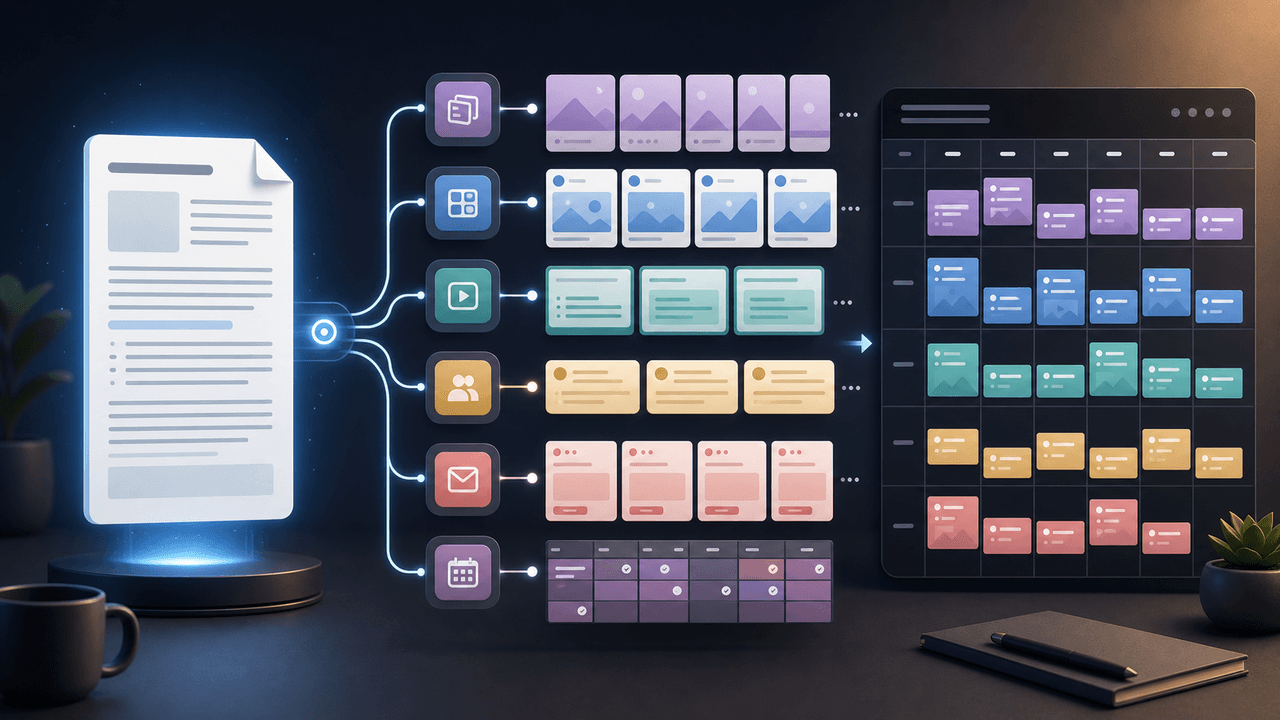
How to Turn One Newsletter Into a Week of Social Content
A strong newsletter is not one finished asset. It is the source file for a week of social posts, carousels, short scripts, community posts, and follow-up emails when you extract the argument, proof, examples, and reader questions separately.
Sources
- How do I grow my audience on Substack? — Substack Support
- How do recommendations work on Substack? — Substack Support
- About Carousel Ads — Meta Business Help Center
- Best Practices for Carousel Ads — Meta Business Help Center
Written by
AttentionClaw
Editorial Team
Editorial context
Part of the Carousel Creation topic cluster. Last updated July 11, 2026.