Chapter 1
Speaker notes hold the part the audience does not see later
Presentation slides are often too thin to repurpose alone. They were built for a live talk where the speaker adds context, examples, caveats, and transitions. Speaker notes preserve that missing layer.
Google Workspace has documented speaker-note access during presentations in Google Meet, which reinforces the practical role of notes: they support what the presenter says while slides stay concise. For repurposing, that same split matters. Slides give the visual structure. Notes give the article, carousel, and newsletter substance.
The workflow is not to export the deck and post slides unchanged. It is to rebuild each teaching moment for the channel where it will live.
Slide title becomes the hook candidate.
Speaker note explanation becomes the body copy.
Audience question becomes the FAQ or post prompt.
Example becomes proof or a short script.
Caveat becomes a trust-building slide.
Final slide becomes the CTA bridge.
Chapter 2
Audit the deck by teaching moment
- 1
Claim
What does this slide assert? Rewrite it as a direct answer or opinion.
- 2
Explanation
What would the speaker say that is not visible on the slide? This becomes the paragraph, caption, or narration.
- 3
Example
What story, screenshot, client situation, or demo makes the point concrete?
- 4
Caveat
Where does the advice not apply? Preserve caveats so the social asset stays accurate.
- 5
Action
What should the audience do after this slide? That becomes the CTA or checklist ending.
Chapter 3
Turn a section of the deck into a carousel
A strong carousel usually comes from one section of a deck, not the whole presentation. Choose a sequence of slides that answers one question or teaches one framework.
Meta's carousel format guidance is useful because a carousel is a limited card sequence. Use one card for the question, one for the short answer, several for steps or examples, one for the caveat, and one for the next step.
Do not simply crop slides. Rewrite the slide and note combination into mobile-readable social slides. If a slide needs the speaker's voice to make sense, it needs more context before it becomes a carousel.
Callout
Deck-to-carousel rule
One carousel should answer one audience question. If the deck section covers three questions, split it into three assets.
Chapter 5
Use YouTube posts to test follow-up sections
YouTube posts can include polls, quizzes, text, images, and video. After a talk or webinar, use posts to ask which deck section deserves a deeper video or article.
A poll can list four slide sections. A quiz can test the decision rule from one slide. An image post can show a simplified version of a diagram. Audience response tells you which part of the deck should be expanded.
This turns a one-time presentation into a content research loop.
Chapter 6
Use documents for full-deck recaps
When the whole deck is valuable, create a document instead of a carousel. LinkedIn Document Ads guidance describes documents that can be shared freely or gated with lead forms in paid contexts. Organic expert creators can borrow the format for a saveable deck recap.
A document can include slide visuals, edited speaker notes, source links, and a decision checklist. It is better than a carousel when the topic needs depth.
The carousel can then act as a preview that points readers to the document or article.
Chapter 7
Track the deck as a campaign
Deck repurposing should be measured as a campaign. The carousel may drive saves. The document may drive downloads. The newsletter may drive replies. The CTA post may drive registrations or product interest.
Google Analytics URL builder guidance explains that campaign parameters identify referral campaigns. Use one campaign name for the source talk or deck and labels such as deck_carousel, notes_newsletter, deck_document, youtube_poll, and deck_cta.
Use those results to decide which slide sections deserve deeper assets.
Chapter 8
Where AttentionClaw fits
AttentionClaw fits after the deck section and speaker notes have been selected. The creator chooses the claim, example, caveat, and CTA. AttentionClaw can turn that brief into branded carousel and social drafts.
This lets presenters reuse their strongest teaching moments without dumping slide exports into the feed.
Callout
Repurpose your slide deck
Use AttentionClaw to turn slide sections and speaker notes into polished social assets that work without the live presentation.
Chapter 9
Extracting five distinct content types from a single set of speaker notes
Most speaker notes contain more than one type of content, and identifying the type before repurposing prevents the common mistake of using every note in the same format. A useful speaker note might contain a main claim, a supporting example, a caveat that limits the claim, an audience question the speaker anticipated, or a transition that explains why this topic follows the previous one. Each of these is a different kind of social content.
The main claim becomes a carousel hook or a standalone statement post. The supporting example becomes a worked-example carousel or a short narrative post. The caveat becomes a 'common mistake to avoid' post or a misconception-correction carousel. The anticipated audience question becomes an FAQ slide or a question-and-answer thread starter. The transition logic — why this topic matters in context — becomes the 'why this matters now' frame that turns a technical point into a relatable observation.
When reviewing a deck for repurposing, annotate each speaker note with one of these five types before deciding on a format. Decks typically have four to six main claims, two to four supporting examples, one to three caveats, and several anticipated questions. That is a content library of twelve to eighteen pieces from a single presentation, without needing to write anything new.
Chapter 10
A worked example: turning one speaker note into a carousel
Consider a hypothetical conference talk on content planning. One slide is titled 'The gap between ideas and execution.' The speaker note reads: 'Most people do not fail at generating ideas — they fail at deciding which idea to start with. I use three filters: is this something my audience has already asked me about, is this something I can produce in under two hours, and does this lead to a clear next step for the reader. If an idea does not pass two of the three, I move it to a backlog and start with one that does.'
This single speaker note contains a claim ('the bottleneck is selection, not ideation'), three concrete filters, an implied framework, and an implicit process for handling ideas that do not qualify. That is the raw material for a five or six-slide carousel: slide one as the hook claim, slides two through four as one filter per slide with a brief explanation, slide five as the backlog concept and what it prevents, slide six as the single-sentence takeaway or action.
The carousel does not add anything that was not in the speaker note. It structures and visualizes what the speaker already knew well enough to say from memory. That is the distinctive quality of speaker notes as source material: the ideas have already been refined by the act of preparing a talk. The repurposing work is selection and structure, not ideation.
Callout
Speaker note to carousel: extraction checklist
1. Identify the main claim in the note — one sentence. 2. Find the concrete example or case in the note. 3. Look for a decision rule, filter, or framework. 4. Note any caveat or 'it depends' qualifier. 5. Find the audience question the note was written to answer. These five elements map directly to carousel slides.
Next step
Turn presentation notes into social assets
AttentionClaw helps convert slide sections and speaker notes into branded carousels, documents, and follow-up posts.
Common Questions
FAQ
More Reading
Keep reading
10-chapter read
How to Turn a Resource List Into Social Content
A resource list becomes useful social content when each item is grouped by use case, problem, audience stage, and decision rule rather than posted as a plain list of links.
10-chapter read
How to Turn an Email Sequence Into Social Content
An email sequence becomes social content when each email's job is mapped to a native asset: problem, belief shift, proof, objection, tutorial, and CTA.

How to Turn One Good Idea Into 7 Different Instagram Carousels
You do not need 30 unique ideas to post every day. You need one strong idea and a system that turns it into 7 carousels with different angles, formats, and depths.
10-chapter read
How to Turn Any Transcript Into Short-Form Content
A transcript becomes useful short-form content when you extract claims, stories, frameworks, questions, objections, and action steps instead of pasting spoken paragraphs into social formats.
10-chapter read
How to Turn a LinkedIn Article Into a Carousel Without Losing the Argument
A LinkedIn article becomes a stronger carousel when you extract the argument, framework, evidence, caveat, and reader decision rather than shrinking the whole article into slides.
10-chapter read
How to Turn One Blog Post Into a Full Social Content System
A strong blog post can become a full social content system when you extract the direct answer, framework, examples, sources, objections, and CTA separately instead of summarizing the whole article.

How to Repurpose a Webinar Into High-Trust Social Content
A webinar is a conversion event and a content source. Repurpose it by separating the promise, teaching framework, proof moments, audience questions, objections, and follow-up CTA into native assets.
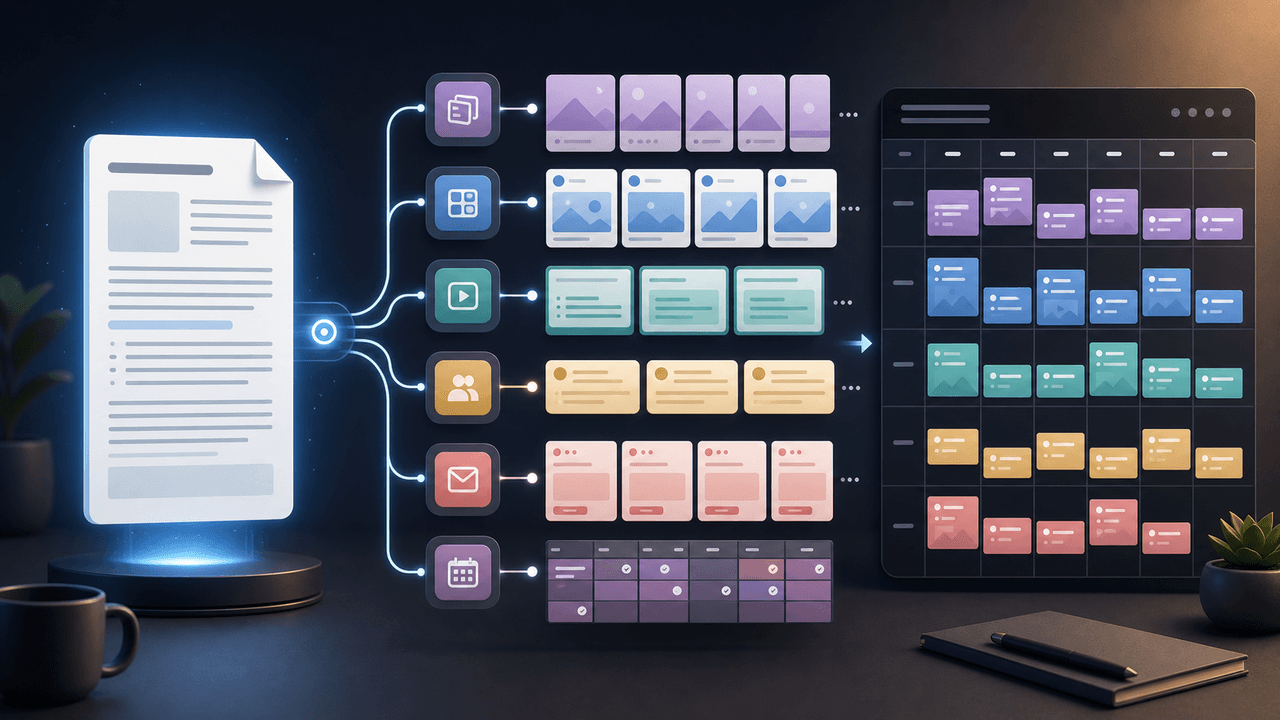
How to Turn One Newsletter Into a Week of Social Content
A strong newsletter is not one finished asset. It is the source file for a week of social posts, carousels, short scripts, community posts, and follow-up emails when you extract the argument, proof, examples, and reader questions separately.
Sources
- View Speaker Notes While Presenting Google Slides in Google Meet — Google Workspace Updates
- Design Specifications for Carousel Ads — Meta Business Help Center
- Creating Helpful, Reliable, People-First Content — Google Search Central
- Learn About Posts — YouTube Help
- Document Ads — LinkedIn Marketing Solutions
- URL Builders: Collect Campaign Data With Custom URLs — Google Analytics Help
Written by
AttentionClaw
Editorial Team
Editorial context
Part of the Repurposing topic cluster. Last updated June 22, 2026.