Chapter 1
The direct answer: sell the visit, not just the dish
A restaurant weekly specials TikTok slideshow should show the dish, the occasion, the availability window, the ordering or reservation path, and one reason the special is worth visiting for now. A single food photo can make someone hungry. A slideshow can make them choose a day, invite a friend, and show up.
The best weekly special posts are practical. They answer: What is it? When is it available? Can I reserve? Is it dine-in, takeout, or both? Is it limited? What does it pair with? Where do I click or call? Local diners need fewer mysteries, not more adjectives.
Use official and local search surfaces together. TikTok image storytelling can create attention, Instagram carousels can reinforce the offer, and Google Business Profile posts can show updates, offers, events, and photos near the decision point.
Callout
Restaurant specials rule
Every special post should include the dish, day or window, service mode, and next action. If a hungry viewer cannot act, the post is unfinished.
Chapter 2
The six-slide weekly special structure
A weekly special slideshow should be short enough to publish during a busy week and complete enough to drive visits. Six slides is usually enough: hook, dish, detail, occasion, practical info, and CTA.
The hook slide should be specific. 'Friday only: short rib ragu over fresh pappardelle' is stronger than 'new special.' The details slide can show the ingredient, chef note, pairing, or prep process. The practical slide should include day, time, dine-in or takeout status, reservation link, and availability caveat.
Restaurants can reuse this structure every week. The audience learns that the restaurant posts a reliable specials guide, and the team does not need to invent a new layout during service.
- 1
Slide 1: hook
Name the special, the day, and the reason to care.
- 2
Slide 2: hero food photo
Show the finished dish clearly, with natural light and minimal clutter.
- 3
Slide 3: ingredient or prep detail
Show the sauce, dough, grill, garnish, local ingredient, or chef finishing step.
- 4
Slide 4: occasion
Frame the special for lunch, date night, after work, brunch, game day, family dinner, or patio weather.
- 5
Slide 5: practical details
List date, hours, dine-in or takeout, price if appropriate, and whether quantities are limited.
- 6
Slide 6: CTA
Reserve, order, call, save, or tag the person you would bring.
Chapter 3
30 weekly special slideshow ideas
Use this idea bank for restaurants, cafes, bars, food trucks, bakeries, and quick-service local spots. The format can adapt to a taco special, pastry drop, happy hour, tasting menu, seasonal drink, or lunch combo.
The most useful restaurant posts are tied to behavior. People decide where to eat based on timing, group, mood, location, budget, and cravings. A good slideshow gives them a reason to act this week.
Keep menu claims accurate. If a dish is limited, say so. If allergen information matters, send diners to the menu, staff, or ordering path for current details rather than trying to fit all details into one slide.
Friday-only pasta special.
Three-course date-night menu.
Weekend brunch feature.
Happy hour snack pairing.
Chef's market special using a seasonal ingredient.
Lunch combo for office workers nearby.
Family meal takeout night.
Limited pastry drop.
New seasonal cocktail or mocktail.
Game-day platter or wings special.
Patio-weather menu picks.
Rainy-day soup or ramen special.
Vegetarian special of the week.
Dessert-and-coffee pairing.
Late-night menu reminder.
Food truck location schedule.
Catering tray spotlight.
Holiday preorder reminder.
Behind the prep for one special.
What sold out last week and when it returns.
Staff favorite special.
Customer favorite returning this week.
Two ways to order the same dish.
Wine or beer pairing with a special.
Budget-friendly lunch pick.
Limited tasting menu preview.
New menu item test night.
Neighborhood event menu.
Reservation reminder for a themed dinner.
Sunday reset: next week's specials.
Chapter 4
Create a photo workflow that does not interrupt service
Restaurant content fails when the team waits until the rush to take photos. Build the slideshow assets before service whenever possible. Shoot the finished dish, one prep detail, one environment shot, and one practical menu or reservation graphic.
Google Business Profile photo guidance encourages businesses to use photos that help customers understand products and services. For restaurants, that means clear food photos, interior or patio shots, menu context, and service-mode cues like pickup or counter ordering where relevant.
Assign one person to capture specials during a predictable window. The chef or manager should not have to become a full-time content creator. A repeatable checklist makes the content good enough to publish consistently.
Shoot the hero dish before peak service.
Use the same table, backdrop, or window light when possible.
Capture one prep or ingredient detail.
Take one context photo: patio, bar, counter, dining room, or takeout setup.
Confirm price, availability, and ordering details before scheduling.
Keep allergen and menu-detail questions routed to the official menu or staff.
Chapter 5
Connect specials to local search and reservations
A restaurant special should not live only on TikTok. People may see it, search the restaurant, check the menu, read reviews, and then reserve or order. The special should be visible across the surfaces where that decision happens.
Use Google Business Profile posts for timely updates, offers, and events where appropriate. Update the website or menu link if the special is part of a recurring offer. Add the special to Instagram stories and pin the weekly menu if the platform is where regulars check updates.
The restaurant should avoid fragmented CTAs. If TikTok says 'reserve for Friday,' Instagram should not say 'DM us' while Google says 'call only' unless that is intentional. One post sequence should point to one clear action.
- 1
TikTok slideshow for attention
Use the visual hook and limited-time reason to stop the scroll.
- 2
Instagram carousel for regulars
Post the same special with slightly more context and pin it while active.
- 3
Google Business Profile update for local search
Publish time-sensitive menu, event, or offer information where customers search for the restaurant.
- 4
Website or reservation path for conversion
Make the menu, booking link, order link, or phone number easy to find.
Chapter 6
Keep food content accurate and useful
Restaurant specials content should create desire without creating confusion. If the dish changes nightly, the post should say so. If supply is limited, say quantities may sell out. If price or availability changes, update the caption or story rather than letting old content mislead diners.
When using customer quotes or influencer content, follow endorsement rules. FTC guidance is relevant when a post includes endorsements, reviews, sponsored creator content, or material connections. A local restaurant can still use social proof, but it should keep quotes accurate and disclose relationships when needed.
Avoid burying practical details. A beautiful photo with no date or ordering path creates comments the staff must answer manually. The goal is to reduce friction for both diners and the restaurant.
Use current menu and price information.
Say when a special is limited or subject to sellout.
Do not imply sponsored praise is organic.
Route allergen and dietary questions to official menu or staff.
Update or archive expired special posts when necessary.
Chapter 7
How AttentionClaw helps restaurants batch weekly specials content
AttentionClaw helps restaurants turn one weekly menu note into several consistent assets: TikTok slideshow, Instagram carousel, story reminder, Google update image, and event-night post.
The restaurant can define a specials template once: dish hook, hero photo, ingredient detail, occasion, practical info, and CTA. Each week, the team only swaps in the new dish, date, and photo set.
This keeps the content moving even when the kitchen is busy. The staff still approves menu details and availability; AttentionClaw helps produce the visuals quickly enough to publish while the special is still relevant.
Callout
Restaurant batch workflow
Choose weekly specials, capture photos before service, confirm details, generate assets in AttentionClaw, schedule across TikTok, Instagram, and Google, then record visits or orders.
Chapter 8
Measure visits, orders, saves, and sold-out signals
The most useful metrics for specials content are reservations, online orders, calls, direction requests, saves, shares to group chats, and sellout timing. Likes are nice, but they do not tell the whole story.
Track by special type. A brunch slideshow may drive saves early in the week. A pastry drop may drive same-day visits. A dinner event may need multiple reminder posts. The restaurant should learn which format matches each offer.
Ask staff what diners mention. If guests say they came for the slideshow dish, record it. If they ask questions the post should have answered, improve the next template.
Track reservation clicks from weekly special posts.
Track online orders during the special window.
Track saves and shares on menu preview posts.
Track sellout time after social promotion.
Ask guests where they saw the special.
Next step
Turn weekly specials into timely social assets
AttentionClaw helps restaurants convert menu notes, dish photos, and event details into branded TikTok slideshows, Instagram carousels, and local update graphics before the special expires.
Common Questions
FAQ
More Reading
Keep reading
8-chapter read
Meal Prep Nutrition Label TikTok Slideshows: 7 Slides
Meal prep nutrition label slideshows should explain serving size, calories, nutrients, storage, reheating, and order CTAs without unsupported health or weight-loss claims.
8-chapter read
Coffee Shop Seasonal Drink TikTok Slideshows
Coffee shop seasonal drink slideshows should show the drink, flavor notes, availability window, allergens or ingredient questions, food-safety boundaries, and order CTA.
8-chapter read
Restaurant Banquet Menu Instagram Carousels
Restaurant banquet menu carousels should explain menu formats, guest-count fit, buffet or plated options, allergen questions, food-safety expectations, and inquiry CTAs.
12-chapter read
Food Truck Catering Instagram Carousels: Turn Menus Into Event Leads
Food truck catering carousels should explain menu options, event fit, headcount, service timing, permits, food safety, and booking CTAs for private and corporate events.
8-chapter read
Restaurant Allergy Menu Social Content: Help Guests Ask the Right Questions
Restaurant allergy and menu transparency posts should explain how guests can ask about ingredients, allergens, cross-contact, takeout, and event menus. Good content is helpful and careful: it routes specific allergy needs to staff instead of making broad safety promises.
8-chapter read
Restaurant Private Dining Room Social Content: Posts That Book Events
Private dining social content should help guests imagine the room, understand event capacity, see menu options, know how booking works, and contact the restaurant with confidence. Strong posts combine room visuals, event use cases, food safety-aware menu language, FAQs, and a direct inquiry CTA.
8-chapter read
Carousel Slide Order That Converts: Hook, Proof, Offer, CTA
A converting carousel usually follows a clear order: hook, context, problem, solution or product, proof, objection handling, offer, and CTA. The exact slide count can change, but the reader should never wonder why the next slide exists.
7-chapter read
Restaurant Catering Event Social Content: Promote Private Dining and Catering
Restaurant catering content should show packages, event use cases, lead times, service options, food safety expectations, and booking steps. The best campaigns make it easy for planners to choose the right format and contact the restaurant before the event date.
8-chapter read
Home Services TikTok Slideshow Ideas: Local Posts for Contractors and Repair Pros
Home service businesses can use TikTok slideshows to show before-and-after proof, explain maintenance, answer emergency questions, spotlight local jobs, and turn field photos into useful content. The best posts are specific, visual, local, and tied to a clear call-to-book.
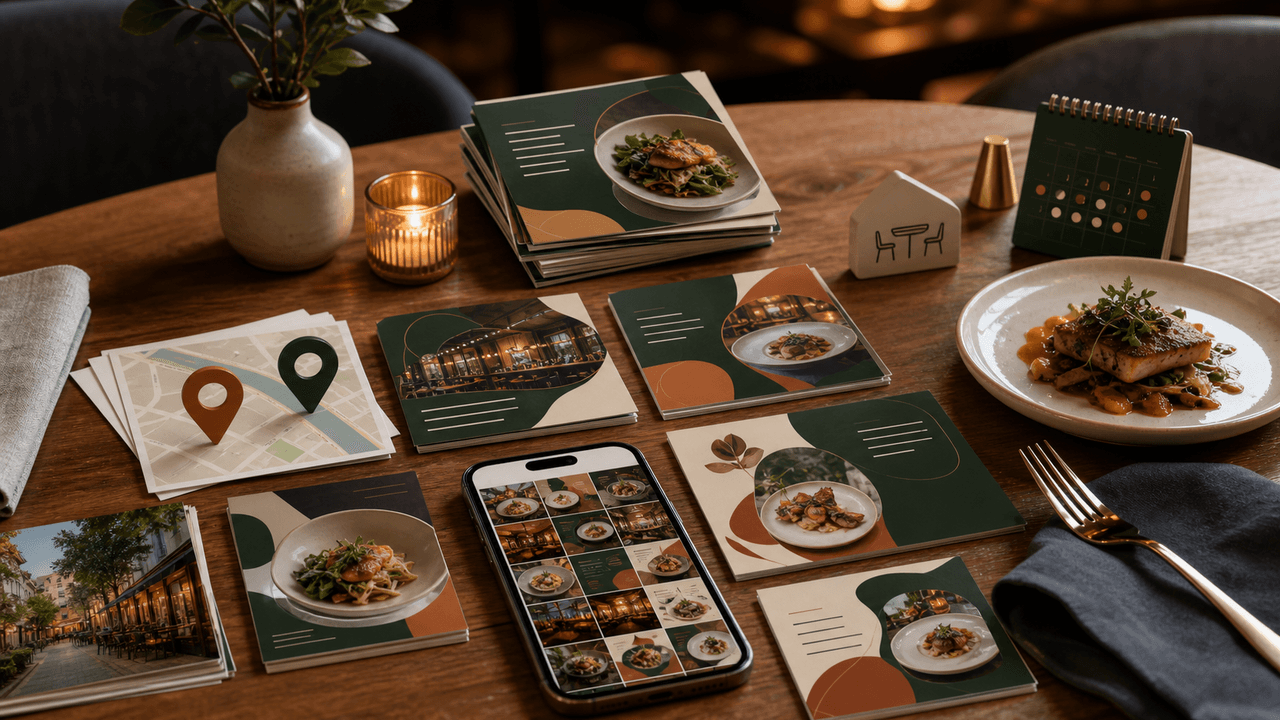
Restaurant Instagram Carousels: The Content Guide That Fills Empty Tables
Most restaurants post food photos and hope for the best. A carousel content system turns your menu, your kitchen, and your story into a reservation engine that works while you cook.
Sources
- TikTok Image Ads: Visual Marketing Solutions to Engage Customers — TikTok For Business
- Create & manage posts on your Business Profile — Google Business Profile Help
- Tips for business-specific photos on your Business Profile — Google Business Profile Help
- Add or edit your menu — Google Business Profile Help
- FTC's Endorsement Guides: What People Are Asking — Federal Trade Commission
Written by
AttentionClaw
Editorial Team
Editorial context
Part of the Carousel Creation topic cluster. Last updated June 22, 2026.