Chapter 1
The direct answer: explain the question path, not blanket guarantees
Restaurant allergy menu social content should tell guests how to ask about allergens, ingredients, substitutions, cross-contact risk, takeout timing, catering menus, and who to contact before a visit or event.
CDC restaurant food allergy resources note that food allergic reactions are common in restaurants, and USDA FSIS identifies the nine major food allergens in the United States. That makes restaurant communication important, but social posts should avoid promising that any kitchen is universally safe for every guest.
Use careful language: 'Please tell our team about allergies before ordering' is better than 'allergy-safe menu.' Specific guest needs should go through trained staff, not public comments.
Callout
Allergy content rule
Be helpful and specific, but do not make broad safety guarantees. Route individual allergy questions to staff before ordering.
Chapter 2
A six-slide allergen communication carousel
A good allergen post teaches guests how to communicate clearly and gives staff a cleaner intake path. It should also reduce pressure on social media managers to answer detailed ingredient questions from memory.
Use one carousel for the restaurant's process: tell us early, name the allergen, ask about cross-contact, confirm substitutions, understand takeout limits, and speak with staff before ordering.
If the restaurant has a formal allergen guide, link to it. If not, the post should send guests to the manager, chef, events team, or ordering channel that can answer current menu questions.
- 1
Slide 1: Tell us before ordering
Ask guests to disclose allergies when booking, arriving, or placing takeout.
- 2
Slide 2: Name the allergen clearly
Encourage specific language rather than vague dietary labels.
- 3
Slide 3: Ask about ingredients
Explain that recipes and specials can change.
- 4
Slide 4: Ask about cross-contact
Route preparation questions to trained staff.
- 5
Slide 5: Confirm takeout timing
Use USDA takeout safety context to remind guests that timing and temperature matter.
- 6
Slide 6: Use the right contact path
Point guests to phone, reservation notes, online order notes, or the events team.
Chapter 3
Menu transparency posts that guests can actually use
Restaurants can publish helpful dietary content without turning Instagram into a live ingredient database. Focus on stable process information and update posts when menus change.
Useful topics include how to ask about allergens, how the kitchen handles substitutions, what guests should note on reservations, how private events handle dietary requests, and what takeout customers should know about pickup timing.
Avoid using engagement bait around allergies. A prompt like 'tag someone with a peanut allergy' is not appropriate. A better prompt is 'save this before your next group dinner.'
How to add allergy notes to a reservation.
What to ask before ordering a special.
How catering or private events collect dietary needs.
Why menu items can change by season.
What takeout guests should know about pickup timing.
How to contact the restaurant before a large group meal.
Which dishes can be modified only after staff confirmation.
Why cross-contact questions matter.
Chapter 4
Use guest reviews and dietary praise carefully
A review that says 'they handled my allergy perfectly' can be persuasive, but it should not become a blanket promise to future guests. Review and testimonial content should be accurate, current, and not misleading.
FTC review and testimonial guidance is relevant when restaurants reuse customer reviews, solicit reviews, or incentivize feedback. Do not imply that a review must be positive to receive an incentive, and do not fabricate or suppress reviews.
When reposting allergy-related praise, add context that guests should still contact the restaurant about their own needs.
- 1
Get permission for review reuse
Confirm platform and customer permission before turning a review into a post.
- 2
Avoid universal safety claims
Do not turn one guest's good experience into a guarantee.
- 3
Route future questions
Add a CTA for guests to contact staff before ordering.
Chapter 5
How AttentionClaw helps restaurants package menu transparency
AttentionClaw helps restaurants turn approved guest communication procedures into carousels, takeout reminders, private-event FAQ posts, and menu update slideshows.
The restaurant supplies current menu policy, allergy contact process, review rules, and takeout instructions. AttentionClaw turns that into reusable posts that are easy for guests to save and share.
The result is clearer guest communication and fewer risky ad hoc replies in comments.
Callout
Menu transparency workflow
Confirm the restaurant's allergen process, write careful guest-facing language, generate the social assets in AttentionClaw, and update posts when menu or operations change.
Chapter 6
Posting about staff training as a form of allergen transparency
Guests with serious food allergies are not only evaluating whether a dish contains their allergen — they are evaluating whether the restaurant's team knows how to handle the conversation and the preparation. A social post that describes the staff communication process ('When you mention an allergy, here is what happens from that moment') addresses the deeper concern and differentiates the restaurant from venues that rely solely on menu labels.
This type of content does not need to claim a zero-contamination kitchen. It can honestly describe what the staff does: how the server flags the table, how the kitchen is alerted, which dishes can be modified and which cannot, and why some requests require advance notice for more complex accommodations. Honest process content is more credible than reassurance language, and it reduces the frequency of conversations guests have to initiate from scratch every time they visit.
Describe what happens when a guest mentions an allergy — the actual communication chain from table to kitchen
Be explicit about which dishes can and cannot be modified, rather than implying everything is adaptable
Explain what 'advance notice' actually means — 24 hours, at reservation time, or at the door
Avoid phrases like 'allergy-safe' or 'safe for allergies' — use 'made without' and specify the allergen
Include a contact path for guests who want to discuss needs before visiting
Chapter 7
A companion carousel for private event and catering allergy communication
Restaurants that offer private dining rooms, catering, or event packages have a second allergen communication context that is distinct from the standard dining-room post. Event hosts are collecting dietary information from multiple guests and need to know the restaurant's process for handling a group with several different restrictions.
A carousel specifically for event hosts should cover: how to submit the group's dietary restrictions before the event, how far in advance the kitchen needs that information, whether cross-contact risks can be managed for groups that include severe allergy diners, and what the host should tell guests who have specific needs in advance of the event. This is practical information that event planners and corporate clients are actively looking for and rarely find communicated clearly on social media.
This post is distinct from the general allergen communication post and should not try to cover both audiences. Link the two in the caption — 'Planning an event? See our separate post on event menu accommodations' — so each post stays focused and discoverable independently.
Next step
Turn menu questions into careful guest-facing posts
AttentionClaw helps restaurants package allergen process, takeout reminders, menu updates, and guest FAQs into clear social content that routes questions to staff.
Common Questions
FAQ
More Reading
Keep reading
8-chapter read
Meal Prep Nutrition Label TikTok Slideshows: 7 Slides
Meal prep nutrition label slideshows should explain serving size, calories, nutrients, storage, reheating, and order CTAs without unsupported health or weight-loss claims.
8-chapter read
Coffee Shop Seasonal Drink TikTok Slideshows
Coffee shop seasonal drink slideshows should show the drink, flavor notes, availability window, allergens or ingredient questions, food-safety boundaries, and order CTA.
8-chapter read
Restaurant Banquet Menu Instagram Carousels
Restaurant banquet menu carousels should explain menu formats, guest-count fit, buffet or plated options, allergen questions, food-safety expectations, and inquiry CTAs.
12-chapter read
Food Truck Catering Instagram Carousels: Turn Menus Into Event Leads
Food truck catering carousels should explain menu options, event fit, headcount, service timing, permits, food safety, and booking CTAs for private and corporate events.
9-chapter read
Restaurant Catering Proposal Instagram Carousels: Explain Menus, Allergens, and Event Fit
Restaurant catering proposal carousels should show event hosts how to request a quote, compare menu styles, ask allergy questions, and move from inspiration to a sales conversation.
8-chapter read
Dental Insurance FAQ Social Posts: Explain Coverage Without Confusing Patients
Dental insurance FAQ posts help patients understand benefits, cost questions, network language, and payment expectations before they call. Clinics should keep the content educational, avoid promising coverage, and send patients to the office for plan-specific verification.
8-chapter read
Carousel Slide Order That Converts: Hook, Proof, Offer, CTA
A converting carousel usually follows a clear order: hook, context, problem, solution or product, proof, objection handling, offer, and CTA. The exact slide count can change, but the reader should never wonder why the next slide exists.
7-chapter read
Restaurant Catering Event Social Content: Promote Private Dining and Catering
Restaurant catering content should show packages, event use cases, lead times, service options, food safety expectations, and booking steps. The best campaigns make it easy for planners to choose the right format and contact the restaurant before the event date.
8-chapter read
Restaurant Weekly Specials TikTok Slideshows: Turn Menu Updates Into Visits
Restaurant weekly specials become stronger social content when they show the dish, explain the occasion, answer practical questions, and point to a reservation, order, or visit. TikTok slideshows let restaurants publish timely menu content without a full video shoot.
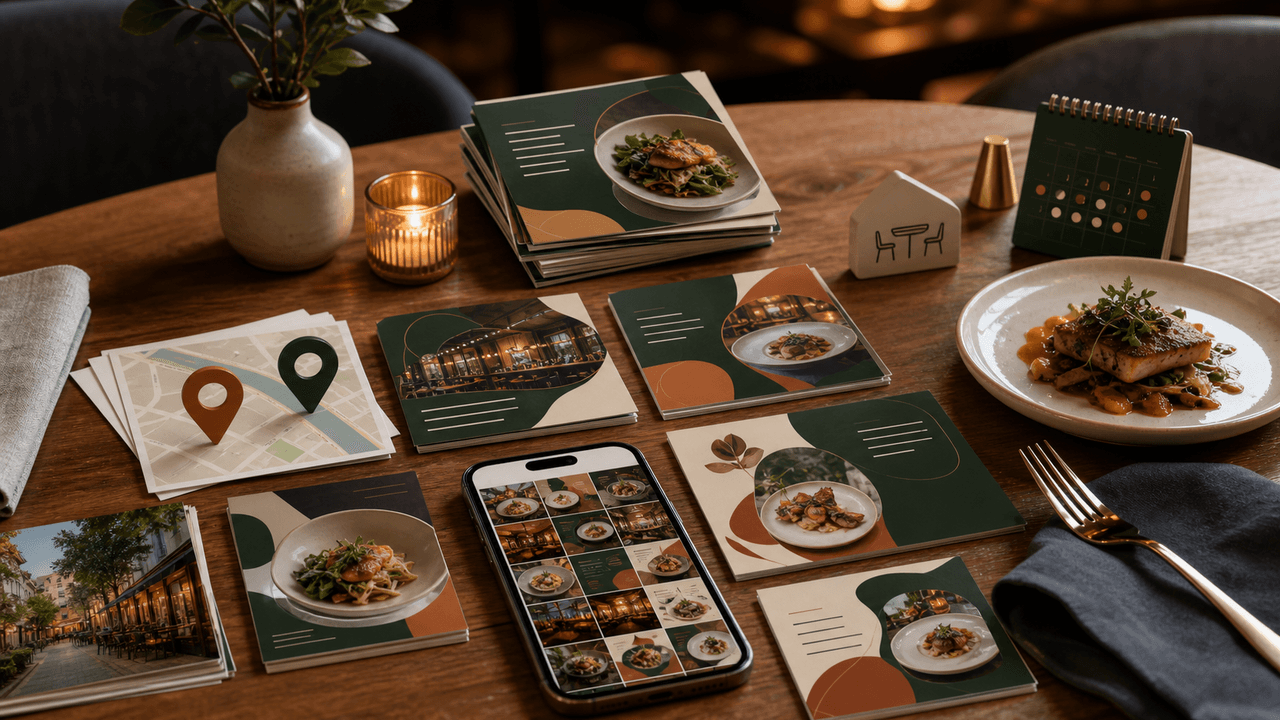
Restaurant Instagram Carousels: The Content Guide That Fills Empty Tables
Most restaurants post food photos and hope for the best. A carousel content system turns your menu, your kitchen, and your story into a reservation engine that works while you cook.
Sources
- Food Allergy Reactions — Centers for Disease Control and Prevention
- Food Allergies: The Big 9 — USDA Food Safety and Inspection Service
- Safe Handling of Take-Out Foods — USDA Food Safety and Inspection Service
- The Consumer Reviews and Testimonials Rule: Questions and Answers — Federal Trade Commission
- The FTC's Endorsement Guides: What People Are Asking — Federal Trade Commission
Written by
AttentionClaw
Editorial Team
Editorial context
Part of the Content Planning topic cluster. Last updated June 22, 2026.