Chapter 1
The short answer: treat the carousel as the pre-install demo
Instagram carousel ads for app install campaigns work best when the cards preview one useful app workflow and send the viewer to a destination that continues the same story. Card one should name the user job, cards two through five should show the app solving it, and the final card should make the install or trial CTA specific.
Meta's app promotion objective is built for getting more people to install an app, optimize for app events, or attract higher-value users. Meta also describes carousel ads as a format for showing multiple images or videos in one ad, each with its own headline, description, link, and call to action. For app teams, this means the carousel can both explain and qualify before the tap.
The most important creative decision is focus. One carousel should sell one app moment: `make the first budget`, `finish the first lesson`, `schedule the first post`, `scan the first receipt`, or `create the first workout.`
Use a single app outcome, not the whole feature list.
Put the target user in the first card so unqualified clicks drop before spend is wasted.
Use screenshots that are readable on mobile and match the destination page.
Test hook families separately from screenshots and destination.
Track app events where possible so creative is judged by install quality, not only tap volume.
Callout
Carousel rule
If every card could be shuffled into a different order, the app install carousel does not have a real story yet.
Chapter 2
Start with audience state and campaign objective
A cold app install carousel should explain the problem and first result. A warm retargeting carousel should answer why the person did not install or activate yet. A customer re-engagement carousel should show a new feature, habit, or next action. The same screenshot can play different roles depending on audience state.
Meta app ads can promote an app across Facebook, Messenger, Instagram, and Audience Network. That broad placement context is useful, but creative still needs to be designed for the specific surface and audience. Instagram feed and Stories consumption rewards fast visual clarity.
Write the objective in plain language before creating cards: `Get cold productivity-app prospects to install by showing how the app turns scattered tasks into a Friday plan.` That is easier to brief than `promote app.`
- 1
Cold prospecting
Lead with the user problem and show the app's first successful action.
- 2
Warm retargeting
Lead with proof, setup simplicity, privacy reassurance, reviews, or a specific use case.
- 3
Existing user re-engagement
Lead with a new feature, next habit, saved time, or unfinished workflow.
- 4
High-value event optimization
If app events are available, align creative with the event you actually want, such as subscription, trial start, or purchase.
Chapter 3
A 6-card Instagram app install carousel structure
Six cards is enough to create a useful pre-install demo while staying focused. The sequence should move from problem to workflow to proof to CTA. Do not use every screenshot available. Choose the screens that make the install feel like the next natural step.
Each card needs a headline that can be understood without reading the caption. Users may swipe quickly, and the ad's message should survive even if only the first few cards are seen.
The final card should not say only `download now.` It should repeat the specific reason to install: `Start your first 5-minute plan` or `Try the receipt scan flow free.`
- 1
Card 1: User job hook
Name the target user and the job: `For founders planning launch content alone` or `For runners who forget recovery work.`
- 2
Card 2: Pain or old workflow
Show the messy spreadsheet, manual notes, missed habit, or current workaround.
- 3
Card 3: First app action
Show the first screen the user interacts with and explain the action in one short line.
- 4
Card 4: Result screen
Show the visible result inside the app: plan, score, draft, tracker, list, or recommendation.
- 5
Card 5: Proof or reassurance
Use a review, privacy note, setup time, free tier, compatibility, or result boundary.
- 6
Card 6: Install CTA
Repeat the first result and send to the matching store or landing page.
Chapter 4
Use app-store and landing-page match to preserve intent
The carousel creates a specific expectation. The destination should not break it. If the ad sells a `first habit plan`, the store screenshots should show habit planning. If the ad sells a `receipt scan`, the destination should not open with a generic dashboard.
Apple custom product pages let app marketers vary screenshots, app previews, and promotional text for specific audiences or campaigns, and Apple Ads describes how custom product pages can align ad creative with audiences. Use that same message-match thinking for Instagram traffic even when the ad is not running inside Apple Ads.
If the app store cannot support a specific message yet, use a pre-install landing page carefully. It should add proof or context and then hand off to the store, not create another long detour.
Screenshot promise should match store screenshot or landing hero.
CTA action should match the destination's primary action.
Retargeting ads should land near proof or objection content when possible.
Feature-specific ads should use feature-specific store assets when available.
Campaign UTMs should distinguish creative hook and destination variant.
Chapter 5
A clean testing ladder for app install carousels
Start by testing hook family: problem, outcome, identity, and proof. Keep app screenshots and destination stable. Once a hook family wins, test screenshot order. Then test proof type. Then test destination. This ladder keeps one major variable moving at a time.
Meta app event optimization can use standard and custom app events in the app promotion objective. That matters because a hook that drives cheap installs may not drive the app event that actually creates value. Use event data when available to avoid optimizing toward weak installs.
For early-stage apps without enough event data, still document downstream quality manually. Review store conversion, signup rate, onboarding completion, and first successful action by creative ID wherever possible.
- 1
Test 1: Hook family
Problem versus outcome versus identity for the same app workflow.
- 2
Test 2: Screenshot order
Old workflow first versus app screen first versus result first.
- 3
Test 3: Proof type
Review quote versus setup simplicity versus feature result.
- 4
Test 4: Destination
Default store page versus custom product page versus matched landing page.
Chapter 6
Build retargeting carousels for non-installers and non-activators
Retargeting creative should not repeat the cold app install carousel. Someone who clicked, visited the store, installed, or opened the app needs a more specific follow-up. The next carousel should answer the reason they stalled.
For store visitors who did not install, use proof, privacy reassurance, review quotes, or a sharper first-action demo. For installers who did not activate, use onboarding education and first-success content. For trial users who did not subscribe, use feature depth, social proof, and value reminders.
Meta custom audiences and app activity audiences can support retargeting when the required data sources are set up. The creative system should be ready before the audience is large enough, so warm users do not only see cold ads again.
Store visitor: proof carousel with review, screenshot, and install CTA.
Installer no signup: onboarding carousel with first action and setup reassurance.
Signup no activation: tutorial carousel focused on one successful workflow.
Trial no subscription: value proof, feature depth, and plan fit.
Subscriber: new feature, habit, referral, or upgrade education.
Chapter 7
Mistakes that waste app install carousel spend
The first mistake is showing too many features. App teams are proud of breadth, but paid social audiences need one reason to care. A crowded carousel makes the product feel harder to understand.
The second mistake is designing for the app team instead of the user. Internal feature names, roadmap language, and dashboard screenshots may be meaningful to the team but unclear to a cold user. Translate every feature into a first outcome.
The third mistake is ignoring app-event quality. Install campaigns can create volume while attracting users who do not activate. The creative should qualify users for the action that matters after install.
Do not use feature names as hooks unless users search or speak that way.
Do not use screenshots that require zooming.
Do not send a feature-specific ad to a generic destination without message match.
Do not judge carousel creative on taps alone.
Do not let every retargeting audience see the same cold install ad.
Callout
Where AttentionClaw fits for app install creative
AttentionClaw helps app teams create Instagram carousel variants from screenshots, hook families, proof assets, and destination rules so app install tests produce reusable learning.
Next step
Create app install carousels from real product moments
AttentionClaw helps app teams turn screenshots, hooks, proof, and app-store handoff into controlled carousel creative for install and activation tests.
Common Questions
FAQ
More Reading
Keep reading
7-chapter read
Instagram Carousel Ad Hook Formulas That Qualify Buyers
The best Instagram carousel ad hooks qualify the audience, name the buying problem, and create a reason to swipe. A hook should attract the right buyer, not just the most curious viewer.
7-chapter read
TikTok Carousel Ads for App Install Campaigns
TikTok carousel ads can support app install campaigns when the image sequence explains one app outcome, shows proof through screens or workflow, and sends the tap to a store or landing page that continues the same promise.

Build a Social-Media App Download Funnel You Can Measure
A social-to-download funnel is a measurement model, not a promise that followers move through fixed stages. Connect each asset to one relevant destination and campaign identifier, then interpret platform, store, and product events within their documented attribution limits.
The App Marketing Content Calendar: 30 Days of Carousel Ideas
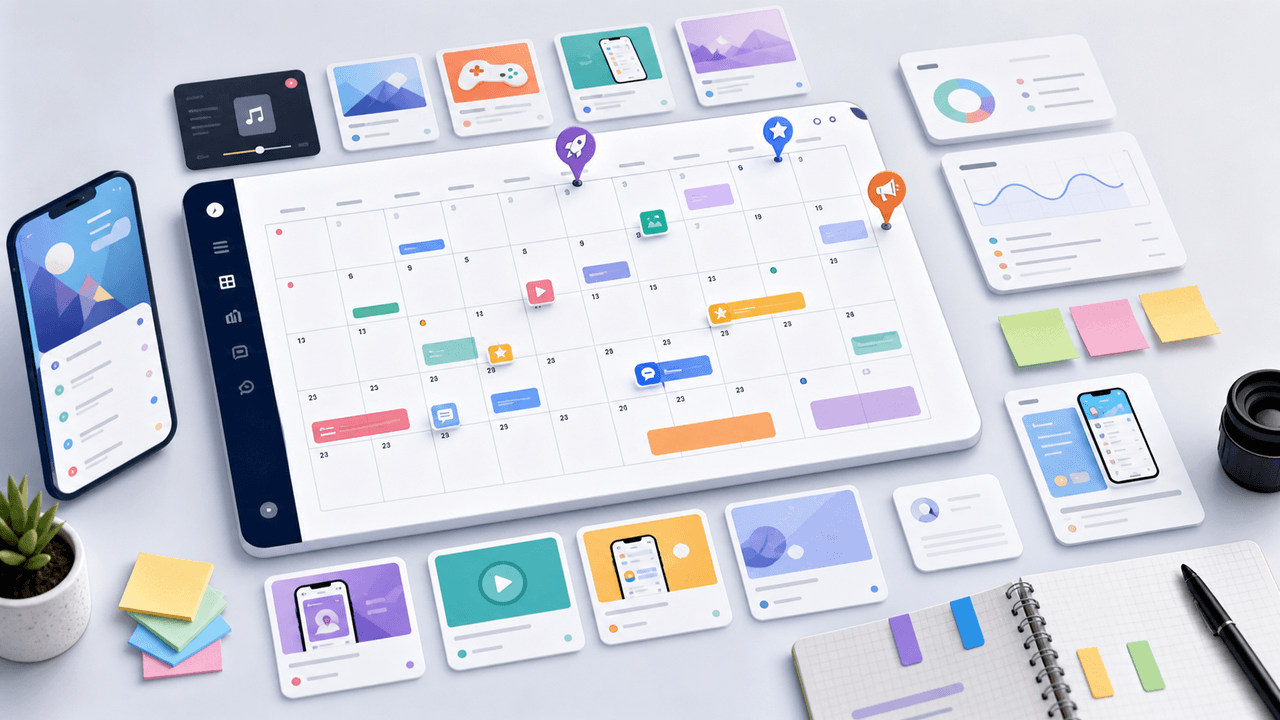
Most app marketers stall because they run out of content ideas by week two. This 30-day calendar gives you a ready-made posting plan with specific carousel topics for every single day.
8-chapter read
Retargeting Content System for Paid Social Carousel and Slideshow Ads
Retargeting content should not repeat the same prospecting ad. Build separate carousel and slideshow sequences for the reason someone did not convert: missing proof, unresolved objection, weak offer, wrong use case, or timing.
8-chapter read
A Hook Testing Framework for Paid Social Carousel and Slideshow Ads
Paid social hook testing works when each hook tests a clear buyer angle against the same proof, offer, audience, and destination. The goal is not to find the cleverest line. It is to learn which problem, outcome, proof, or objection earns qualified action.

Measure the Carousel Handoff, Not an Imaginary Perfect Funnel
A carousel becomes an acquisition asset only when it routes a defined audience to a matching destination and the team can distinguish exposure, visits, store events, installs, and activation. Keep each event tied to its source system, preserve denominators, and describe attribution limits instead of claiming a perfect funnel.

Write app marketing hooks the rest of the campaign can prove
App marketing hooks should make a narrow, supportable promise that the next slides and the app-store destination can prove. This guide turns user evidence into hook variants, a complete slide sequence, and a matched measurement plan.
Sources
- About the App Promotion Objective in Meta Ads Manager — Meta Business Help Center
- About app ads on Facebook, Instagram and Audience Network — Meta Business Help Center
- About Carousel Ads — Meta Business Help Center
- About app event optimization for ads on Facebook and Instagram — Meta Business Help Center
- Custom Product Pages — Apple Developer
Written by
AttentionClaw
Editorial Team
Editorial context
Part of the Carousel Creation topic cluster. Last updated June 22, 2026.