Chapter 1
A swipe file is a mechanics library, not a copy bank
Creators save posts for inspiration, then often face a dangerous shortcut: copying the surface. Same hook, same layout, same angle, new niche. That creates generic content and can cross ethical lines.
A useful swipe file extracts the underlying mechanism. Why did the hook work? What problem did the post name? How did it structure proof? What did the CTA ask the reader to do? Once you understand the mechanic, you can rebuild it with your own source material.
Google's people-first content guidance is a useful standard: the final content should provide original value for your audience. A swipe file should help you produce more useful work, not clone someone else's.
Save the pattern, not only the screenshot.
Tag the reader problem.
Identify the format mechanic.
Replace the source material with your own.
Rewrite the hook in your audience's language.
Review for originality before publishing.
Chapter 2
Tag every saved example by six fields
- 1
Hook type
Is the opening a mistake, result, confession, checklist, contrarian claim, question, or comparison?
- 2
Audience problem
What pain or desire does the post enter through? This is more important than the exact wording.
- 3
Structure
Is it a step-by-step, before/after, teardown, myth-versus-truth, FAQ, or case story?
- 4
Proof
How does it create belief: example, screenshot, quote, source, personal experience, data, or demonstration?
- 5
Visual pattern
What layout or visual rhythm helps the idea scan? Note hierarchy, contrast, density, and slide pacing.
- 6
CTA
What action does it ask for: comment, save, click, download, watch, reply, or buy?
Chapter 3
Rebuild the mechanic with your own source material
After tagging, choose one saved pattern and pair it with your own source asset: a newsletter, podcast transcript, coaching call pattern, case study, survey result, or course lesson. The source material must be yours.
For example, if the saved post is a 'three mistakes' carousel, do not copy the mistakes. Use the structure with mistakes you observed in your own student feedback or client calls. If the saved post uses a proof screenshot, use your own approved proof or replace it with a sourced example.
This is where repurposing and swipe files meet. The swipe file supplies structure. Your source material supplies substance.
Callout
Originality test
If someone placed your draft next to the saved example and the only differences were niche words and colors, it is too close.
Chapter 4
Use swipe files to improve carousels without cloning
Carousel swipe files are especially useful because the format is sequential. You can study how strong posts introduce the problem, pace the steps, use proof, and close with a CTA.
Meta's carousel format guidance is useful as a baseline because carousels are card-based and limited. A swipe file helps you see how creators use that sequence: hook, context, steps, example, caveat, CTA.
When adapting a carousel mechanic, change the source insight, slide copy, examples, visual system, and CTA. Keep only the lesson about structure.
Chapter 5
Build a hook bank from patterns, not phrases
A hook bank should not be a list of stolen opening lines. It should be a set of hook families. For example: 'mistake that feels productive,' 'unexpected bottleneck,' 'before/after decision,' 'question people are afraid to ask,' and 'tiny step with big consequence.'
This connects to the existing hook systems work: a strong content operation rotates opening angles while keeping the underlying source idea original.
Write three original hook options for every source idea. If all three sound too close to a saved post, return to the audience problem and rewrite from there.
Chapter 6
Run an ethical swipe review before publishing
Before publishing a swipe-inspired asset, compare it to the saved example. Check the hook, sequence, wording, examples, visual style, and CTA. The mechanic can be similar; the expression should be clearly yours.
For visual assets, also check readability. WCAG contrast guidance gives a practical baseline for text and background contrast. Do not copy visual design choices wholesale; build them inside your own brand system.
If the saved example came from a direct competitor or another creator in your niche, be stricter. Use it for learning, not adaptation.
Chapter 7
Measure which mechanics work for your audience
A swipe file becomes smarter when you track which mechanics work. Does your audience save checklists, comment on contrarian takes, click on proof posts, or reply to questions? Use that data to tag future examples.
Use campaign tracking when swipe-inspired assets point to articles, lead magnets, or workflows. Google Analytics URL builder guidance explains that campaign parameters identify referral campaigns. Use labels such as swipe_checklist, swipe_mistake, swipe_case_story, and swipe_cta.
Over time, the swipe file becomes less about other creators and more about your own proven patterns.
Chapter 8
Where AttentionClaw fits
AttentionClaw fits after the creator has selected the structure and supplied original source material. The tool can turn the brief into branded assets, but the creator should own the mechanic, example, and CTA.
This keeps production fast without turning inspiration into copying.
Callout
Turn inspiration into original branded assets
Use AttentionClaw to turn original source ideas into polished assets after you have mapped the structure you want to use.
Chapter 9
Building a Tagging System That You'll Actually Maintain
The most common reason creator swipe files stop being useful is over-engineering the system at the start. A folder with 400 saved posts and no tags is useless. A folder with 400 posts tagged across 15 dimensions is also useless — too much friction to maintain, too much cognitive load to query. The goal is the minimum tagging structure that lets you find a mechanic quickly when you need one.
A practical starting point: tag each saved example with the hook type (question, bold claim, number, mistake, before-after), the format (carousel, single image, short-form video, text post), and one audience problem it addresses. Three tags per save is a sustainable habit. You can always add more tags for a particularly strong example, but three is the floor that keeps the system searchable without requiring a filing session every time you save something.
The tag for audience problem is the most valuable and most often skipped. 'How to grow on Instagram' is too broad. 'How to get saves when you have a small following' is a specific problem that corresponds to a specific moment in a creator's journey. When you build a post for the same problem, the saved example is immediately findable and immediately relevant.
Chapter 10
A Step-by-Step Process for Rebuilding a Swipe File Mechanic
Rebuilding a swipe file mechanic is a specific creative process — different from writing original content and different from copying. The goal is to transfer the structure while replacing every piece of substance with your own original material. Working through it step by step prevents the drift toward surface-level copying that can happen when the original is too visible on the screen.
Start by looking at the saved example and writing down the underlying mechanic in your own words, in a single sentence, without referencing the original creator or their topic. 'Three-slide sequence that introduces a counterintuitive claim, shows a common failure, then reveals the reframe' is a mechanic. 'Hook asking whether your audience is making this mistake' is a hook type. 'Checklist with one surprising item that challenges the reader's current practice' is a format pattern. Once you have the mechanic in your own words, close the original or move it out of view.
Then build entirely from your own source material: your client conversations, your lesson notes, your professional experience, your own examples. The original swipe file example should not be visible while you write. When you're done, do a side-by-side comparison to check that the substance is entirely yours, even if the structure resembles the saved mechanic. Structure is not owned. Substance is.
- 1
Write the mechanic in your own words
Describe the structural pattern in one sentence without naming the creator or topic. This forces abstraction before building.
- 2
Close the original
Move the saved example out of view. Build your version entirely from your own material, using only your notes on the mechanic.
- 3
Compare when done
Do a final side-by-side comparison to confirm that the hook wording, examples, and takeaways are fully original. Structure similarity is fine. Substantive similarity is not.
Next step
Turn inspiration into original branded assets
AttentionClaw helps creators apply proven structures to their own source ideas without starting from a blank page.
Common Questions
FAQ
More Reading
Keep reading
10-chapter read
How to Turn Creator Interview Prep Into a Content Calendar
Interview prep becomes a content calendar when you turn guest research, question themes, audience context, objections, and resource notes into pre-show, launch, and follow-up assets.

How to Batch Instagram Carousels and Save 10+ Hours Every Week
Most creators spend 2-3 hours per carousel because they restart from scratch every time. A batch production system cuts that to 15 minutes per post.

How to Turn One Good Idea Into 7 Different Instagram Carousels
You do not need 30 unique ideas to post every day. You need one strong idea and a system that turns it into 7 carousels with different angles, formats, and depths.
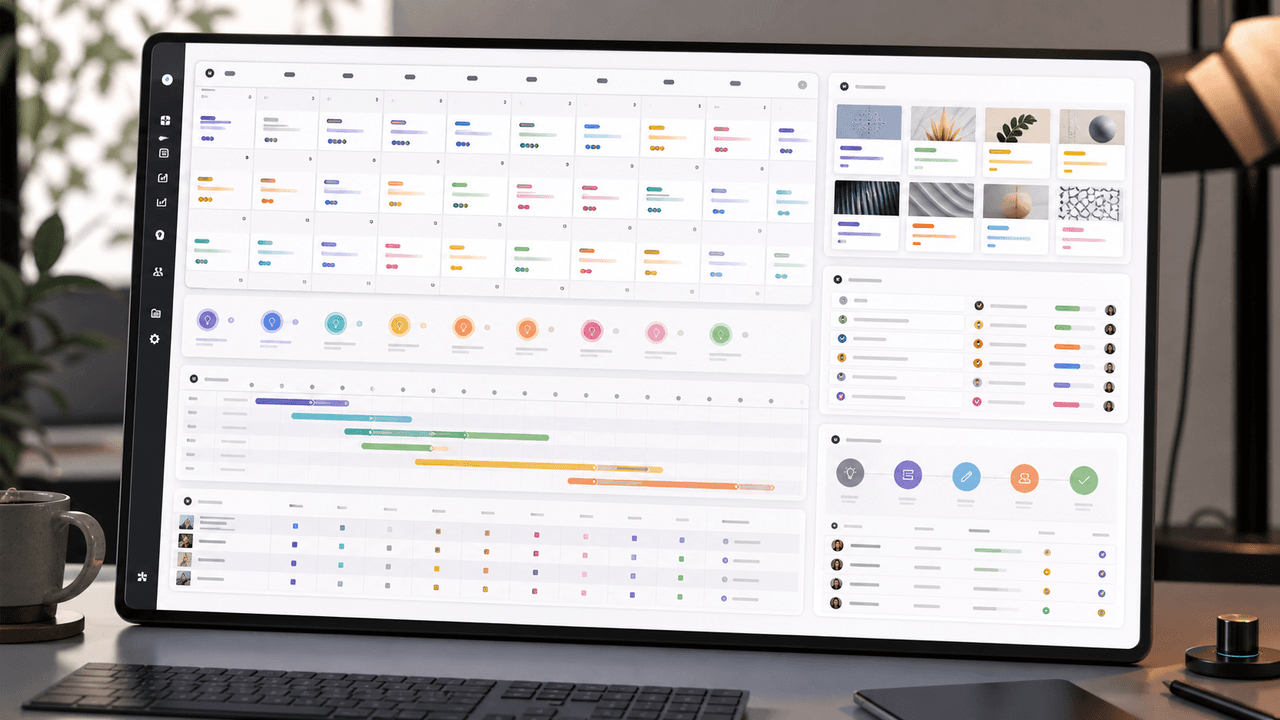
A 30-Day Calendar That Includes the Work Around Each Post
A useful monthly Instagram calendar records more than publication dates. It connects audience questions, approved sources, content pillars, owners, review gates, destinations, live URLs, listening notes, and correction decisions. The complete 30-day example below includes production and hold days so it can be adapted without implying that every account should post daily.

Choose Content Pillars Your Team Can Actually Support
An Instagram content pillar is a durable editorial promise to a defined audience, supported by evidence your team can keep producing. It is not a mandatory posting ratio, a list of formats, or an SEO topic cluster. Use the worksheet in this guide to decide which themes deserve recurring coverage and which should remain occasional.
10-chapter read
How to Turn Audience Survey Results Into a Content Calendar
Audience survey results become a content calendar when you sort answers by pain, desired outcome, objection, language, and next-step intent, then map each group to a useful content format.
8-chapter read
A Hook Testing Framework for Paid Social Carousel and Slideshow Ads
Paid social hook testing works when each hook tests a clear buyer angle against the same proof, offer, audience, and destination. The goal is not to find the cleverest line. It is to learn which problem, outcome, proof, or objection earns qualified action.
10-chapter read
How to Turn One Blog Post Into a Full Social Content System
A strong blog post can become a full social content system when you extract the direct answer, framework, examples, sources, objections, and CTA separately instead of summarizing the whole article.

Write carousel copy as one connected argument
Good carousel copy lets a reader understand one argument without guessing what connects the slides. This guide covers hooks, claim-proof editing, continuity, legibility, and a complete before-and-after example.
Sources
- Creating Helpful, Reliable, People-First Content — Google Search Central
- Design Specifications for Carousel Ads — Meta Business Help Center
- Understanding Success Criterion 1.4.3: Contrast (Minimum) — W3C Web Accessibility Initiative
- URL Builders: Collect Campaign Data With Custom URLs — Google Analytics Help
- Search Engine Optimization Starter Guide — Google Search Central
Written by
AttentionClaw
Editorial Team
Editorial context
Part of the Content Planning topic cluster. Last updated June 22, 2026.