Chapter 1
The first rule is trust, not content volume
Coaching calls are rich source material because they contain real questions, live objections, and practical teaching. They are also sensitive. A client did not hire a coach to become content. That means the repurposing workflow must protect privacy before it optimizes output.
The safest content comes from patterns. If one client asks a question, answer them privately. If the same question appears across five calls, that pattern may deserve a public post. Remove names, timelines, numbers, locations, screenshots, and personal details unless you have explicit permission and a clear reason to include them.
Google's people-first content guidance is useful here because the public asset should genuinely help similar readers. The point is not to tease private client drama. The point is to answer a real question that many people share.
Extract patterns, not identities.
Remove personal details before drafting.
Use composites when examples need context.
Get explicit permission for testimonials or specific stories.
Default to teaching the lesson, not retelling the call.
Chapter 2
Capture call insights in a private pattern log
The best workflow happens after the call, when the lesson is fresh but before details blur.
- 1
Question
Write the client's question in generalized language. Keep the core wording if it reflects a common pain point, but remove identifying detail.
- 2
Blocker
Name the real reason the client was stuck: fear, sequencing, unclear offer, weak habit, wrong tool, missing proof, or overloaded calendar.
- 3
Reframe
Capture the shift that helped. This is often the strongest social asset because it changes how the audience sees the problem.
- 4
Action step
Write the first practical step you gave the client. This becomes the useful part of the post.
- 5
Content format
Assign the insight to a carousel, newsletter, FAQ, short post, course update, or lead magnet. Do not force every call note into public content.
Chapter 3
Five ethical formats from coaching calls
The strongest coaching-call content usually teaches the pattern behind the call. For example, instead of saying 'a client with a $4,000 offer asked me this,' write 'coaches with premium offers often get stuck at the same point: they can explain the features but not the decision moment.'
A carousel is best for a recurring framework or mistake. A newsletter is best for a nuanced reframe. A short post is best for a sharp observation. An FAQ is best for a repeated tactical question. A course update is best when the call reveals a missing lesson or worksheet.
Meta's carousel format guidance is useful as a structural constraint. Each slide should handle one part of the teaching moment: question, mistake, reframe, step, example, and CTA.
Pattern carousel: recurring mistake and correction.
Newsletter: longer reframe from a client breakthrough.
FAQ: repeated tactical question answered directly.
Short post: sharp observation from multiple calls.
Course update: new worksheet or lesson from repeated blocker.
Chapter 4
Anonymize before the idea enters the content queue
Anonymization should happen before writing, not after. Once a specific story enters the draft, it is easy to accidentally keep details that identify the client. Start with a generic pattern and rebuild the example from safe elements.
A good composite example combines multiple similar situations into one teaching scenario. Instead of one client's exact business, use a generalized persona: 'a course creator with a small but engaged list' or 'a coach who sells a high-touch program.'
If you want to use a specific client result, ask for permission and define the exact wording. Keep a record of approval. If the client is not comfortable, teach the lesson without the story.
Callout
Anonymization check
If the client, their peers, or a reader in their niche could recognize the situation, the example is still too specific.
Chapter 6
Use repeated call blockers to improve offers and courses
Repurposing is not only public posting. If clients repeatedly ask the same question, your offer may need a new lesson, onboarding email, worksheet, or sales-page FAQ. Coaching calls are product research.
For course creators and group coaches, repeated private blockers should become curriculum updates before they become public content. That protects the client experience and strengthens future marketing because the content is grounded in a better product.
Use a simple threshold: if the same blocker appears three times in a month, add it to the curriculum or onboarding backlog. If it also represents a public awareness problem, turn it into a social asset.
Chapter 7
Measure by pattern usefulness
Coaching-call content should be measured by whether the pattern resonates. Saves suggest the audience recognizes the problem. Replies suggest the post opened a useful conversation. Clicks suggest the CTA matches the next step.
When linking from coaching-call content to a worksheet, workshop, application, or product page, use campaign parameters. Google Analytics guidance explains that campaign URLs identify referral campaigns. Use labels such as pattern_carousel, client_question_newsletter, blocker_faq, or workshop_cta.
Also measure internal usefulness. Did the post reveal more questions? Did it reduce repeated explanations in calls? Did it lead to a better lesson or onboarding resource? Those are real outcomes for a coaching business.
Chapter 8
Where AttentionClaw fits
AttentionClaw fits after the coach has extracted and anonymized the pattern. The coach owns the ethics and the teaching judgment. AttentionClaw helps turn the safe pattern into branded social drafts, carousel structures, and visual assets.
This keeps the content useful without making private calls feel like raw material for public performance.
Callout
Turn coaching patterns into client-safe social content
Use AttentionClaw to turn anonymized coaching patterns into polished carousels and newsletters while keeping client trust intact.
Chapter 9
A simple pattern log template for capturing call insights ethically
The pattern log is the tool that sits between the coaching call and the content queue. Without it, coaches either forget useful insights within days or, worse, try to reconstruct specific client stories from memory — which increases the risk of accidentally including identifying details.
A minimal pattern log entry has five fields: the date of the call, the topic or theme that came up, the generalized version of the question or block (stated without any identifying context), the teaching point that resolved or reframed it, and a note on whether this theme has appeared in previous calls. That last field is the most valuable — it is how you identify which patterns have enough frequency to become public content.
Keep the log in a private document that is not connected to any client file. The log records patterns, not people. Review it weekly or at the end of each content planning session to identify which entries have appeared three or more times — those are the ones most worth developing into a carousel, newsletter issue, or FAQ post.
- 1
Field 1 — Date
Record the week or month, not the exact date, to further distance the entry from any specific client.
- 2
Field 2 — Theme
Label the category: pricing, mindset, client management, launch anxiety, delivery, boundaries, etc.
- 3
Field 3 — Generalized question
Write the question in the second person ('How do you handle a client who...' not 'My client Sarah...').
- 4
Field 4 — Teaching point
State the reframe, principle, or next step you used in the call. This is the content.
- 5
Field 5 — Frequency note
Mark whether you have seen this theme before. Three or more appearances = strong content candidate.
Chapter 10
When and how to use explicit client consent for coaching content
Anonymized pattern content does not require explicit client consent, because no specific client is being described. But some of the most compelling coaching content involves a real story told with real context — a named client's transformation, a specific challenge they overcame, or a verbatim quote from a session. This kind of content requires clear, documented consent from the client.
If you want to use a client's story directly, have a straightforward conversation: explain where the content will appear, how it will be framed, what details will be included, and that the client can review the content before it is published. Get that agreement in writing — a brief email reply confirming consent is sufficient. Do not assume that a client's general enthusiasm for the work means they are comfortable being featured publicly.
Some coaches include a content consent question in their initial intake form, giving clients the option to opt in to testimonial or case study use from the beginning of the relationship. This normalizes the conversation and avoids an awkward ask later in the engagement. Opt-in is always preferable to opt-out — never publish a client story and then ask for retroactive permission.
Next step
Turn coaching patterns into client-safe content
AttentionClaw helps coaches convert anonymized questions and teaching moments into polished social assets without starting from scratch.
Common Questions
FAQ
More Reading
Keep reading
10-chapter read
How to Turn Paid Workshop Recordings Into Social Content
Paid workshop recordings can become public social content when the creator extracts general lessons, anonymized patterns, approved clips, and implementation prompts without leaking the paid experience.
10-chapter read
How to Turn Office Hours Replays Into a Content System
Office hours replays become a content system when questions, blockers, examples, corrections, and action steps are captured, anonymized, and mapped to public or member-only assets.
10-chapter read
How to Repurpose Paid Community Content Without Breaking Trust
Paid community content becomes public social content when you extract patterns, anonymize member context, and turn recurring questions into useful public assets without leaking exclusive value.
10-chapter read
How to Turn an Email Sequence Into Social Content
An email sequence becomes social content when each email's job is mapped to a native asset: problem, belief shift, proof, objection, tutorial, and CTA.

How to Turn One Good Idea Into 7 Different Instagram Carousels
You do not need 30 unique ideas to post every day. You need one strong idea and a system that turns it into 7 carousels with different angles, formats, and depths.
8-chapter read
How to Turn Workshop Q&A Into a Month of Social Content
Workshop Q&A is one of the highest-intent sources for content ideas. Sort questions into beginner confusion, implementation blockers, objections, examples, and next-step requests to build a month of posts.
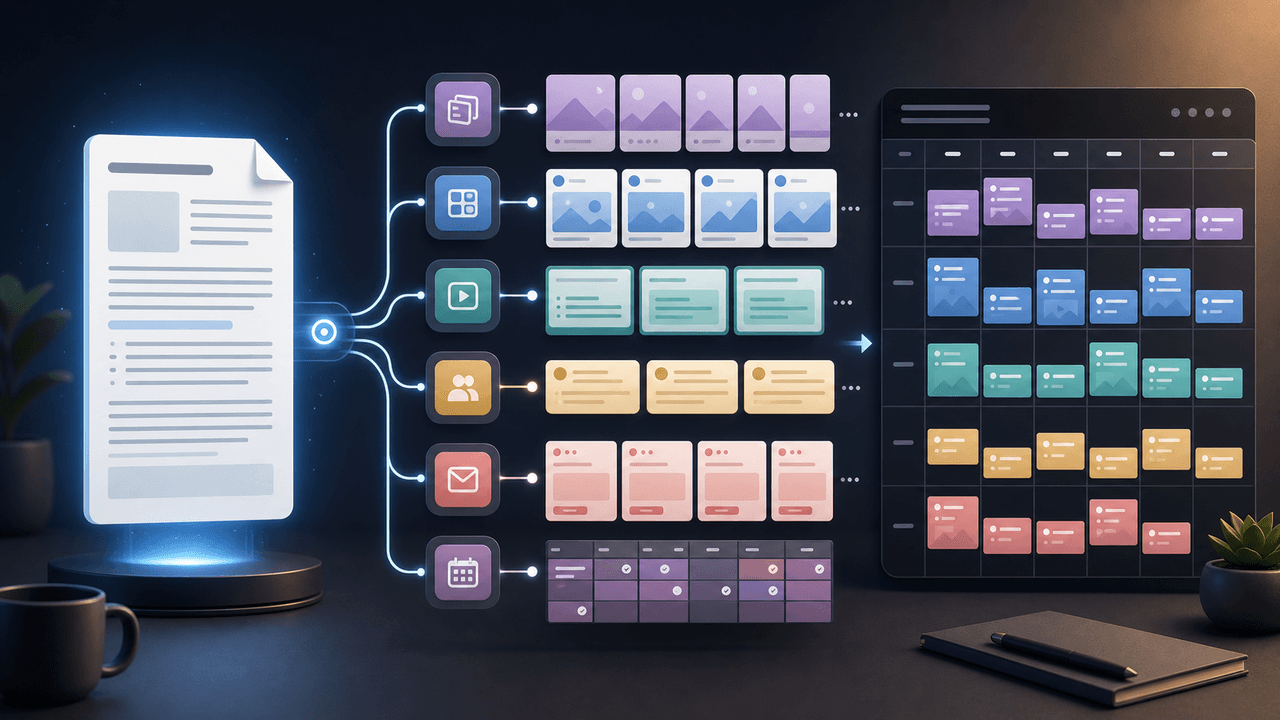
How to Turn One Newsletter Into a Week of Social Content
A strong newsletter is not one finished asset. It is the source file for a week of social posts, carousels, short scripts, community posts, and follow-up emails when you extract the argument, proof, examples, and reader questions separately.

Coaching Business Carousel Strategy: Get Clients From Instagram Without Feeling Salesy
Most coaches post carousels that get likes but never convert to discovery calls. This strategy fixes that by aligning every carousel to a specific stage in your client's decision journey.

Client Transformation Carousels: The Before-After Framework That Sells Coaching
Client transformation carousels are the highest-converting content a coach can post. This framework shows you how to tell client stories in a way that builds trust, demonstrates results, and attracts ideal prospects.

Turn coach-owned source material into useful carousel briefs
A practical workflow for turning coach-owned long-form material into standalone carousel briefs without inventing a guaranteed output count or exposing client information.
Sources
- Creating Helpful, Reliable, People-First Content — Google Search Central
- Design Specifications for Carousel Ads — Meta Business Help Center
- Writing Email Newsletters — Mailchimp
- URL Builders: Collect Campaign Data With Custom URLs — Google Analytics Help
- Understanding Success Criterion 1.4.3: Contrast (Minimum) — W3C Web Accessibility Initiative
Written by
AttentionClaw
Editorial Team
Editorial context
Part of the Repurposing topic cluster. Last updated June 22, 2026.