Chapter 1
Templates need context before they convert
A template library is useful only when the reader understands which template to use, when to use it, and what mistake it prevents. Social content should provide that context.
Posting a screenshot of a template grid is rarely enough. A better asset teaches the decision behind the template: the situation, the wrong default, the template's job, and the first step.
Google's people-first content guidance is relevant because the post should help the reader make a better decision, not simply advertise a downloadable file.
Use case becomes the hook.
Common mistake becomes the problem post.
Template structure becomes the carousel.
Completed example becomes proof.
Checklist becomes a saveable post.
Download or product workflow becomes the CTA.
Chapter 2
Map the library before creating posts
- 1
Group templates by job
Do not organize only by filename. Group by what the template helps someone do: plan, write, audit, decide, publish, or measure.
- 2
Name the trigger
When should someone use this template? A trigger is easier to turn into a hook than a template title.
- 3
Identify the mistake
What goes wrong when someone does not use the template? This becomes the problem angle.
- 4
Create a filled example
A blank template is abstract. A filled example shows how it works and creates stronger social content.
- 5
Choose the next action
Decide whether the asset should drive to a download, article, course, workshop, or product workflow.
Chapter 3
Turn one template into a carousel
The best carousel for a template is not a screenshot gallery. It is a usage guide. Use slide one for the trigger, slide two for the mistake, slide three for the template structure, slides four through six for a filled example, slide seven for the checklist, and slide eight for the CTA.
Meta's carousel format guidance is useful because every card should have one job. If a template has five sections, do not show all five sections in tiny text on one slide. Explain the purpose of each section.
This gives the audience a useful lesson and makes the full template more valuable.
Chapter 5
Use YouTube posts to test template demand
YouTube posts can include polls, quizzes, text, images, and video. Use them to test which template the audience wants most. A poll can ask which part of a workflow is most confusing, then the winning answer becomes the next template demo.
This is especially useful for educators and course creators because template demand often reveals a missing lesson. If many people ask for a template before they understand the concept, publish a primer first.
The template library becomes a feedback loop rather than a static download.
Chapter 6
Avoid thin template promotion
Template content becomes thin when it only says 'download this.' The useful version teaches when to use the template, how to fill it out, what mistake it prevents, and how to evaluate the result.
If the template supports a factual or platform-specific workflow, cite the relevant source or article. A template that tells people how to track campaigns, for example, should align with analytics documentation.
This raises the perceived quality of the template and the brand behind it.
Chapter 7
Measure template content by usage intent
Template content should be measured by signs of use: saves, downloads, replies with completed examples, clicks to tutorials, and product actions.
Google Analytics URL builder guidance explains that campaign parameters identify referral campaigns. Use campaign labels such as template_trigger_post, template_carousel, template_document_preview, template_demo, and template_cta.
If a template post gets saves but few downloads, the public content may be useful but the CTA may be weak. If it gets downloads but no replies or usage, the template may need clearer examples.
Chapter 8
Where AttentionClaw fits
AttentionClaw fits after the template's job and example are clear. The creator chooses the trigger, mistake, structure, and CTA. AttentionClaw can turn those into branded carousels and social drafts.
This turns a template library into a continuous source of useful public teaching.
Callout
Turn template use cases into branded social teaching
Use AttentionClaw to turn template use cases and examples into branded social assets that teach before they sell.
Chapter 9
Matching the content format to the template type
Not every template turns into the same kind of post. A single-use template — a quarterly planning sheet, a client proposal template — works best as a carousel that walks through how to fill it in, section by section. A system of related templates — an editorial calendar plus a repurposing tracker plus a brief template — works better as a newsletter or document that explains how the pieces fit together.
Decision-aid templates (should I do X checklist, client vetting rubric) work well as carousels because each criterion becomes a slide. The viewer gets value from the carousel itself, and the template is a natural extension for people who want to apply the framework repeatedly. Process templates (standard operating procedure, meeting agenda) are more credible when shown in context — a video or example-filled carousel that shows the template populated with a real scenario rather than blank.
Before turning a template into content, ask: is the audience's primary job to understand when to use this template, or how to use it? 'When to use' content is usually a shorter carousel. 'How to use' content is usually a step-by-step walkthrough or annotated example.
Chapter 10
How to batch multiple posts from a single template library
A template library of ten to fifteen templates can produce months of content without repeating the same angle. The key is treating each template as a multi-dimensional asset: it has a use case, a common misuse, a before-without-it scenario, a comparison to how most people handle the same task without a template, and a 'filled-in example' version.
A simple batching method: take each template and write one sentence for each of five angles — (1) the problem it solves, (2) who it is for, (3) the mistake people make without it, (4) a specific example of it being used, and (5) what the output looks like. Each of those five sentences becomes the hook for a different post. The carousel or post content develops from the hook. This produces five content assets per template with consistent positioning.
Batch planning also lets you space the posts strategically. The 'mistake without the template' post can precede the 'here is the template' post by one or two weeks. The 'filled-in example' post can follow the template release by a week. Sequencing within a campaign creates narrative continuity that grows the audience's understanding rather than presenting isolated posts.
Callout
The test that separates useful template content from thin promotion
Ask: could someone get value from this post without ever downloading the template? If the carousel teaches the framework, explains the decision criteria, or shows a worked example that is useful on its own, the template becomes a natural upgrade. If the entire post is just 'here is a template, download it,' the content does not carry weight without the download — and most viewers will scroll past.
Next step
Turn templates into useful social teaching
AttentionClaw helps convert template use cases and examples into branded carousels and posts.
Common Questions
FAQ
More Reading
Keep reading
10-chapter read
How to Turn a Resource List Into Social Content
A resource list becomes useful social content when each item is grouped by use case, problem, audience stage, and decision rule rather than posted as a plain list of links.
10-chapter read
How to Turn an Email Sequence Into Social Content
An email sequence becomes social content when each email's job is mapped to a native asset: problem, belief shift, proof, objection, tutorial, and CTA.
10-chapter read
How to Turn a Lead Magnet Into a Full Social Content System
A lead magnet becomes a social content system when you separate the promise, framework, preview value, objections, proof, and conversion CTA instead of only posting download reminders.

How to Batch Instagram Carousels and Save 10+ Hours Every Week
Most creators spend 2-3 hours per carousel because they restart from scratch every time. A batch production system cuts that to 15 minutes per post.

How to Turn One Good Idea Into 7 Different Instagram Carousels
You do not need 30 unique ideas to post every day. You need one strong idea and a system that turns it into 7 carousels with different angles, formats, and depths.
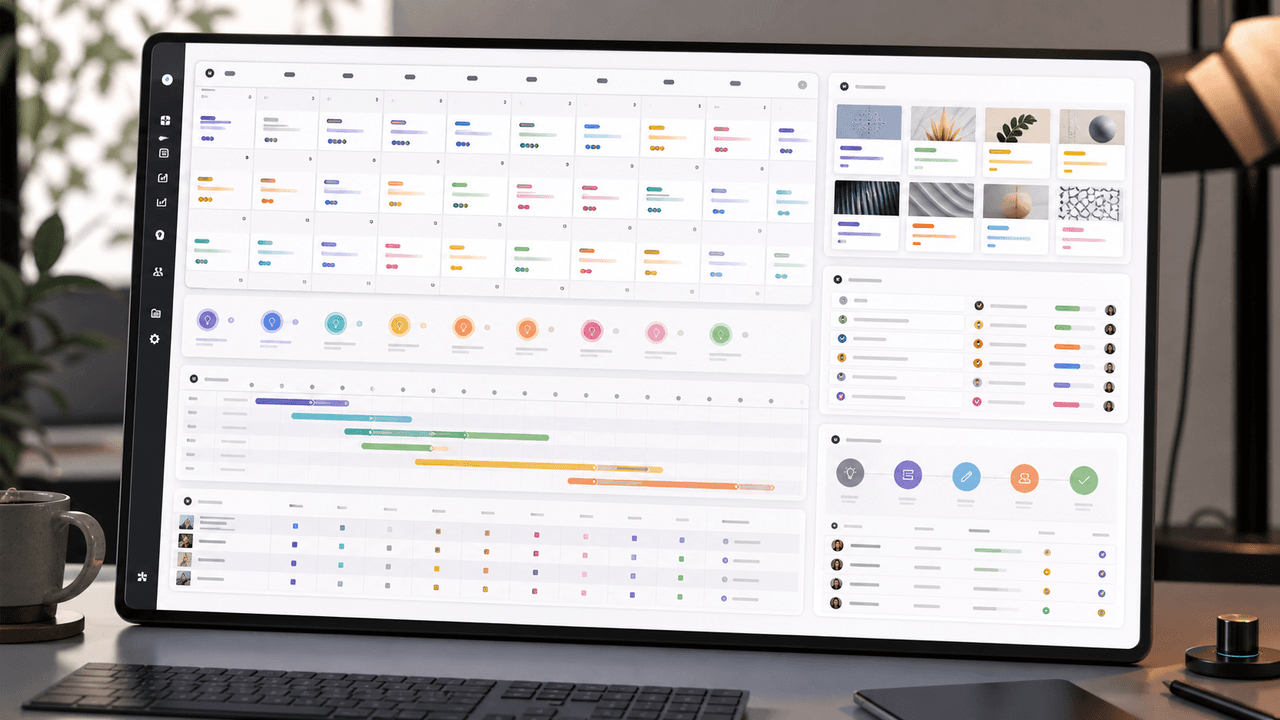
A 30-Day Calendar That Includes the Work Around Each Post
A useful monthly Instagram calendar records more than publication dates. It connects audience questions, approved sources, content pillars, owners, review gates, destinations, live URLs, listening notes, and correction decisions. The complete 30-day example below includes production and hold days so it can be adapted without implying that every account should post daily.

Build Instagram carousels around a measurable next step
A carousel cannot guarantee conversion. It can make one next step clear, give the reader enough evidence to evaluate it, and produce a testable signal. This guide shows how to design and measure that system.
10-chapter read
How to Turn One Blog Post Into a Full Social Content System
A strong blog post can become a full social content system when you extract the direct answer, framework, examples, sources, objections, and CTA separately instead of summarizing the whole article.
Sources
- Creating Helpful, Reliable, People-First Content — Google Search Central
- Design Specifications for Carousel Ads — Meta Business Help Center
- Document Ads — LinkedIn Marketing Solutions
- Learn About Posts — YouTube Help
- URL Builders: Collect Campaign Data With Custom URLs — Google Analytics Help
Written by
AttentionClaw
Editorial Team
Editorial context
Part of the Repurposing topic cluster. Last updated June 22, 2026.