Chapter 1
The direct answer: make the private-event inquiry easier
A restaurant holiday party Instagram carousel should explain event capacity, private or semi-private space, group menu options, booking timeline, deposit or minimum questions, dietary and allergen prompts, and how to request dates.
FoodSafety.gov publishes event and seasonal food-safety guidance, while FDA food-allergen resources explain major allergen labeling context. Restaurants still need local review for menu, allergen, and service claims.
The carousel should not promise allergen-free service, hide minimums, or imply dates are available without a current booking check.
Callout
Holiday party content rule
Sell event fit and inquiry clarity; keep menu, allergen, minimum, and availability claims reviewed and current.
Chapter 2
Build carousels from planner questions
Office managers, families, and team leads ask about guest count, menu choices, dietary needs, parking, timing, AV, bar packages, deposits, and cancellation rules.
Each carousel should answer one booking intent. A holiday party post should not also become a full catering guide, allergy policy, and New Year's menu launch.
Use room photos, plated menu visuals, setup diagrams, sample timelines, and approved booking language.
How to book a restaurant holiday party.
What guest count fits the room.
What group menu options are available.
What dietary questions to ask early.
How deposits and minimums work.
What dates book fastest.
What private dining photos to request.
How to submit an event inquiry.
Chapter 3
Use an eight-slide holiday party carousel
This sequence turns a vague DM into a usable inquiry.
Review availability, menu, allergen, alcohol, pricing, and service-charge language before publishing.
- 1
Slide 1: planner hook
Open with 'Planning a holiday dinner for 12 to 40 people?'
- 2
Slide 2: room fit
Show private, semi-private, or buyout options with reviewed capacity language.
- 3
Slide 3: menu options
Explain prix fixe, family-style, platters, or custom menu conversations.
- 4
Slide 4: timing
Prompt planners to ask about arrival, seating, speeches, dessert, and end time.
- 5
Slide 5: dietary needs
Ask planners to collect allergy and dietary notes early without promising allergen-free service.
- 6
Slide 6: booking terms
Mention deposits, minimums, cancellation rules, and final guest-count deadlines.
- 7
Slide 7: proof
Use approved event photos, table settings, and private dining testimonials.
- 8
Slide 8: CTA
Invite viewers to request dates or send guest count and preferred menu style.
Chapter 4
How AttentionClaw packages restaurant event content
AttentionClaw helps restaurants turn event packets, room photos, group menus, booking rules, and planner FAQs into Instagram carousel drafts.
Templates can cover holiday parties, private dining rooms, corporate lunches, rehearsal dinners, catering inquiries, and allergy-aware menu conversations.
Callout
Restaurant event workflow
Choose one event inquiry, add reviewed menu and booking language, select room visuals, generate carousel, review, publish with date-request CTA.
Chapter 5
Measure better event inquiries
Track date requests, guest-count clarity, group-menu clicks, planner saves, and event inquiry conversion.
A good holiday party carousel reduces back-and-forth before the private dining manager replies.
Date request clicks.
Guest-count clarity.
Group menu clicks.
Planner saves.
Inquiry-to-deposit conversion.
Chapter 6
Use your carousel to pre-qualify the inquiry
Most holiday party inquiries arrive incomplete: 'Do you do private events for about 30 people sometime in December?' A well-structured carousel can do the qualifying work before anyone picks up the phone. Build two slides specifically around the most common disqualifiers — minimum guest count, room buyout requirements, booking lead time, and deposit policy. Putting these details up front filters out inquiries your venue cannot accommodate and saves your team time answering the same questions by DM.
Frame these details as helpful, not restrictive. 'Our private room fits 20 to 60 guests — here is how to check whether your date and count is available' reads differently than a flat minimum listed in small text. The carousel is selling the experience, but it is also setting expectations so the prospects who do book are already oriented.
- 1
Slide one — Anchor on the event type
Name the specific scenario: office holiday dinner, team year-end celebration, family holiday gathering. Viewers should self-identify immediately.
- 2
Slide two — Show the space clearly
One well-lit photo of the private or semi-private space at full setup. Include visible guest capacity in the caption, not buried in slide text.
- 3
Slide three — Menu format overview
Explain whether you offer set menus, family-style options, or customizable packages. Mention allergen and dietary accommodation policy briefly.
- 4
Slide four — Booking window reality-check
State how far in advance parties typically need to book. December dates fill in September and October for many venues — say that plainly.
- 5
Slide five — Deposit and contract basics
A single sentence about how the reservation is held reduces sticker shock at the inquiry stage and pre-screens planners who are serious.
- 6
Slide six through eight — Proof and CTA
One or two images of a past event (with permission), a brief testimonial from a corporate planner, and a direct CTA with your contact method.
Chapter 7
Common mistakes to avoid in holiday party carousels
Posting only aesthetic food and decor photos without operational context is the most common mistake. Gorgeous tablescapes get saves, but they do not convert planners who have no idea whether your space can handle their group or their timeline. Every photo needs at least one piece of practical context alongside it.
Another common error is waiting until October to start posting. Holiday party planners — especially corporate event coordinators — are often booking in August and September. A carousel published in October may be seen by people whose December dates are already gone. Start the series in late summer and use urgency language that reflects real booking windows, not manufactured scarcity.
A third mistake is omitting dietary and allergen information entirely. Group event planners almost always have at least one guest with a dietary restriction, and the absence of this information signals more friction ahead. Even a brief mention — 'our kitchen can accommodate most dietary needs; let us know your group's requirements when you inquire' — reduces abandonment at the inquiry stage.
Chapter 8
Extend reach with a vendor repost strategy
Holiday party carousels gain organic reach when partner vendors are included in the content and tagged. A florist who did your centerpieces, a rental company that provided specialty linens, or an AV vendor who handled presentation setup all have audiences of event planners who are actively looking for venue recommendations. Tag these vendors in the image and credit them in the caption — a brief tag and a mention costs nothing and often results in a story repost that reaches a warm referral audience.
Coordinate the timing so the original post goes live first and partners reshare within 24 to 48 hours while the post is still in the algorithm's active window. A shared content agreement — where each vendor agrees to credit and repost within a set timeframe — can be a standing arrangement that amplifies every event recap you publish.
Chapter 10
Use lead-time posts to drive early bookings
Holiday party bookings are strongly driven by date availability. A company or family that waits until late October to book a December dinner often finds that Friday and Saturday evenings are already claimed. A restaurant that posts lead-time content — explaining that popular dates fill in September and October — captures planners who are ready to move but have not felt urgency yet.
The framing matters. A post that says 'December dates are going fast, book now' reads as generic pressure. A post that explains 'Here is how our holiday party calendar fills — and which dates tend to stay open longer' reads as useful inside knowledge. The second framing gives planners actionable information they can use to plan, rather than a sales push they can tune out.
Consider a short content sequence: an early September post on how the holiday booking process works, a mid-October post on what dates still have availability in the private dining room, and a November post with a final-availability reminder for smaller groups or semi-private spaces. Each post in the sequence builds on the last without repeating the same CTA.
Chapter 11
Address dietary and allergen logistics before they become a problem
Holiday party planners often delay booking because they are not sure how to handle a mixed group with dietary needs. A carousel that directly addresses how the restaurant manages dietary accommodations for large groups removes a real practical barrier. The content does not need to promise that every dietary combination is possible — it simply needs to explain the process clearly enough that the planner knows what to expect.
A useful slide explains how dietary information is typically collected before a group event, how the kitchen coordinates plating for guests with restrictions, and what the planner's role is in communicating those needs. Giving the planner a clear process to follow makes them more confident that the event will go smoothly, which directly reduces the hesitation to book.
Keep the language careful. Avoid blanket claims about allergen-free preparation, as cross-contact is a real consideration in any kitchen. Instead, frame the content around the restaurant's process for working with dietary information and the planner's role in providing it. A planner who understands the process is better prepared to collect the right information from their group before the event.
Next step
Turn private-event questions into restaurant carousels
Use AttentionClaw to package room photos, group menus, and booking rules into review-ready holiday party carousel drafts.
Common Questions
FAQ
More Reading
Keep reading
8-chapter read
Restaurant Banquet Menu Instagram Carousels
Restaurant banquet menu carousels should explain menu formats, guest-count fit, buffet or plated options, allergen questions, food-safety expectations, and inquiry CTAs.
12-chapter read
Food Truck Catering Instagram Carousels: Turn Menus Into Event Leads
Food truck catering carousels should explain menu options, event fit, headcount, service timing, permits, food safety, and booking CTAs for private and corporate events.
9-chapter read
Restaurant Private Event Deposit Instagram Carousels: Explain Holds, Minimums, and Cancellations
Restaurant private event deposit carousels should explain why deposits exist, what they hold, how minimums and cancellation windows work, and which details guests need before booking.
9-chapter read
Restaurant Catering Proposal Instagram Carousels: Explain Menus, Allergens, and Event Fit
Restaurant catering proposal carousels should show event hosts how to request a quote, compare menu styles, ask allergy questions, and move from inspiration to a sales conversation.
8-chapter read
Event Ticket Sales Social Content: Posts That Answer Before Guests Buy
Event ticket sales posts should answer timing, price, access, refund, schedule, age, food, accessibility, and arrival questions before guests buy. The best campaigns reduce uncertainty and make the ticket CTA obvious.
8-chapter read
Restaurant Private Dining Room Social Content: Posts That Book Events
Private dining social content should help guests imagine the room, understand event capacity, see menu options, know how booking works, and contact the restaurant with confidence. Strong posts combine room visuals, event use cases, food safety-aware menu language, FAQs, and a direct inquiry CTA.
8-chapter read
Event Vendor Collaboration Social Content: Grow Reach With Partner Posts
Event vendor collaboration content helps venues, planners, caterers, florists, photographers, and rental teams share audiences without confusing credit, logistics, or disclosure. Use partner previews, setup stories, accessibility-aware event details, and clear CTAs.
7-chapter read
Restaurant Catering Event Social Content: Promote Private Dining and Catering
Restaurant catering content should show packages, event use cases, lead times, service options, food safety expectations, and booking steps. The best campaigns make it easy for planners to choose the right format and contact the restaurant before the event date.
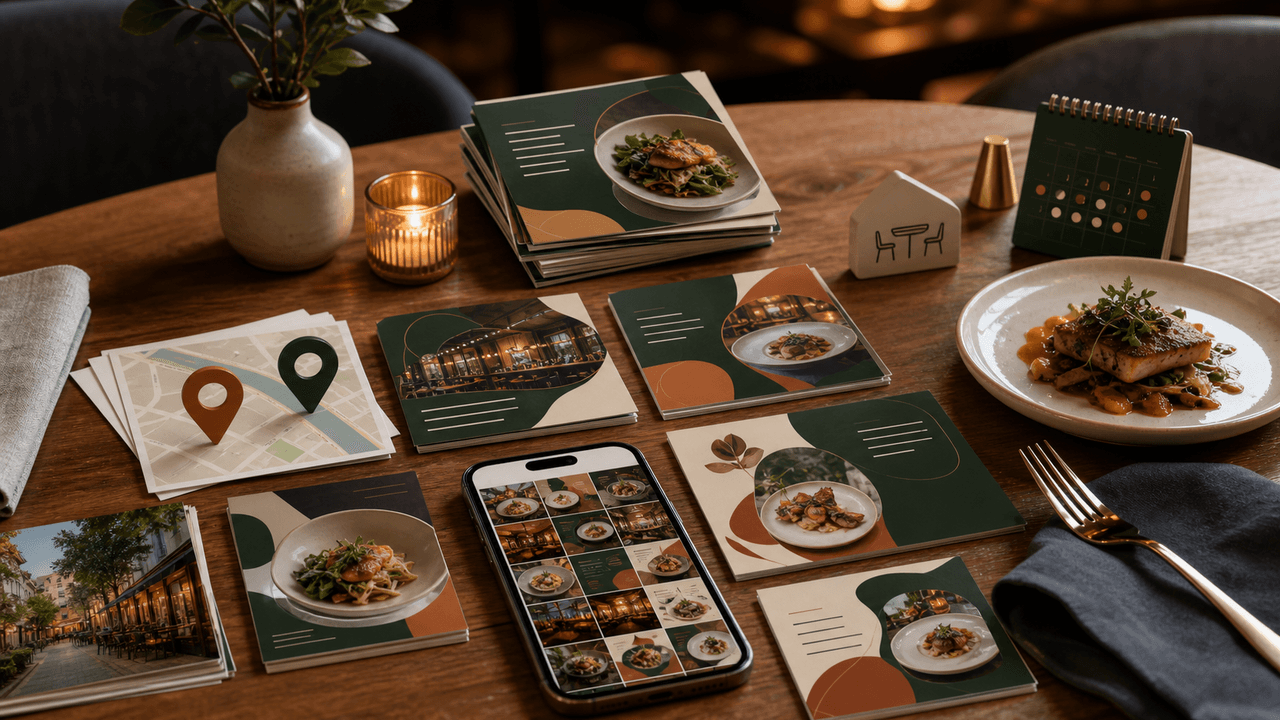
Restaurant Instagram Carousels: The Content Guide That Fills Empty Tables
Most restaurants post food photos and hope for the best. A carousel content system turns your menu, your kitchen, and your story into a reservation engine that works while you cook.
Sources
- Food Safety by Events and Seasons — FoodSafety.gov
- Food Allergen Labeling and Consumer Protection Act of 2004 — U.S. Food and Drug Administration
- About Carousel Ads — Meta Business Help Center
- FTC's Endorsement Guides: What People Are Asking — Federal Trade Commission
Written by
AttentionClaw
Editorial Team
Editorial context
Part of the Carousel Creation topic cluster. Last updated June 22, 2026.