Chapter 1
The direct answer: sell the maintainable system
A home organizer before-and-after Instagram carousel should show the starting problem, the organizing goal, sorting decisions, storage system, maintenance routine, privacy-safe proof, and consultation CTA.
Professional organizers should be careful with client privacy. Closets, paperwork, medicine cabinets, children's rooms, mail, family photos, and labels can reveal more than the client intended.
Safety can also matter. CPSC's Anchor It campaign shows that furniture and TV tip-over prevention is a real household safety topic. Organizers should not imply they installed or solved safety issues unless that is within scope and properly handled.
Callout
Organizer content rule
Show the system and protect the household. A beautiful after photo is not worth exposing private details.
Chapter 2
Turn one project into multiple content angles
A single organizing project can create several posts: before-and-after proof, category system, maintenance routine, shopping list, decision rules, donation workflow, and client FAQ.
The best angle depends on the service. A pantry post should explain zones and restocking. A closet post should explain decision rules. A garage post should explain access and safety. A paperwork post should be extremely privacy-safe.
Before-and-after should not imply that every client gets the same result in the same time. Scope, budget, decision speed, household size, and storage constraints change the outcome.
Pantry zone system.
Closet reset and decision rules.
Playroom toy rotation.
Garage access zones.
Paperwork command center without private data.
Move-in unpacking plan.
Donation and discard process.
Maintenance checklist after the project.
Chapter 3
Use a seven-slide before-and-after carousel
The carousel should feel respectful. Avoid shaming the before image or using language that makes prospects embarrassed to call.
Use captions to make the system clear enough that a prospect understands the value of hiring help.
- 1
Slide 1: after hook
Show the strongest privacy-safe after image.
- 2
Slide 2: starting problem
Explain the client challenge without judgment.
- 3
Slide 3: sorting rule
Show the decision process, not just products.
- 4
Slide 4: system
Explain zones, labels, containers, or routines.
- 5
Slide 5: maintenance
Show how the client can keep it working.
- 6
Slide 6: scope note
Mention time, room type, constraints, or consultation variability.
- 7
Slide 7: CTA
Book a consult, save the system, or ask about room-specific organizing.
Chapter 4
Protect privacy and use testimonials honestly
Client homes contain sensitive information. Create a pre-shoot privacy checklist and review every image before posting.
If the client gives a testimonial, use it accurately and with permission. FTC endorsement and testimonial rules apply when using reviews in advertising.
Do not edit a client quote into a claim about mental health, family outcomes, or productivity unless the claim is accurate, permissioned, and substantiated.
Remove names, addresses, school papers, medication, mail, and photos.
Do not shame the before state.
Use permissioned images only.
Show systems and maintenance routines.
Avoid guaranteed lifestyle or productivity claims.
Chapter 5
How AttentionClaw helps organizers package project proof
AttentionClaw helps organizers turn project notes, room photos, maintenance checklists, and client FAQs into Instagram carousels and TikTok slideshows.
Templates can cover pantry reset, closet edit, garage zones, move-in unpacking, paperwork setup, and maintenance routine.
The organizer reviews image privacy and client permissions before anything goes live.
Callout
Organizer workflow
Get permission, capture before and after, remove private details, describe the system, generate carousel, client review if needed, publish.
Chapter 6
Measure consults, saves, and room-specific inquiries
Organizer content should be measured by consultation requests, saves, DMs by room type, website clicks, and repeat questions about process and pricing.
If pantry content drives inquiries but garage content does not, the service may need better examples or a clearer scope explanation.
Track consultations by room type.
Track saves on maintenance checklists.
Track DMs about pricing and timeline.
Track content that leads to photo submissions.
Track privacy review issues before publishing.
Chapter 7
A Photography Brief for Organizing Project Shoots
The quality of a before-and-after carousel is almost entirely determined by the photography, and most organizers do not brief their shoots deliberately enough to get images that work on Instagram. The before shot is the hardest to get right: it needs to be honest about the problem without being degrading, well-lit so the mess is readable, and photographed from the exact same angle as the after shot so the transformation is directly comparable.
A simple brief for every project shoot covers: the anchor angle (the spot where both before and after will be shot from — mark it with tape if needed), the lighting setup (natural light from the same window, or a consistent portable light), what should be moved out of the shot versus left in (items that identify the homeowner should always be moved), and the detail shots needed — typically the label system, a drawer interior, a shelf section, and the organizational container labels if visible.
After-only shoots, where the organizer photographed the finished result but forgot to document the before, are one of the most common missed content opportunities in this niche. Make photographing the before state the first step of every project, before a single item is moved. Attach it to the intake process so it becomes automatic.
- 1
Mark the anchor angle before touching anything
Stand at the primary viewing angle for the space and note the exact spot. Both before and after shots come from here. Consistency makes the transformation legible.
- 2
Photograph the before in full — then detail shots
Wide shot first, then three to four detail shots: the worst problem area, the most common friction point, and any labeling or container chaos.
- 3
Remove identifying information
Check every frame for names, mail, medical documents, school records, or other items that identify the household before photographing.
- 4
Replicate exactly for the after
Same angle, same lens, same lighting. Variation between before and after makes the transformation harder to see — even when the result is dramatic.
Chapter 8
Showing Maintenance Plans in Carousels to Justify the Investment
The most common objection prospects have to hiring a professional organizer is not the upfront cost — it is the fear that the system will fall apart in two weeks. A carousel that shows the maintenance plan alongside the before-and-after addresses this directly and positions the service as a lasting solution rather than a one-time aesthetic improvement.
Maintenance plan slides do not need to be complex. A three-slide sequence showing the reset system — what 'a 10-minute weekly reset' looks like in this specific space, where items return to, and how the system self-corrects when life gets busy — demonstrates thoughtfulness that justifies the professional fee. This is more persuasive than a perfectly styled after photo alone, because it answers the question lurking in every prospect's mind: 'Will I be able to keep this?'
Client quotes that specifically mention the maintenance system are the highest-converting testimonials for this niche. 'My pantry still looks like this six months later' converts better than 'She did an amazing job' because it answers the durability objection directly. When collecting testimonials, ask clients specifically about whether the system has held up — not just whether they liked the process.
Callout
Testimonial prompt for maintenance proof
Ask clients: 'Can you tell me what your space looks like two or three months later, and whether the system has been easy to maintain?' This yields the durability quote that converts better than any before-and-after photo alone.
Chapter 9
Room-Specific Content Angles That Attract the Right Clients
Generic 'before and after organizing' content attracts a wide audience but often converts fewer serious inquiries than room-specific posts that speak to a precise pain point. A garage organization post will attract homeowners with overcrowded garages. A pantry organization post will attract people who cook frequently and feel frustrated by their kitchen storage. A home office organization post will attract remote workers who feel their workspace is undermining their productivity.
Room-specific posts also signal specialization even when an organizer works across all room types. If 60% of your projects are kitchens and pantries, posting primarily kitchen and pantry content will attract more of those projects — which deepens your expertise in a cycle that improves both quality and efficiency. A carousel for a pantry project has natural section points: before state, category pull-out (everything on the counter), zone plan, container selection logic, label system, and final result with the reset routine.
The highest-performing room-specific content tends to focus on the system logic rather than the product selection. Viewers are less interested in which specific container brand was used and more interested in why certain items are grouped together, why certain zones were created, and how the organizer decided on the category structure. That process-level transparency is what turns a viewer into an inquiry.
Pantry: category groupings, zone logic, expiration rotation system, reset routine
Garage: zone assignment by activity type (sports, tools, seasonal), floor space versus wall space trade-offs
Home office: paper flow system, cable management, what stays on the desktop versus in storage
Kids' rooms: age-appropriate systems that children can maintain independently, toy rotation logic
Closets: outfit-building logic, seasonal transition process, what leaves versus what stays
Next step
Turn organizing projects into privacy-safe proof posts
AttentionClaw helps organizers package project photos, systems, maintenance checklists, and consultation CTAs into Instagram carousels and TikTok slideshows.
Common Questions
FAQ
More Reading
Keep reading
9-chapter read
Home Remodel Consultation Instagram Carousels
Home remodel consultation carousels should explain scope, budget, timeline, contractor questions, lead-safe renovation issues, and how to book a consultation without hiding risk or cost questions.
9-chapter read
Home Inspector Buyer Prep Instagram Carousels: Explain the Inspection Before the Appointment
Home inspector buyer-prep carousels should explain what an inspection is, what buyers should attend to, what the report can and cannot do, and how to book without overpromising findings.
8-chapter read
Florist Wedding Consultation TikTok Slideshows: Turn Inspiration Into Inquiries
Wedding florist slideshows should help couples move from inspiration to inquiry by explaining style, seasonality, budget factors, consultation prep, and the exact details the florist needs before quoting.
8-chapter read
Home Services Review Proof Social Posts: Turn Trust Signals Into Bookings
Home service review proof posts should show trust without manipulating reviews or exposing customers. Use honest testimonials, process proof, job photos, team standards, and review-safe CTAs to help homeowners decide who to call.
8-chapter read
Photographer Client Prep Carousel Guide: Reduce No-Shows and Better Sessions
Client prep carousels help photographers reduce confusion, late arrivals, mismatched outfits, unclear expectations, and repetitive DMs. Use session-specific checklists, rights-aware language, location details, and clear next steps to improve both marketing and operations.
8-chapter read
Carousel Slide Order That Converts: Hook, Proof, Offer, CTA
A converting carousel usually follows a clear order: hook, context, problem, solution or product, proof, objection handling, offer, and CTA. The exact slide count can change, but the reader should never wonder why the next slide exists.
8-chapter read
Home Services TikTok Slideshow Ideas: Local Posts for Contractors and Repair Pros
Home service businesses can use TikTok slideshows to show before-and-after proof, explain maintenance, answer emergency questions, spotlight local jobs, and turn field photos into useful content. The best posts are specific, visual, local, and tied to a clear call-to-book.

Client Transformation Carousels: The Before-After Framework That Sells Coaching
Client transformation carousels are the highest-converting content a coach can post. This framework shows you how to tell client stories in a way that builds trust, demonstrates results, and attracts ideal prospects.
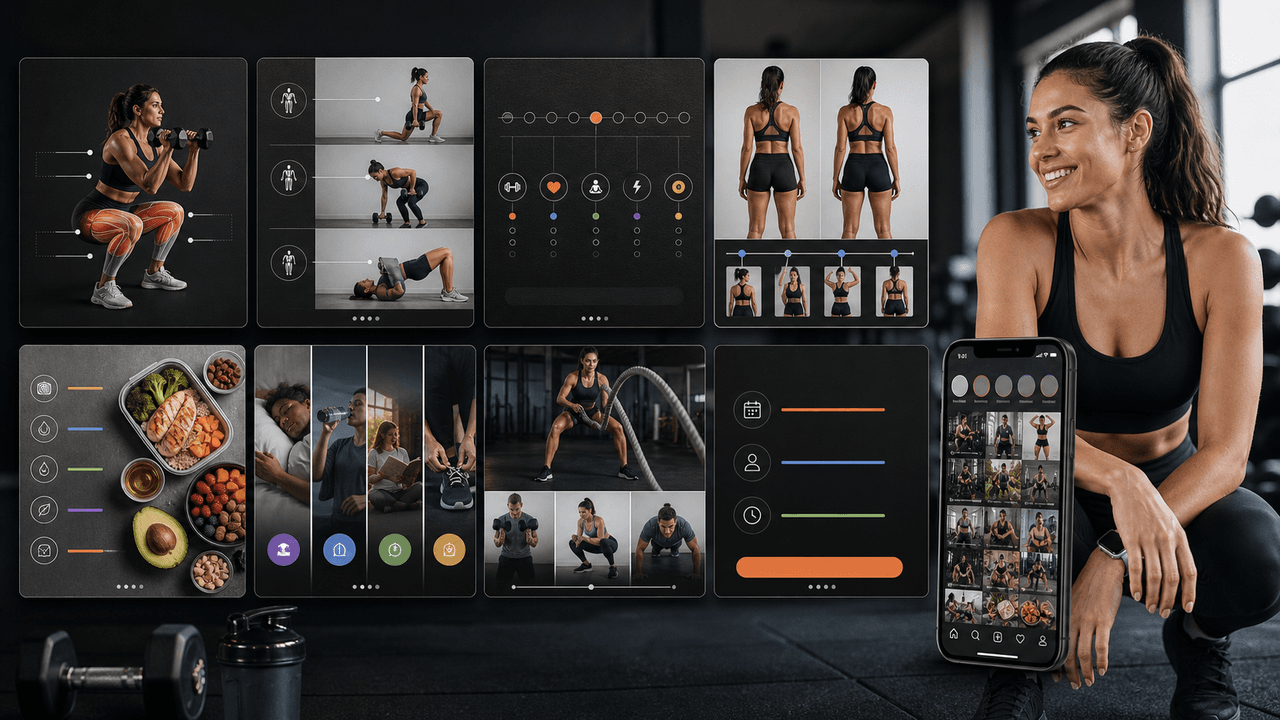
Fitness Trainer Instagram Carousels: The Content Guide That Fills Your Classes
Fitness trainers have the most visual, action-oriented content on Instagram, but most of them are posting the wrong types of carousels. This guide shows you the content mix, carousel structures, and posting strategy that actually fills classes and books clients.

Carousel Design Principles: The Visual Rules That Get More Swipes
Great carousel design is not about being a graphic designer. It is about following a set of visual rules that make your content readable, recognizable, and swipeable. This guide breaks down each rule with concrete specifications you can apply immediately.
Sources
- AnchorIt.gov — U.S. Consumer Product Safety Commission
- Build A Kit — Ready.gov
- Use of Endorsements and Testimonials in Advertising — Federal Trade Commission
- About Carousel Ads — Meta Business Help Center
Written by
AttentionClaw
Editorial Team
Editorial context
Part of the Carousel Creation topic cluster. Last updated June 22, 2026.