
Chapter 1
The short answer: compress production, not strategy
To produce a month of client social posts in one day, finish strategy before the sprint. The sprint should not decide the positioning, campaign offer, product facts, brand voice, or approval rules. It should turn approved inputs into finished post concepts, carousels, slideshow scripts, captions, creative notes, and scheduled publishing metadata.
The agency mistake is trying to make one day cover discovery, strategy, writing, design, client review, and scheduling. That creates generic posts because the team spends the day hunting for facts. The better model is a pre-sprint intake packet, a one-day production board, and a next-day approval package.
Official platform guidance supports this production discipline. Meta separates creative format choices such as carousel assets from campaign objectives and placements. TikTok repeatedly emphasizes native creative and fast testing. Google Analytics campaign tagging guidance makes it clear that content teams need naming and source discipline before traffic arrives.
Use the day for production, not client discovery.
Separate post types into lanes: education, proof, offer, objection handling, and seasonal content.
Create review gates for facts, brand voice, visual consistency, accessibility, and CTA fit.
Package posts for approval in the same order the client will publish them.
Attach UTM and campaign naming rules before the scheduler is touched.
Chapter 2
Build the intake packet before production day
A one-day sprint depends on inputs that are boringly complete. The agency should not open the client's website at 10:00 a.m. and start guessing what matters. The intake packet should include the offer, audience, proof, objections, product or service details, forbidden claims, brand tone, visual assets, platform priorities, and the conversion destination for the month.
For ecommerce clients, collect product page URLs, product media, customer questions, seasonal campaigns, shipping constraints, and bundle rules. For service clients, collect service pages, before-and-after proof, FAQs, testimonials, local constraints, and sales objections. For app or SaaS clients, collect feature screenshots, onboarding steps, use cases, release notes, app store links, and activation goals.
The intake packet should also identify source material. If a claim comes from a product page, policy page, case study, customer review, or official documentation, the team should know that before writing. This prevents AI-assisted production from inventing proof or turning a cautious claim into a risky promise.
- 1
Create a client fact sheet
Document product names, offers, pricing caveats, audience segments, proof points, required disclaimers, and prohibited phrases. Keep it short enough to use during live review.
- 2
Create an asset folder
Collect logos, product photos, screenshots, brand fonts, brand colors, approved examples, rejected examples, and platform-specific export specs.
- 3
Create a content angle bank
List customer questions, pain points, objections, comparison angles, seasonal hooks, and support-ticket themes. These become the production day's raw material.
- 4
Create a measurement sheet
Define campaign names, UTM conventions, landing URLs, publish dates, and the action each post should influence: save, comment, click, demo, purchase, or waitlist.
Chapter 3
Use a timed agenda for the production day
The production day should feel like a studio session, not a brainstorming meeting. Give each block a deliverable. A useful agenda is two hours for campaign mapping, two hours for post drafting, two hours for visual and carousel production, one hour for caption and CTA polish, and one hour for QA packaging.
If the agency has multiple producers, run parallel lanes. One person writes carousel scripts, another builds visuals, another drafts captions, and a reviewer checks facts and brand fit as assets are completed. The reviewer should not wait until the end of the day. Late review creates rework when the whole batch has repeated the same mistake.
The sprint target should be realistic. For one client, 20 to 30 posts can be produced in one long day if templates, inputs, and review rules are ready. For multiple clients, limit each client to a smaller sprint package unless the team has already proven the workflow.
- 1
Hour 1: campaign map
Assign the month into themes, offers, proof beats, education beats, and platform priorities. Decide which posts need carousels, slideshow scripts, single images, or caption-only assets.
- 2
Hours 2-3: content drafts
Write hooks, slide outlines, captions, CTA endings, and source notes. Keep the post purpose visible so drafts do not drift into generic advice.
- 3
Hours 4-5: visual production
Build the carousel and slideshow assets from approved templates. Check that screenshots, product images, type hierarchy, and brand colors are consistent.
- 4
Hour 6: caption and CTA pass
Match the CTA to the funnel stage. Not every post should ask for a purchase or demo. Some should ask for a save, comment, share, or profile visit.
- 5
Hour 7: QA review
Review facts, claims, readability, accessibility, visual consistency, platform fit, and campaign tracking. Reject posts that need factual support.
- 6
Hour 8: approval package
Package assets, captions, publish dates, landing links, and reviewer notes into one client-ready approval view.
Chapter 4
Divide the month into post lanes instead of random ideas
Random idea lists slow agencies down because every post has to be invented from zero. Production lanes give the team reliable shapes that can be filled with client-specific substance. The goal is not to make every client sound the same. The goal is to keep production organized while the client's facts, audience, and proof do the differentiation.
A balanced month usually needs five lanes: education posts that answer buyer questions, proof posts that show credibility, objection posts that remove friction, offer posts that drive action, and retention posts that help current customers succeed. Each lane should have several format options so the month does not look repetitive.
For example, an ecommerce skincare client might use ingredient education, routine mistakes, customer reviews, bundle explanations, and seasonal care tips. A SaaS client might use workflow education, feature tutorials, customer scenarios, comparison posts, and release-note education.
Education lane: how-to carousel, checklist, myth correction, glossary, mini tutorial.
Proof lane: customer result, process proof, review breakdown, before-after context, case study story.
Objection lane: comparison, mistake list, FAQ carousel, risk reversal, hidden-cost explanation.
Offer lane: launch countdown, bundle post, limited-time reminder, demo CTA, booking CTA.
Retention lane: usage tip, onboarding reminder, advanced workflow, new feature education, community prompt.
Chapter 5
Run a QA rubric before the client sees anything
Client approval gets slower when the first review package contains obvious mistakes. Before the client sees the batch, the agency should run a structured QA rubric. The reviewer should check whether every post has a clear audience, a specific promise, an accurate source basis, readable design, and a CTA that matches the post's job.
Accessibility should be part of this pass. Social assets often fail because text is too small, contrast is weak, or the first slide uses a clever phrase that becomes unreadable at mobile size. WCAG contrast guidance is not a social media style guide, but it gives teams a practical baseline for legible text decisions.
The most important agency rule is to reject unsupported claims. If a post says a product is the best, fastest, clinically proven, guaranteed, or revenue-driving, the reviewer should ask where that claim came from. If the source is missing, rewrite the claim.
- 1
Message QA
Does the hook name a real buyer problem? Does the body add detail? Does the CTA fit the reader's stage?
- 2
Fact QA
Are product claims, statistics, testimonials, and performance statements supported by approved sources?
- 3
Brand QA
Does the post match the client's tone, visual identity, and forbidden-claim list?
- 4
Platform QA
Is the asset appropriate for the intended platform format, placement, and consumption speed?
- 5
Readability QA
Can a mobile viewer read the first slide, scan the body, and understand the CTA without pinching or pausing too long?
Chapter 6
Package approvals so clients can make decisions quickly
The approval package should not be a folder of exported images with separate caption docs and mysterious file names. Clients approve faster when they can review the month in sequence: publish date, platform, asset preview, caption, CTA, destination link, source note, and status.
Use clear statuses: ready, needs client fact check, needs legal review, needs design revision, or hold. Do not let every post enter review as if it is equally safe. A testimonial post with a claim needs more scrutiny than a general education post.
Set a client response deadline before the sprint. If the client knows approvals are due within two business days, the agency can schedule with confidence. If approvals drift for two weeks, the one-day production sprint stops being an operating advantage.
Show posts in calendar order.
Include the post objective and funnel stage.
Include source notes for claims.
Mark risky claims for explicit approval.
Keep one comment thread per post so revisions are traceable.
Chapter 7
Track the batch as a campaign, not as isolated posts
A one-day production sprint should produce learning, not only assets. Use campaign naming and UTM conventions so traffic can be interpreted later. Google's campaign URL guidance is useful because it forces teams to decide source, medium, campaign, and content naming before links are published.
For social posts, the `utm_content` value can identify the creative angle or post lane, such as objection-price, tutorial-setup, proof-review, or bundle-launch. This makes the retrospective more useful than a broad conclusion like Instagram worked or TikTok did not.
At the end of the month, review by lane. Which hooks drove saves? Which proof posts drove clicks? Which offer posts created conversions? The next sprint should use that evidence to rebalance the lanes.
- 1
Name each post lane
Use stable labels such as education, proof, objection, offer, and retention.
- 2
Name each creative angle
Track the hook or core concept in a short field so the team can compare variations later.
- 3
Review monthly
Compare saves, comments, clicks, qualified leads, purchases, and conversion rate by lane instead of only by platform.
Chapter 8
Where AttentionClaw fits in the agency sprint
AttentionClaw is most useful after the agency has the intake packet and post lanes. It can turn approved campaign angles into branded carousels, TikTok slideshow scripts, and repeatable creative variations without forcing the team to rebuild every asset manually.
The tool should not replace human account strategy or client approval. It should compress the production layer: first-slide hooks, slide sequencing, caption drafts, template-consistent visuals, and variant generation. The agency still owns the promise, proof, and final review.
Callout
Use the sprint to create a reusable client system
The first month should produce more than posts. Save the winning lanes, hooks, templates, source rules, and approval notes so the second sprint is faster and more client-specific.
Next step
Turn client intake into a month of branded social assets
Use AttentionClaw to move from approved client angles into carousels, slideshow scripts, and content variations your team can review and package faster.
Common Questions
FAQ
More Reading
Keep reading
9-chapter read
Agency Client Approval Instagram Carousels: Reduce Revision Loops Before Content Goes Live
Agency client approval carousels should explain how content moves from brief to draft to stakeholder review to final approval so clients understand what feedback is useful and when claims need support.
7-chapter read
Paid Social Creative Fatigue Checklist for Carousel and Slideshow Ads
Creative fatigue is not solved by making random new ads. Diagnose whether the audience is tired of the hook, product angle, proof, offer, format, or landing-page promise, then refresh the specific part that has gone stale.

How to Batch Instagram Carousels and Save 10+ Hours Every Week
Most creators spend 2-3 hours per carousel because they restart from scratch every time. A batch production system cuts that to 15 minutes per post.
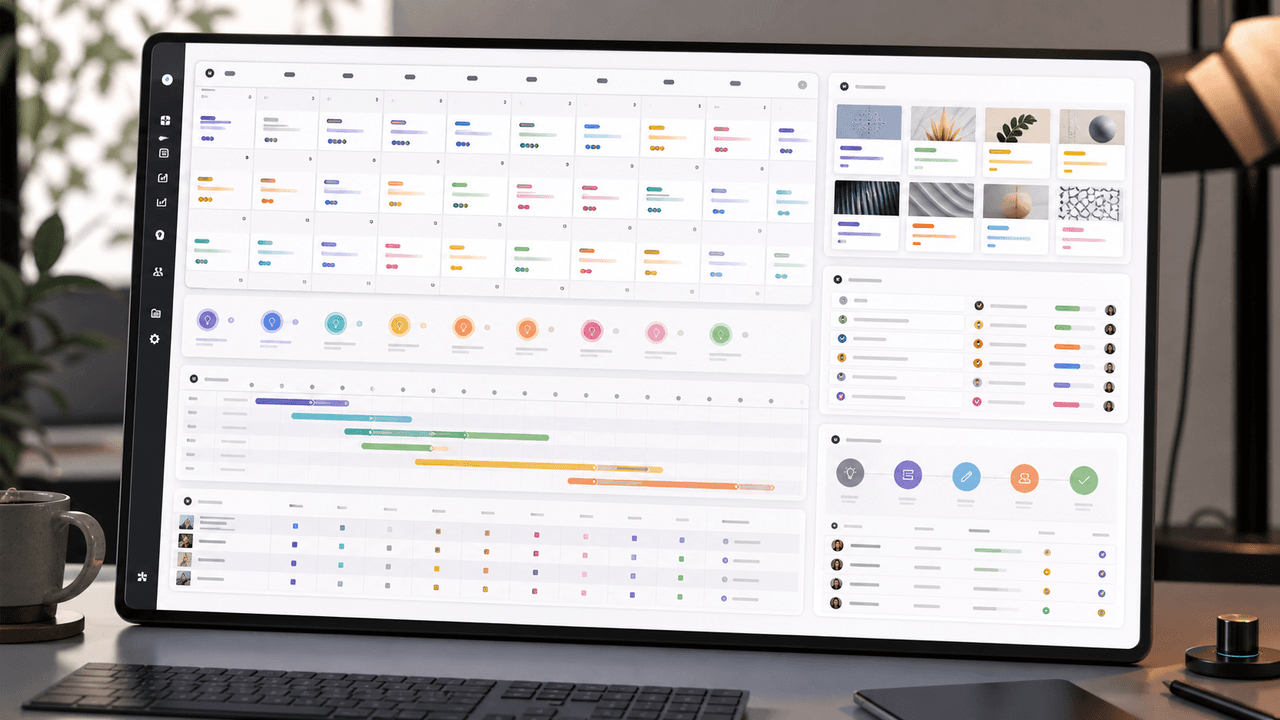
A 30-Day Calendar That Includes the Work Around Each Post
A useful monthly Instagram calendar records more than publication dates. It connects audience questions, approved sources, content pillars, owners, review gates, destinations, live URLs, listening notes, and correction decisions. The complete 30-day example below includes production and hold days so it can be adapted without implying that every account should post daily.

Choose Content Pillars Your Team Can Actually Support
An Instagram content pillar is a durable editorial promise to a defined audience, supported by evidence your team can keep producing. It is not a mandatory posting ratio, a list of formats, or an SEO topic cluster. Use the worksheet in this guide to decide which themes deserve recurring coverage and which should remain occasional.

Build Instagram carousels around a measurable next step
A carousel cannot guarantee conversion. It can make one next step clear, give the reader enough evidence to evaluate it, and produce a testable signal. This guide shows how to design and measure that system.
9-chapter read
Client Content Intake Checklist for Carousels and TikTok Slideshows
A strong client content intake checklist prevents generic AI posts, unsupported claims, visual drift, and approval delays. Agencies should collect the offer, audience, proof, assets, product facts, forbidden claims, platform priorities, destination links, approval owners, and measurement rules before production starts.

Carousel Design Principles: The Visual Rules That Get More Swipes
Great carousel design is not about being a graphic designer. It is about following a set of visual rules that make your content readable, recognizable, and swipeable. This guide breaks down each rule with concrete specifications you can apply immediately.
Sources
- About carousel ads — Meta Business Help Center
- TikTok Creative Center — TikTok for Business
- Campaign URL Builder — Google Analytics Help
- Understanding Success Criterion 1.4.3: Contrast (Minimum) — W3C Web Accessibility Initiative
Written by
AttentionClaw
Editorial Team
Editorial context
Part of the Carousel Creation topic cluster. Last updated June 22, 2026.