Chapter 1
The direct answer: show the unit, process, and current next step
A property management vacancy Instagram carousel should show the unit, layout, key amenities, neighborhood-neutral practical details, application process, showing path, and current listing CTA. It should avoid language that signals a preference for or against protected classes.
HUD explains that the Fair Housing Act protects people from discrimination in renting, buying, mortgage, housing assistance, and other housing-related activity. Property managers should treat social posts as part of that housing communication environment.
For maintenance-sensitive content, EPA lead renovation guidance matters when older properties and repair work are involved. Social posts should not imply unsafe work practices or casually show renovation activity that needs special handling.
Callout
Rental content rule
Market the property features and process, not a preferred type of resident.
Chapter 2
Build vacancy content around renter questions
Prospective renters want to know layout, price, availability, fees, application requirements, pet policy, parking, laundry, transit or commute basics, maintenance response, and showing process.
A vacancy carousel should not overload the first slide with every detail. Use the carousel to answer the most common questions in order, then link to the live listing for current terms.
Keep the language consistent with the company's fair housing review. Avoid phrases that imply ideal residents, family status, age, religion, disability, national origin, or other protected-class preferences.
Unit tour: exterior, living area, kitchen, bedrooms, bath, storage, and outdoor space.
Application guide: requirements, documents, timeline, and where to apply.
Pet policy explainer: approved policy details without emotional judgment.
Maintenance proof: portal, emergency contact, recent updates, and tenant communication.
Move-in checklist: deposits, utilities, keys, inspection, and renter questions.
Chapter 3
Use an eight-slide vacancy carousel structure
A rental carousel should help a prospect decide whether to click the listing, not replace the listing. Current price, availability, and policy details should be verified at publish time and routed to the official listing.
Use accurate photos. Do not show another unit's finishes as if they apply to this unit unless clearly labeled as representative and allowed by company policy.
The final slide should send prospects to the same application or showing path used by leasing staff.
- 1
Slide 1: unit headline
Name bedroom count, property type, and availability window if current.
- 2
Slide 2: layout proof
Show living area, floor plan, or layout cue.
- 3
Slide 3: kitchen or bath
Show major decision features honestly.
- 4
Slide 4: storage, laundry, parking, or outdoor space
Highlight practical features that drive renter questions.
- 5
Slide 5: application basics
Explain where to find current requirements and documents.
- 6
Slide 6: showing process
Explain appointment, self-tour, open house, or agent contact path.
- 7
Slide 7: policy note
Route pet, accessibility, fees, utilities, and occupancy questions to current listing or staff.
- 8
Slide 8: CTA
View the listing, schedule a showing, apply, or ask leasing a specific question.
Chapter 4
Set fair housing and maintenance guardrails
Property managers should maintain approved vocabulary for rental posts. The goal is to describe property features and process neutrally, not describe the desired tenant.
Fair housing review should include captions, alt text, comments, hashtags, and replies. A problematic phrase in a comment response can create the same trust issue as a problematic slide.
Maintenance and renovation content should also be reviewed. EPA's RRP resources explain requirements around lead-safe work in pre-1978 buildings and child-occupied facilities. A social post should not casually show unsafe-looking work or imply shortcuts.
Describe features, not preferred people.
Keep application criteria current and consistently linked.
Do not answer protected-class questions in comments.
Use approved responses for accommodation and accessibility questions.
Review renovation and maintenance posts before publishing.
Chapter 5
How AttentionClaw helps property managers package vacancy content
AttentionClaw helps property managers turn listing photos, leasing FAQs, application steps, maintenance notes, and approved language into Instagram carousels and TikTok slideshows.
Templates can cover vacancy tour, application guide, pet policy, move-in checklist, maintenance process, neighborhood-neutral practical guide, and renewal reminder.
The leasing team still owns availability, fair housing review, and policy accuracy. AttentionClaw makes the creative production repeatable.
Callout
Leasing workflow
Pull current listing details, select accurate photos, generate carousel, fair housing review, publish, then track showing questions.
Chapter 6
Measure listing clicks, showings, applications, and question quality
Vacancy content should be measured by listing clicks, showing bookings, completed applications, inquiry quality, saves, and reduced repeated questions.
Track which slide topics produce better inquiries. If parking slides reduce calls, keep them. If application slides create confusion, update the linked listing and the carousel template.
Use leasing team feedback after every campaign. Social content should make leasing easier, not create parallel promises that staff cannot honor.
Track listing clicks from each vacancy campaign.
Track showing bookings and application starts.
Track repeated questions by unit type.
Track comments that require approved fair housing responses.
Track content that reduces manual leasing replies.
Chapter 7
Keep vacancy content current without constant rebuilding
The most common complaint from renters who find a property through social media is discovering the unit shown is no longer available. A carousel posted three weeks ago with a specific price and availability date creates inquiries your team cannot fulfill — and frustration that reflects negatively on your brand even though the listing moved normally.
A practical solution: structure vacancy carousels around unit types and floor plans rather than specific units. 'This is what our two-bedroom floor plan looks like — layout, finishes, and included features' stays accurate even after that specific unit leases. Add a final slide that directs the viewer to your current availability page, where live listings are updated in real time. The carousel builds interest; the live listing closes the inquiry.
For property managers with higher turnover or larger portfolios, create a set of three to five evergreen unit-type carousels and rotate them with updated CTAs rather than building a new carousel for each vacancy. This significantly reduces content production effort while keeping the top-of-funnel pipeline active.
Chapter 8
Show the application process as a trust builder
Renters are often intimidated or confused by the application process. A carousel that walks through the application step by step — what documents are needed, what the screening process evaluates, how long it takes, and what happens after approval — reduces abandonment and attracts more serious applicants.
Be specific about what you evaluate and what you do not. If your screening includes credit, rental history, and income verification, say so plainly. If you have a stated income requirement, include it. Renters who do not qualify are better off knowing before they invest time in an application; renters who do qualify are reassured that the process is transparent and fair.
Pair the process walkthrough with a 'what we need from you' checklist slide: government-issued ID, recent pay stubs or proof of income, contact information for previous landlords. This checklist slide earns saves from active rental searchers who want to have their documents ready before they apply.
Chapter 9
Add neighborhood context to differentiate your listing
Rental listings that show only the interior of the unit compete on square footage and price. Listings that show the neighborhood compete on lifestyle — and lifestyle comparisons are harder to commoditize. A slide or two showing what is walkable, what transit options look like, or what the surrounding block feels like gives a prospect enough context to make a stronger initial decision about whether to pursue the inquiry.
Keep neighborhood content factual and neutral. Show a transit map, a walkability radius, or nearby grocery and park access. Avoid making subjective neighborhood quality claims, which can carry fair housing implications. 'Walkable to three grocery stores and two coffee shops' is factual and useful. Subjective neighborhood quality language is not appropriate and may violate fair housing advertising guidelines in some jurisdictions.
If your properties span multiple neighborhoods, consider building one neighborhood-context carousel per area and linking them from vacancy carousels as a 'learn more about this area' reference in the caption.
Next step
Turn rental listings into reviewed social campaigns
AttentionClaw helps property managers package unit photos, leasing FAQs, application steps, and approved language into Instagram carousels and TikTok slideshows.
Common Questions
FAQ
More Reading
Keep reading
8-chapter read
Home Cleaning Move-Out TikTok Slideshows
Home cleaning move-out slideshows should explain what tenants should clear, what cleaners can assess, how disinfecting differs from cleaning, and how to book without risky product claims.
8-chapter read
Real Estate Investor Education Instagram Carousels
Real estate investor education carousels should explain due diligence, risk questions, property math, scam warning signs, and consultation CTAs without promising passive income or guaranteed returns.
9-chapter read
Rental Property Maintenance TikTok Slideshows: Reduce Tenant Confusion
Rental property maintenance slideshows should help tenants report issues clearly, protect privacy, understand seasonal maintenance, and route urgent problems without replacing lease or legal guidance.
9-chapter read
Real Estate Seller Nurture Instagram Carousels: Educate Homeowners Before They List
Real estate seller nurture carousels should help homeowners understand pricing, staging, timing, equity questions, and listing preparation before they request a valuation.
8-chapter read
Real Estate Neighborhood Guide Social Content: Local Posts With Fair Housing Review
Real estate neighborhood guide content should help buyers understand local amenities, commute options, housing types, market process, and questions to research without steering or making unsupported claims. Fair-housing review is essential for every local guide post.
9-chapter read
Real Estate Open House Social Content: Promote Listings Without Losing the Plot
Open house social content should help qualified visitors understand the property, schedule, showing logistics, and next step while respecting fair housing, listing accuracy, and safety. A good campaign includes teaser posts, day-of reminders, property-feature carousels, visitor FAQs, and follow-up content.
8-chapter read
Real Estate Listing Social Media Checklist: Carousels, Reels, and Local Trust
A real estate listing social media checklist should package the property, neighborhood, buyer questions, showing path, and compliance review into a clear launch sequence. The best listing content attracts qualified interest without using discriminatory language or unsupported claims.
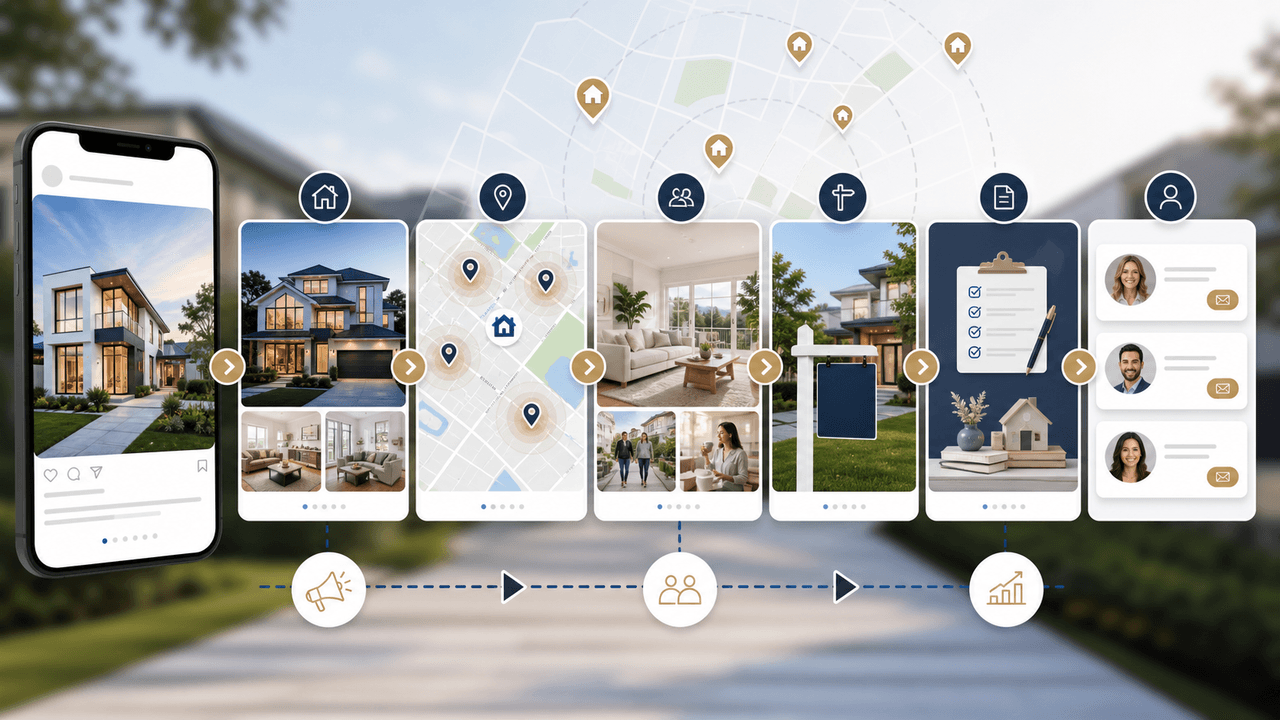
Real Estate Carousel Marketing With Facts, Context, and Fair-Housing Guardrails
Real estate carousel marketing works best as a documented publishing process: verify authority and facts, describe the property rather than a preferred resident, disclose the professional source, and give every slide one useful job.
Sources
- Housing Discrimination Under the Fair Housing Act — U.S. Department of Housing and Urban Development
- Fair Housing: Rights and Obligations — U.S. Department of Housing and Urban Development
- Renovation, Repair and Painting Program: Property Managers — U.S. Environmental Protection Agency
- About Carousel Ads — Meta Business Help Center
Written by
AttentionClaw
Editorial Team
Editorial context
Part of the Carousel Creation topic cluster. Last updated June 22, 2026.