Chapter 1
Why captions matter more for app marketing than any other niche
In most content niches, the caption is optional flavor text. For app marketing, the caption is where the conversion happens. Your carousel builds awareness and desire, but the caption is where you tell people what to do next — visit your profile, tap the link, search the App Store, or DM for access.
Instagram's algorithm also uses caption engagement as a ranking signal. Captions that generate comments and saves signal that the post is valuable, which leads to wider distribution. A caption with a genuine question or a controversial take will outperform a generic description every time.
The other reason captions matter for app marketing: they handle objections. Your carousel might show an amazing demo, but the viewer is thinking 'how much does it cost?' or 'does it work on Android?' The caption is where you proactively answer those questions before they become reasons not to download.
Carousels build desire — captions convert desire into action
Caption engagement (comments, saves) directly affects algorithmic distribution
Captions handle objections that your slides cannot address without breaking the visual flow
A strong caption with a clear CTA can meaningfully increase your profile visits compared to a generic one
Chapter 2
The anatomy of a high-converting app promotion caption
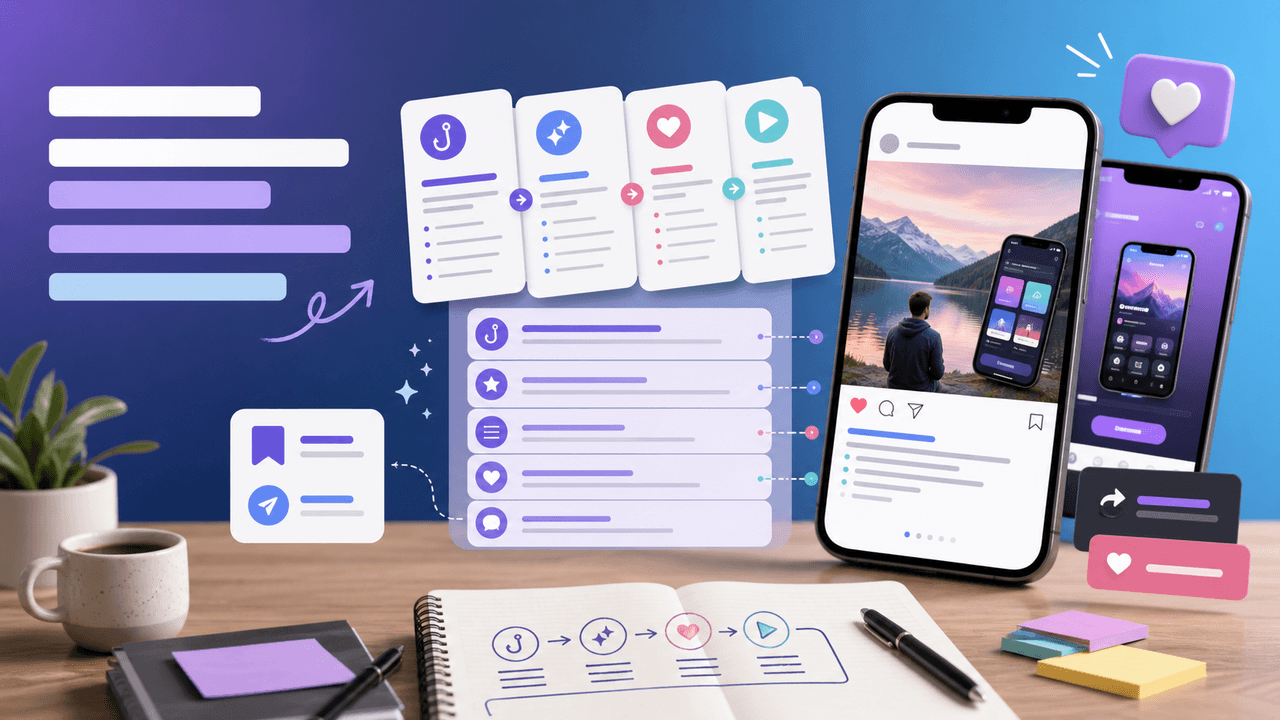
Every effective app marketing caption follows the same four-part structure, regardless of the campaign type or audience.
Part one is the hook line — the first 125 characters that appear before the 'more' truncation. This is the most important line because most people never expand the caption. If your hook line is weak, your entire caption is invisible.
Part two is the value bridge — 2-3 sentences that connect the carousel content to your app. This is where you summarize what the viewer just learned and position your app as the logical next step.
Part three is the CTA — a single, clear action you want the viewer to take. Not two actions. Not a menu of options. One action. Download from the link in bio. DM a keyword. Search the App Store. Pick one and commit.
Part four is the engagement hook — a question or prompt at the end that encourages comments. This is optional but recommended because comments boost algorithmic distribution, which means more people see the post and your CTA.
- 1
Hook line (first 125 characters)
Write a standalone sentence that creates curiosity or states a bold claim. This must work even if no one clicks 'more.' Example: 'I replaced 4 apps with one and saved $200/month.'
- 2
Value bridge (2-3 sentences)
Connect the carousel content to your app's value proposition. Be specific about what the app does and who it is for. Example: 'After testing 12 project management tools, I switched to [app] for one reason: it actually handles client revisions without the endless email chains.'
- 3
Call to action (1 sentence)
Tell the viewer exactly what to do next. Be directive, not suggestive. 'Link in bio to try it free' is better than 'check it out if you are interested.' Remove friction from the ask.
- 4
Engagement hook (1 question)
End with a question that invites comments. Tie it to the topic, not the app. 'What app have you been meaning to try but keep putting off?' generates more genuine engagement than 'have you tried [app] yet?'
Chapter 3
Launch day caption templates: announce your app without sounding like an ad
Launch day is the one moment when direct promotion is expected and welcomed. Your audience wants to hear about something new. The challenge is not permission to promote — it is standing out in a feed full of other announcements and content.
The best launch captions lead with the problem your app solves, not with the fact that you built an app. Nobody cares that you launched something. They care that a problem they have might finally have a solution.
'I have been working on something for [X months] that solves [specific problem]. It is live today. [App name] does [one-sentence value prop]. Link in bio to try it — first 500 users get [incentive]. What is the one [task] you wish you could automate?'
'[Specific problem] has been driving me crazy for years. So I built [app name] to fix it. Here is what it does: [3 bullet features]. It is free to try — link in bio. Drop a [emoji] if you have dealt with this too.'
'Today is launch day. [App name] is a [one-line description] for [specific audience]. I built it because [personal story or motivation]. Try it free at the link in bio. What would you build if you had the skills?'
'Stop me if this sounds familiar: [relatable frustrating scenario]. That is exactly why [app name] exists. We just launched and the first [X] signups get [offer]. Link in bio. Have you ever used an app that completely changed your workflow?'
Callout
Launch caption dos and do nots
Do lead with the problem, not the product. Do include a specific incentive for early adopters. Do end with an engagement question. Do not list every feature. Do not use corporate language. Do not ask people to 'support your launch' — give them a reason to care.
Chapter 4
Feature update caption templates: turn releases into content moments
Feature updates are underused in app marketing. Most apps push update notes through the App Store and call it done. But every feature update is a content opportunity — a reason to post a carousel that shows the new capability and reminds people your app exists.
The key is framing the update as a solution to a specific user pain point, not as a technical changelog. 'We added dark mode' is a changelog item. 'Your eyes at 11 PM just called — dark mode is here' is a caption that gets engagement.
'You asked for it. We built it. [Feature name] is live in [app name] today. Here is what it does and why it matters: [2-3 sentences]. Update your app and try it — then tell me what you think. What feature would you want us to build next?'
'Remember when you told us [specific user complaint]? Fixed. [App name] now [describes improvement]. Swipe through to see it in action. Update is live now. What has been the most useful feature you have discovered in an app recently?'
'New in [app name]: [feature] — because [reason it matters to users]. I am genuinely excited about this one because [personal note about why]. Link in bio to try it. Drop a [emoji] if this is something you have been waiting for.'
'We just shipped the update that changes everything about [specific workflow]. [Feature name] lets you [specific capability] in [fraction of the time]. Swipe to see the before and after. What app update has genuinely surprised you?'
Chapter 6
Educational caption templates: teach something, then introduce your app
Educational captions deliver standalone value in the caption itself, then naturally transition to your app as a tool that helps implement what they just learned. This approach works because it builds trust before asking for anything.
The formula: teach a principle or share an insight, show how your app applies that principle, and then CTA. The teaching part should be genuinely useful even if the person never downloads your app. That generosity is what earns the conversion.
Educational captions also have the highest save rates, which means more algorithmic distribution over time. A single educational caption can drive downloads for weeks after publication because people keep discovering it through saves and shares.
'Here is the biggest [topic] mistake I see [audience type] make: [specific mistake]. The fix is simple: [2-3 sentence solution]. [App name] automates this so you never have to think about it. Link in bio. What is a mistake you had to learn the hard way?'
'Quick [topic] tip: [actionable insight]. Most [audience] skip this step because [reason]. But when you get it right, [positive result]. [App name] has this built in — try it free. Save this for later and share one tip you wish someone told you sooner.'
'3 [topic] rules I wish I knew earlier: 1. [Rule]. 2. [Rule]. 3. [Rule]. I built these principles into [app name] so they happen automatically. Link in bio to see how. Which rule surprised you most?'
'Everyone overcomplicates [task]. Here is the simple version: [2-3 sentence framework]. That is exactly how [app name] works — it strips away the complexity and just [core value]. Link in bio. What is something you recently simplified in your workflow?'
Chapter 7
Scarcity and urgency captions: drive downloads now, not later
Scarcity and urgency captions work because they compress the decision timeline. Without urgency, the viewer thinks 'I will check that out later' — and later never comes. With urgency, they act now because the cost of waiting is real.
The key is making the scarcity genuine. Fake urgency (this offer expires but it actually never does) destroys trust permanently. Real urgency (limited beta spots, launch pricing that genuinely ends, seasonal relevance) drives action and builds credibility.
Use scarcity captions sparingly. If every post has an expiring offer, your audience will tune out. Save them for genuine moments: product launches, pricing changes, seasonal campaigns, and milestone celebrations.
'[App name] is free for the first [X] users who sign up this week. After that, it is $[X]/month. No catch — we just want real feedback from early users. Link in bio before spots fill. Tag someone who needs this.'
'Launch pricing ends [specific date]. [App name] will be $[higher price]/month after that — the current price is the lowest it will ever be. If you have been thinking about trying it, this is the moment. Link in bio.'
'We are letting [X] more people into the [app name] beta this week. If you want in, comment "[keyword]" and I will send you the link. What feature would you test first?'
'[App name] just hit [milestone]. To celebrate, we are offering [specific incentive] for the next 48 hours. Link in bio. What milestone are you working toward right now?'
Chapter 8
Engagement-driving closing lines that boost distribution
The last line of your caption determines whether people comment, and comments are the single strongest signal for algorithmic distribution on Instagram. A post with many genuine comments will reach substantially more people than a post with very few, as comment volume is a strong algorithmic distribution signal.
The best engagement hooks ask questions that people actually want to answer. Avoid yes/no questions (they generate one-word comments that Instagram's algorithm discounts). Instead, ask open-ended questions that relate to the viewer's experience, preferences, or opinions.
Tie your engagement hook to the caption topic, not to your app. 'What app do you use for [task]?' feels like market research. 'What is the one [task] you wish you could automate?' feels like a genuine conversation.
'What is the one tool you could not live without in your workflow?' — works for any productivity or tool-based app
'Drop a [emoji] if [relatable scenario]. Bonus points if you share your fix.' — creates community
'Tag someone who needs to see this.' — simple, effective, direct
'What would you do with an extra [X hours] per week?' — positions your app as a time-saver
'Unfiltered opinion: [topic related to your app space]. Go.' — generates debate and long comments
'Save this for the next time you [relevant scenario].' — drives saves, which boost distribution
Callout
Comment seeding
Reply to every comment within the first hour. Instagram's algorithm treats creator replies as a signal that the conversation is valuable, which further boosts distribution. Use AttentionClaw to batch your carousel production so you have more time for community engagement.
Chapter 9
How long should your app promotion caption actually be?
There is no universal right length, but there is a right approach: your caption should be exactly as long as it needs to be to accomplish the four parts (hook, value bridge, CTA, engagement hook) and not a word longer.
For most app marketing captions, that means 150-300 words. Short enough to respect people's time, long enough to handle objections and make a compelling case. If you can accomplish everything in 100 words, do not pad it. If you need 400 words to tell a proper user story, use them.
One practical rule: after writing your caption, read it aloud. Every sentence where your energy drops or you feel like skipping ahead — cut it. The remaining sentences are your real caption.
Launch captions: 200-300 words — you need room to explain and create urgency
Feature update captions: 100-200 words — brief, focused, visual-forward
Social proof captions: 150-250 words — let the testimonial breathe
Educational captions: 200-350 words — the value needs space to land
Engagement-focused captions: 100-150 words — get to the question fast
Chapter 10
Batching captions alongside your carousel production
Writing captions one at a time is a recipe for inconsistency. Some days you will write a masterpiece, other days you will rush out something generic because you are out of creative energy. The fix is batching: write all your captions for the week or month in one focused session.
The workflow is straightforward. First, plan your content calendar and decide the campaign type for each post (launch, feature, social proof, educational, engagement). Second, use the templates from this guide to draft each caption. Third, generate your carousels using a tool like AttentionClaw. Fourth, pair each carousel with its caption and schedule the batch.
Batching your captions alongside your carousel production means you write from a strategic perspective rather than a reactive one. You can ensure your caption types are varied, your CTAs are distributed across the week, and your engagement hooks are not repetitive.
- 1
Map your weekly caption types
Assign a caption template type to each posting slot. Monday: educational. Wednesday: social proof. Friday: engagement-focused. This prevents you from defaulting to the same formula every post.
- 2
Draft all captions in one session
Block 60-90 minutes to write the full week's captions. Use the templates from this guide as starting scaffolds and customize with your specific app details, metrics, and user stories.
- 3
Pair captions with carousels
Match each caption to the carousel it supports. Make sure the caption's hook line reinforces the carousel's first slide — they should feel like two halves of the same message.
- 4
Review and schedule
Read all captions back-to-back. Check that they do not repeat phrases, CTAs, or engagement hooks. Then schedule the full batch so your week runs on autopilot.
Next step
Create carousels that match your captions
AttentionClaw generates on-brand Instagram carousels and TikTok slideshows in minutes. Write your caption, generate the slides, and publish — all from one workflow.
Common Questions
FAQ
More Reading
Keep reading
7-chapter read
Instagram Carousel Ad Hook Formulas That Qualify Buyers
The best Instagram carousel ad hooks qualify the audience, name the buying problem, and create a reason to swipe. A hook should attract the right buyer, not just the most curious viewer.
8-chapter read
A Hook Testing Framework for Paid Social Carousel and Slideshow Ads
Paid social hook testing works when each hook tests a clear buyer angle against the same proof, offer, audience, and destination. The goal is not to find the cleverest line. It is to learn which problem, outcome, proof, or objection earns qualified action.

Storytelling Hooks for App Creators: Turn Your Build Story Into Downloads
People do not download apps — they buy into stories. This guide shows app creators how to turn their build journey, founder struggles, and behind-the-scenes moments into carousel hooks that build an audience and drive downloads simultaneously.

Write app marketing hooks the rest of the campaign can prove
App marketing hooks should make a narrow, supportable promise that the next slides and the app-store destination can prove. This guide turns user evidence into hook variants, a complete slide sequence, and a matched measurement plan.

7 Viral Carousel Formulas for App Marketing (With Real Examples)
Some carousel structures are engineered for virality. They trigger saves, shares, and comments at rates that blow up algorithmic distribution. These 7 formulas are the ones that consistently go viral in the app and tech space — with slide-by-slide breakdowns so you can replicate them.

App Testimonial Carousels: Scripts and Frameworks That Convert Skeptics
App store reviews and user testimonials are your most underused marketing asset. This guide shows you how to transform raw user feedback into carousel scripts that overcome skepticism, build trust, and convert viewers into downloaders.

Write carousel copy as one connected argument
Good carousel copy lets a reader understand one argument without guessing what connects the slides. This guide covers hooks, claim-proof editing, continuity, legibility, and a complete before-and-after example.
Written by
AttentionClaw
Editorial Team
Editorial context
Part of the Hooks & Captions topic cluster. Last updated June 22, 2026.
Chapter 5
Social proof caption templates: let your users sell for you
Social proof captions work by shifting the voice from you (the app maker) to them (the users). When a real person describes how your app changed their workflow, it tends to be significantly more convincing than anything you could say yourself.
The format matters: quote the user directly, describe the context, and then bridge to a CTA. Do not just dump a testimonial — frame it as a story with a beginning (the problem), middle (discovering your app), and end (the result).
If you have permission, tag the user. This adds authenticity and often gets the user to engage with the post, which boosts distribution.
'"I went from [bad metric] to [good metric] in [timeframe] after switching to [app name]." — @[user]. Here is what they did differently (swipe through). If you are dealing with [same problem], the link is in bio. Has any tool dramatically changed your results?'
'@[user] sent us this DM last week: "[direct quote about results]." This is why we built [app name] — for moments like this. Try it free at the link in bio. What result would make you rave about an app to your friends?'
'We hit [milestone: X users, X downloads, X reviews] this week. Here are 3 things our users say they love most (swipe through). If you have not tried [app name] yet, link in bio. What made you finally try the last app you downloaded?'
'This review stopped us in our tracks: "[powerful user quote]." We do not take this lightly. Every feature in [app name] is built to deliver [core value]. Link in bio to see for yourself. What is the best app review you have ever left?'